Home / Network Switches / 24 Port (315)
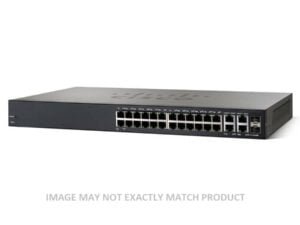
JG913A HPE 1620-24G 24-Port 1u Rack-Mountable Managed Switch
£1,415.58£1,698.70 Incl. VAT
## HPE Managed Switch for Network Efficiency ### Device Overview ? Device Type: Managed Switch - 24 Ports ? Mounting Style: Rack-mountable (1U) ? Ethernet Standard: Gigabit Ethernet ? Port Configuration: 24 x 10/100/1000 Mbps ### Optimized Network Performance ? Throughput: Up to 35.7 Mpps (64-byte packet size) ? Switching Capacity: 48 Gbps for rapid data transfer ? MAC Address Table Size: 8192 entries ? Jumbo Frame Support: Up to 10 KB for larger packet handling #### Comprehensive Routing and Management Protocols ? Routing Protocols Supported: IGMPv2, IGMPv3, IGMP for multicast management ? Remote Management Protocols: SNMPv1, SNMPv2c, SNMPv3, CLI for efficient network monitoring #### Advanced Features for Enhanced Network Control ? Flow control and full duplex capability to manage traffic efficiently ? Supports VLAN and auto-uplink (MDI/MDI-X) for network segmentation ? Port mirroring for easy troubleshooting ? Quality of Service (QoS) ensures priority traffic is handled seamlessly ? Fanless design for silent operation ? Link Aggregation Control Protocol (LACP) for increased bandwidth ? Supports Energy Efficient Ethernet to reduce power consumption ##### Additional Network Features ? Dual firmware images for redundancy and stability ? DHCP client support for dynamic IP configuration ? Loopback detection to prevent network disruption ? Cable test functionality for quick diagnostics #### Standards and Protocols Compliance ? Complies with IEEE standards: 802.3, 802.3u, 802.3i, 802.1D, 802.1Q, 802.3ab, 802.1p, 802.3x, 802.3ad (LACP), 802.3az ##### Hardware Specifications ? Processor: 500 MHz MIPS processor for fast performance ? RAM: 128 MB SDRAM for smooth operations ? Flash Memory: 32 MB for storing firmware and configurations ## Ports The HPE JG913A Managed Switch is equipped with an impressive 24 ports, making it a versatile and efficient networking solution for businesses of all sizes. With such a high number of ports, users can connect a multitude of devices to the switch, allowing for seamless communication and data transfer within the network. ### Increased Connectivity The 24 ports on the HPE JG913A Managed Switch provide users with an extensive range of options for connecting various devices. Whether you need to connect computers, printers, servers, or other networking devices, this switch has more than enough ports to accommodate your needs. This increased connectivity makes it an ideal choice for businesses that require a robust and scalable networking infrastructure. #### Flexibility in Network Design Having 24 ports on the HPE JG913A Managed Switch allows for greater flexibility in network design. Users can create complex network topologies without worrying about running out of available ports. This flexibility is particularly beneficial for businesses that have multiple departments or require separate networks for different purposes. With the ability to connect numerous devices simultaneously, users can easily design a network that suits their specific requirements. #### Improved Performance and Efficiency The 24 ports on the HPE JG913A Managed Switch contribute to improved network performance and efficiency. With more available ports, users can distribute the network load evenly across devices, preventing congestion and minimizing latency. This ensures a smooth and uninterrupted flow of data within the network, enhancing productivity and reducing downtime. Additionally, the increased connectivity reduces the need for additional switches or networking equipment, resulting in cost savings and simplified network management. #### Scalability Scalability is a crucial aspect of any networking solution, and the 24 ports on the HPE JG913A Managed Switch offer excellent scalability options. As your business grows and demands increase, you can effortlessly expand your network by adding more devices without worrying about running out of available ports. This scalability ensures that your network can accommodate future growth and adapt to changing business needs, providing a long-term and cost-effective solution. ##### Future-Proofing Investing in a switch with 24 ports like the HPE JG913A ensures future-proofing your network infrastructure. With the ever-increasing demand for connectivity and data transfer, having ample ports allows your network to handle future technology advancements without requiring significant upgrades or replacements. By choosing a switch with an extensive port capacity, you can stay ahead of the curve and ensure that your network remains efficient and reliable in the years to come. ## Rack-mountable The HPE JG913A Managed Switch is designed to be rack-mountable, providing users with a convenient and space-saving solution for their networking needs. With its rack-mountable design, this switch offers several benefits that make it a preferred choice for businesses. ### Space Optimization The rack-mountable feature of the HPE JG913A Managed Switch allows for efficient space utilization in data centers or server rooms. Instead of occupying valuable floor space, this switch can be easily mounted on standard server racks or cabinets, effectively organizing your networking equipment in a compact and streamlined manner. This space optimization not only enhances the overall aesthetics but also makes it easier to manage and maintain the network infrastructure. #### Easier Cable Management Mounting the HPE JG913A Managed Switch on a rack simplifies cable management. With neatly organized cables running through the rack, it becomes easier to trace and identify connections, reducing the risk of errors or accidental disconnections. Additionally, proper cable management improves airflow and ventilation within the rack, preventing overheating issues and ensuring optimal performance of networking devices. #### Accessibility and Maintenance The rack-mountable design of the HPE JG913A Managed Switch offers improved accessibility for maintenance and troubleshooting. With the switch securely mounted on a rack, technicians can easily access and work on the device without the need to dismantle or disrupt the entire network setup. This saves valuable time during maintenance tasks and minimizes downtime, ensuring uninterrupted network connectivity for users. #### Scalability and Expansion Rack-mountable switches like the HPE JG913A are ideal for businesses that anticipate future growth and expansion. The ability to mount multiple switches in a rack allows for easy scalability, as new switches can be added without requiring additional floor space or extensive reconfiguration. This scalability is particularly beneficial for businesses that anticipate increased network demands or plan to expand their operations in the future. ##### Improved Organization and Aesthetics The rack-mountable feature not only improves functionality but also enhances the overall organization and aesthetics of your network infrastructure. With neatly mounted switches in a rack, cables hidden from view, and a clean setup, your server room or data center appears more professional and organized. This not only reflects positively on your business but also makes it easier to identify and troubleshoot any issues that may arise. ## Size The HPE JG913A Managed Switch boasts a compact 1U size, making it highly suitable for businesses with limited space or those looking for a compact networking solution. ### Space Efficiency The 1U size of the HPE JG913A Managed Switch ensures efficient utilization of space in server racks or cabinets. With its compact form factor, this switch takes up minimal vertical space, allowing you to maximize the number of networking devices you can accommodate in a limited area. This space efficiency is particularly crucial for businesses that have constrained server rooms or data centers but still require a robust and scalable networking infrastructure. #### Easy Integration The compact size of the HPE JG913A Managed Switch makes it easy to integrate into existing network setups. Whether you need to add it to an existing rack or mount it on a wall, its small footprint ensures seamless integration without requiring significant modifications to your current network infrastructure. This ease of integration saves time and effort during installation and allows for quick deployment of the switch. #### Portability The 1U size of the HPE JG913A Managed Switch also offers portability advantages. If your business requires temporary network setups or if you need to relocate your network equipment frequently, the compact size of this switch makes it easy to transport. Its lightweight design and small form factor allow for convenient handling and installation, ensuring that you can set up a reliable network wherever you go. #### Efficient Cooling The compact size of the HPE JG913A Managed Switch contributes to efficient cooling within server racks or cabinets. By occupying only 1U of vertical space, this switch allows for better airflow and ventilation, preventing overheating issues that can affect the performance and reliability of networking devices. The efficient cooling not only extends the lifespan of the switch but also reduces the need for additional cooling mechanisms, resulting in cost savings and simplified maintenance. ##### Flexibility in Deployment The compact 1U size of the HPE JG913A Managed Switch offers flexibility in deployment options. Whether you need to install it in a rack, mount it on a wall, or place it on a desktop, its small form factor allows for versatile placement. This flexibility is particularly advantageous for businesses with varying network requirements or limited space availability, as they can choose the most suitable deployment method without compromising on performance or reliability. In conclusion, the HPE JG913A Managed Switch excels in its ports, rack-mountable, and size features. With 24 ports, users can enjoy increased connectivity, flexibility in network design, improved performance and efficiency, scalability, and future-proofing. The rack-mountable design provides space optimization, easier cable management, accessibility and maintenance benefits, scalability and expansion options, and improved organization and aesthetics. Lastly, the compact 1U size ensures space efficiency, easy integration, portability, efficient cooling, and flexibility in deployment.JG913-61101 HPE 1620-24G 24-Port Rack-Mountable Managed Switch
£1,415.58£1,698.70 Incl. VAT
Overview of the HPE JG913-61101 Switch ### Basic Details ? Manufacturer: Hewlett Packard Enterprise (HPE) ? Part Number / SKU: JG913-61101 ? Type: Network Switch, 24 Ports Technical Specifications #### Physical and Performance Characteristics ? Enclosure: Rack-Mountable, 1U ? Port Type: Gigabit Ethernet ? Ports: 24 x 10/100/1000 Mbps #### Performance Metrics ? Throughput: Up to 35.7 Million Packets Per Second (MPPS) for 64-byte packets ? Routing/Switching Capacity: 48 Gbps ? MAC Address Table Capacity: 8192 Entries ? Jumbo Frame Support: Up to 10 KB Networking Features #### Protocols and Management ? Routing Protocols: IGMPv2, IGMP, IGMPv3 ? Remote Management Protocols: SNMP v1, SNMP v2c, SNMP v3, CLI Advanced Capabilities ? Flow Control ? Full Duplex Operation ? VLAN Support ? Auto-Uplink (Auto MDI/MDI-X) ? IGMP Snooping ? Port Mirroring ? Quality of Service (QoS) ? Jumbo Frame Support ? Fanless Design ? Link Aggregation Control Protocol (LACP) ? DHCP Client ? Energy Efficient Ethernet ? Dual Firmware Images ? NTP Time Synchronization ? Loopback ? DSCP Support ? Cable Testing ### Standards Compliance ? IEEE 802.3 ? IEEE 802.3u ? IEEE 802.3i ? IEEE 802.1d ? IEEE 802.1q ? IEEE 802.3ab ? IEEE 802.1p ? IEEE 802.3x ? IEEE 802.3ad (LACP) ? IEEE 802.3az ### Hardware Specifications #### Processor and Memory ? Processor: 1 x MIPS, 500 MHz ? RAM: 128 MB SDRAM ? Flash Memory: 32 MB Connectivity Options ? Interfaces: 24 x 1000BASE-T (RJ-45), 1 x Console (RJ-45) for Management ## Form Factor: 1U The HPE 1620-24G JG913-61101 Rack-Mountable switch is designed with a sleek and compact form factor of 1U. This form factor is highly beneficial for users as it allows for efficient use of space in server racks. In this section, we will explore the importance and benefits of the 1U form factor in detail. ### Space Efficiency One of the key advantages of the 1U form factor is its space efficiency. With a height of only 1.75 inches, this switch takes up minimal space in your server rack. This is particularly important for organizations with limited rack space, as it allows them to maximize the number of devices they can fit in their racks. By utilizing the compact 1U form factor, businesses can optimize their data center layout and better utilize available space. This not only helps in reducing the physical footprint but also allows for better organization and easier cable management. ### Scalability Another significant benefit of the 1U form factor is its scalability. As businesses grow and their networking needs expand, they often require additional switches to accommodate the increasing demands. The HPE 1620-24G JG913-61101, with its 1U form factor, provides scalability options without requiring excessive rack space. With a compact design, these switches can be easily added or replaced within the existing rack infrastructure. This scalability ensures that businesses can seamlessly expand their network capabilities without the need for additional physical space or extensive reconfiguration. ### Cost Savings The 1U form factor also offers cost-saving benefits for users. As this compact design takes up less physical space, it results in reduced power consumption and cooling requirements. This translates into lower energy costs for businesses, making the HPE 1620-24G JG913-61101 an economical choice for network infrastructure. Moreover, the space-saving nature of 1U switches allows organizations to avoid investing in larger racks or additional data center floor space. By utilizing the available rack space more efficiently, businesses can save significant capital expenses and allocate resources to other critical areas. ## Ports: 24 The HPE 1620-24G JG913-61101 Rack-Mountable switch features 24 ports, making it an ideal choice for medium to large-scale networks. In this section, we will explore the benefits and importance of the 24-port configuration in detail. ### High Connectivity With 24 ports, this switch offers high connectivity options for various devices within a network. Businesses can connect multiple servers, workstations, printers, and other network devices simultaneously without the need for additional switches or complex configurations. The ample number of ports ensures seamless communication and data transfer between devices, enabling efficient collaboration and resource sharing. This high connectivity capability is particularly crucial for organizations with large teams or multiple departments that heavily rely on network resources for their daily operations. ### Flexibility and Scalability The 24-port configuration provides flexibility and scalability options for businesses. It allows for future expansion and accommodates the addition of new devices as the network grows. This scalability ensures that the switch can adapt to changing business needs without requiring a complete overhaul of the network infrastructure. With 24 ports, businesses can easily add new devices or connect additional workstations as their workforce expands. This flexibility eliminates the need to purchase and configure new switches, saving time and resources for IT administrators. ### Redundancy and Backup The 24-port configuration also enables redundancy and backup options for critical network connections. By having multiple ports available, businesses can set up redundant connections to ensure uninterrupted network availability. Redundancy is crucial for mission-critical applications where downtime can result in significant financial losses or productivity disruptions. With 24 ports, businesses can create redundant links to critical servers or devices, ensuring that if one connection fails, the traffic automatically switches to the backup connection, minimizing downtime and maintaining continuity. ## Management: Managed The HPE 1620-24G JG913-61101 Rack-Mountable switch offers managed capabilities, providing users with enhanced control and flexibility over their network infrastructure. In this section, we will discuss the benefits and importance of the managed feature in detail. ### Advanced Configuration and Monitoring The managed switch allows IT administrators to have granular control over their network settings. They can configure and customize various parameters, such as VLANs, Quality of Service (QoS) settings, and security features. This level of configuration enables businesses to optimize their network performance based on their specific requirements. Additionally, managed switches provide advanced monitoring capabilities. Administrators can track network traffic, detect bottlenecks or anomalies, and identify potential security threats through comprehensive monitoring tools. This visibility into the network allows for proactive management and troubleshooting, ensuring optimal performance and minimizing downtime. ### Enhanced Security Managed switches offer enhanced security features that help protect the network against unauthorized access or malicious activities. IT administrators can implement access control lists (ACLs), port security, and other security measures to safeguard sensitive data and prevent unauthorized network access. With the increasing prevalence of cyber threats, having a managed switch with robust security features is crucial for businesses. It provides an added layer of protection and ensures that the network remains secure against potential attacks, protecting valuable data and maintaining business continuity. ### Traffic Prioritization The managed switch allows for traffic prioritization through Quality of Service (QoS) settings. IT administrators can assign higher priority to critical applications or network traffic, ensuring that they receive adequate bandwidth and resources. This capability is particularly important in environments where bandwidth-intensive applications coexist with regular network traffic. By prioritizing critical traffic, businesses can prevent congestion and ensure a smooth user experience for essential applications or services. #### Conclusion In conclusion, the HPE 1620-24G JG913-61101 Rack-Mountable switch offers numerous benefits to users through its 1U form factor, 24 ports, and managed capabilities. The compact 1U design provides space efficiency, scalability, and cost savings. The 24-port configuration enables high connectivity, flexibility, and redundancy options. The managed feature offers advanced configuration, monitoring, security, and traffic prioritization capabilities. Whether you are setting up a small office network or expanding your enterprise infrastructure, the HPE 1620-24G JG913-61101 switch is an excellent choice that combines performance, reliability, and manageability to meet your networking needs.AP802A HPE Converged Network Switch 24 Ports 10GBE 8-8GB FC Power Pack+
£3,454.55£4,145.46 Incl. VAT
## HPE AP802A 24-Port Fibre Channel Switch Specifications ### Manufacturer and Product Details ? Manufacturer: HPE ? Part Number: AP802A ? Product Type: Fibre Channel Switch ? Product Sub-Type: 24-Port Network Switch ? Product Name: Networking Switch ### Key Features #### Compact Rack-Mount Design ? Rack Unit: 1U (1 rack unit) ? Fits easily into standard racks, saving space in data centers #### High-Speed Fibre Channel Switching ? Switch Type: Fibre Channel ? Enables fast data transfer and high-performance storage connectivity #### Versatile Port Configuration ? Number of Ports: 32 x SFP (Mini-GBIC) ? Supports a range of network devices through Small Form-Factor Pluggable (SFP) ports ### Remote Management and Security #### Management Protocols ? Remote Management: SNMP, Telnet, HTTP ? Manage the switch remotely using Simple Network Management Protocol (SNMP), Telnet, or a web-based interface via HTTP #### Secure Access ? Authentication Method: RADIUS (Remote Authentication Dial-In User Service) ? Enhances security with user authentication through RADIUS ### Performance Features #### Network Performance ? Full Duplex Capability: Yes ? Auto-sensing per Device: Yes ? Manageable: Fully manageable switch for network optimization ### Power Supply and Redundancy #### Hot-Plug Power Supply ? Power Type: Internal Power Supply ? Hot-plug ? Provides seamless operation with the ability to replace power modules without downtime #### Power Redundancy ? Redundancy: Yes, ensuring continuous power and minimizing downtime ? Input Voltage: AC 120/230 V (50/60 Hz) ### Expansion and Connectivity #### Interface Options ? Management Port: 1 x 100Base-TX RJ-45 ? USB Management Port: 1 x 4-pin USB Type A ? Networking Ports: 32 x SFP (Mini-GBIC) ## Ports The HPE AP802A Converged Network Switch is equipped with 24 ports, making it an ideal choice for businesses that require a high number of network connections. These ports allow users to connect multiple devices to the switch, facilitating efficient data transfer and communication within the network. ### Increased Connectivity With 24 ports, the HPE AP802A offers increased connectivity options for users. This means that businesses can connect more devices to the switch, such as computers, servers, printers, and other network-enabled devices. The ability to connect numerous devices to the switch enhances productivity and allows for seamless communication and data transfer between different devices. #### Scalability The 24 ports of the HPE AP802A also provide scalability for businesses. As a business grows and requires additional network connections, the switch can easily accommodate the increased demand. This scalability ensures that the switch can meet the evolving networking needs of a growing organization without requiring significant hardware upgrades or replacements. ##### Flexibility The abundance of ports on the HPE AP802A offers flexibility in network design and configuration. Users have the freedom to connect devices in various ways, creating custom network topologies that suit their specific requirements. Whether it's setting up separate VLANs or establishing complex interconnections, the versatility of the switch's 24 ports allows for greater flexibility in network design. The importance of having 24 ports on the HPE AP802A cannot be overstated. It provides businesses with the ability to connect numerous devices to their network infrastructure, facilitating efficient data transfer and communication. The increased connectivity, scalability, and flexibility offered by these ports make the HPE AP802A an excellent choice for businesses of all sizes. ## Speed The HPE AP802A Converged Network Switch supports a speed of 10 Gigabits per second Ethernet (10GBE), which is significantly faster than traditional network switches. This high-speed capability enables businesses to handle large volumes of data quickly and efficiently, improving overall network performance. ### Enhanced Data Transfer The 10GBE speed of the HPE AP802A allows for enhanced data transfer between connected devices. This means that businesses can transfer large files, such as multimedia content or database backups, at lightning-fast speeds. The increased speed reduces transfer times and ensures that critical data reaches its destination in a timely manner. #### Improved Network Performance By supporting 10GBE, the HPE AP802A elevates the overall performance of the network. Users can experience faster response times when accessing network resources, resulting in improved productivity. Additionally, applications that require high bandwidth, such as video conferencing or data-intensive tasks, can operate smoothly without experiencing lag or latency issues. ##### Future-Proofing The 10GBE speed offered by the HPE AP802A is future-proof, as it exceeds the current industry standard for network speeds. As technology continues to advance and data volumes increase, having a switch that supports high-speed connections becomes crucial. Investing in a switch with 10GBE capabilities ensures that businesses are prepared to handle future network demands without the need for frequent hardware upgrades. The importance of the 10GBE speed on the HPE AP802A cannot be emphasized enough. It enables businesses to handle large volumes of data efficiently, enhances overall network performance, and future-proofs their network infrastructure. ## Fc Ports The HPE AP802A Converged Network Switch features 8 Fibre Channel (Fc) ports. These ports provide businesses with a reliable and efficient means of connecting storage devices to their network infrastructure. The Fc ports offer several benefits and play a crucial role in ensuring seamless data storage and retrieval. ### Storage Connectivity The 8 Fc ports on the HPE AP802A enable businesses to connect storage devices, such as SAN (Storage Area Network) arrays or external disk arrays, directly to the switch. This direct connectivity allows for efficient data storage and retrieval, ensuring that critical business data is readily accessible when needed. The Fc ports facilitate high-speed data transfer between the storage devices and connected servers or workstations. #### Data Protection The Fc ports on the HPE AP802A also contribute to data protection. By connecting storage devices directly to the switch, businesses can implement robust data backup and disaster recovery strategies. The direct connection eliminates the need for additional network interfaces or routers, streamlining the data protection process and reducing potential points of failure. ##### Scalability for Storage The 8 Fc ports on the HPE AP802A offer scalability for storage solutions. As businesses expand their data storage requirements, additional storage devices can be easily connected to the switch using these ports. This scalability ensures that businesses can accommodate growing storage needs without sacrificing performance or investing in new infrastructure. The importance of having 8 Fc ports on the HPE AP802A cannot be overstated. They provide businesses with reliable storage connectivity, enable robust data protection measures, and offer scalability for future storage requirements. ## Fc Speed The HPE AP802A Converged Network Switch supports a Fibre Channel speed of 8 Gigabits per second (8GB). This high-speed capability ensures fast and reliable data transfer between connected storage devices and servers/workstations. The Fc speed offered by the HPE AP802A brings several benefits and plays a crucial role in optimizing storage performance. ### High-Speed Data Transfer The 8GB Fc speed of the HPE AP802A allows for high-speed data transfer between storage devices and connected servers or workstations. This ensures that businesses can access and retrieve data quickly, improving overall productivity and minimizing downtime. The high-speed data transfer also enables businesses to handle data-intensive workloads, such as virtualization or database management, without experiencing performance bottlenecks. #### Reduced Latency With its 8GB Fc speed, the HPE AP802A minimizes latency in storage operations. Latency refers to the delay between a request for data and its retrieval. By reducing latency, the switch ensures that critical data is readily available and accessible, optimizing storage performance. Reduced latency is particularly important for applications that require real-time access to data, such as financial systems or video editing software. ##### Scalability for Performance The 8GB Fc speed of the HPE AP802A offers scalability for storage performance. As businesses expand their storage infrastructure or adopt higher-performance storage devices, the switch can accommodate the increased demand. This scalability allows businesses to optimize storage performance without having to invest in new hardware or disrupt existing workflows. The importance of the 8GB Fc speed on the HPE AP802A cannot be overstated. It ensures high-speed data transfer, reduces latency in storage operations, and offers scalability for storage performance. ## Power Pack The HPE AP802A Converged Network Switch comes with a power pack that provides reliable and uninterrupted power supply to the switch. This feature is essential for businesses as it ensures continuous operation even during power outages or fluctuations. ### Uninterrupted Operation The power pack included with the HPE AP802A ensures uninterrupted operation of the switch. In case of a power outage, the power pack acts as a backup power source, allowing the switch to continue functioning. This uninterrupted operation is crucial for businesses as it prevents network downtime, ensuring that critical services and applications remain accessible. #### Protection Against Power Fluctuations Power fluctuations can pose a risk to network equipment, potentially causing damage or data loss. The power pack on the HPE AP802A protects against such fluctuations by providing stable and regulated power supply. This protection ensures the longevity of the switch and safeguards against potential hardware failures caused by power irregularities. ##### Reliable Performance By providing reliable power supply, the power pack contributes to the overall performance of the HPE AP802A switch. A stable power source ensures that the switch operates at its optimal capacity, enhancing network performance and minimizing the risk of disruptions. Businesses can rely on the switch to deliver consistent and reliable performance, even in challenging power conditions. The importance of the power pack on the HPE AP802A cannot be overstated. It ensures uninterrupted operation, protects against power fluctuations, and contributes to reliable network performance. Businesses can rely on the switch to provide continuous network connectivity, even during power-related challenges.JL071-61101 HPE Aruba 24 Ports Managed Switch
£1,677.92£2,013.50 Incl. VAT
## HPE JL071-61101 Aruba 3810m: Comprehensive Overview ### Device Characteristics The HPE JL071-61101 Aruba 3810m is a sophisticated networking switch designed for robust performance. This device is ideal for organizations seeking advanced connectivity solutions. #### Device Type ? Switch with 24 Ports ? Managed Switch for Optimal Control #### Form Factor This model features a rack-mountable design, optimized for a 1U height, making it suitable for various installations. ### Technical Specifications #### Network Connectivity ? Subtype: Gigabit Ethernet ? Ports: 24 x 10/100/1000 #### Performance Metrics ? Routing and Switching Capacity: 160 Gbps ? Switching Fabric Bandwidth: 169 Gbps ? Latency: 1 Gbps: 2.8 ms 10 Gbps: 1.8 ms ? 1 Gbps: 2.8 ms ? 10 Gbps: 1.8 ms ? Throughput (64-byte Packet Size): 95.2 Mpps ### Capacity and Routing #### Routing Tables Supports up to 10,000 routing table entries. #### MAC Address Table Can accommodate 64k Entries in the MAC address table. #### Supported Routing Protocols ? OSPF ? BGP-4 ? RIP-1 ? RIP-2 ? BGN ? OSPFv2 ? OSPFv3 ### Management and Security Features #### Remote Management Protocols Includes support for various remote management protocols: ? SNMP Versions 1, 2c, 3 ? RMON (1, 2, 3, 9) ? SSH-2 ? XRMON #### Security Protocols ? Encryption: SSL ? Authentication Methods: RADIUS TACACS+ ? RADIUS ? TACACS+ ### Advanced Features ? Flow Control ? DHCP Support ? BOOTP Support ? VLAN Support ? Syslog Support ? DiffServ Support ? sFlow Compatibility ? Multiple Spanning Tree Protocol (MSTP) ? Quality of Service (QoS) ? LLDP Support ? Link Aggregation Control Protocol (LACP) ### Compliance and Standards ? IEEE 802.1d ? IEEE 802.1q ? IEEE 802.1p ? IEEE 802.3x ? IEEE 802.3ad (LACP) ? IEEE 802.1w ? IEEE 802.1s ? IEEE 802.1ad ? IEEE 802.1v ? IEEE 802.1ax ### Expansion and Connectivity Options #### Interface Specifications ? 24 x 1000Base-T RJ-45 Ports ? 1 x Network Stack Device ? 1 x Console Port (RJ-45) ? 1 x Management LAN Port (RJ-45) ? 1 x Micro-USB Port #### Expansion Slots Includes 1 total expansion slot, with 1 slot available for additional hardware. ### Power Specifications #### Power Supply Details The switch operates with an internal power supply (not included) and supports a maximum of 2 power supplies. ## Number Of Ports The HPE JL071-61101 Managed Switch is designed with the user's needs in mind, offering a remarkable 24 ports. This feature provides users with a multitude of benefits and plays a crucial role in meeting their networking requirements efficiently. ### Enhanced Connectivity With 24 ports available, users can connect multiple devices to their network without the need for additional switches or complex configurations. This enables businesses to expand their network infrastructure seamlessly, accommodating more workstations, servers, and other networked devices. #### Scalability The abundance of ports offered by the HPE JL071-61101 Managed Switch allows users to scale up their network as their organization grows. Whether it's adding new employees or integrating new departments, the 24 ports ensure that there is sufficient connectivity for all devices without compromising performance. #### Flexibility Having 24 ports at your disposal provides flexibility when it comes to arranging your network layout. Users can easily allocate ports for specific purposes, such as creating separate VLANs or dedicating ports to high-bandwidth devices. This flexibility allows for efficient network management and optimization. #### Redundancy In situations where a port fails or experiences connectivity issues, having multiple ports available ensures that users can quickly switch to an alternate port without any disruption to the network. This redundancy feature is particularly valuable in environments where uninterrupted network access is crucial, such as in healthcare facilities or financial institutions. ##### Improved Productivity The 24 ports on the HPE JL071-61101 Managed Switch enable organizations to maintain high productivity levels by minimizing network congestion. With more ports available, users can distribute their network traffic more evenly, reducing bottlenecks and ensuring smooth data transmission. ## Management Interface The HPE JL071-61101 Managed Switch offers a user-friendly management interface, including Web GUI, CLI, and SNMP capabilities. This feature empowers users with efficient network management and monitoring options, ensuring optimal performance and security. ### Web GUI The Web GUI (Graphical User Interface) provided by the HPE JL071-61101 Managed Switch offers an intuitive and visual platform for managing and configuring the switch. Users can access the switch's settings through a web browser, making it easy to navigate and customize various parameters. The graphical interface simplifies tasks such as VLAN configuration, port assignment, and firmware updates. #### Accessibility The Web GUI provides users with remote access to the switch's management interface from any location with an internet connection. This accessibility is particularly beneficial for organizations with multiple branch offices or distributed networks. Administrators can conveniently monitor and manage switches across different locations without the need for physical presence. #### User-Friendly Interface The graphical nature of the Web GUI makes it user-friendly, even for those with limited technical expertise. The intuitive design and visual representations of network components simplify network management tasks, reducing the learning curve for administrators. This ease of use translates into time savings and increased efficiency. #### Real-time Monitoring The Web GUI allows users to monitor key network metrics in real-time, providing valuable insights into network performance. Administrators can view port statistics, bandwidth utilization, and error rates, enabling proactive troubleshooting and optimization. This real-time monitoring capability helps identify potential issues before they impact network operations. ##### Efficient Configuration Configuring the HPE JL071-61101 Managed Switch through the Web GUI eliminates the need for manual configuration via the Command Line Interface (CLI). This simplifies the process for administrators who may not be familiar with command-based configurations. The Web GUI streamlines configuration tasks, reducing human errors and saving time. ## Power Over Ethernet The HPE JL071-61101 Managed Switch supports Power over Ethernet (PoE), a feature that provides both power and data connectivity to compatible devices over a single Ethernet cable. This feature offers significant benefits to users, enhancing convenience, cost-efficiency, and flexibility. ### Device Compatibility Power over Ethernet enables the HPE JL071-61101 Managed Switch to power devices such as IP phones, wireless access points, and IP cameras without the need for separate power adapters. This compatibility simplifies device deployment and eliminates the clutter of multiple power cords and adapters. With PoE, users can easily connect and power their network devices with a single cable, reducing installation complexity. #### Flexible Device Placement The ability to power devices through the HPE JL071-61101 Managed Switch's PoE feature offers flexibility in device placement. Users can install devices in locations where power outlets may not be readily available, such as ceilings or outdoor areas. This flexibility saves time and effort in determining suitable device locations while ensuring optimal network coverage. #### Cost Savings Power over Ethernet eliminates the need for additional electrical infrastructure to power network devices. By utilizing existing Ethernet cables for both power and data transmission, users can reduce installation costs significantly. This cost-saving aspect is particularly valuable in environments where deploying numerous devices is necessary, such as large office spaces or educational institutions. #### Centralized Power Management The PoE feature of the HPE JL071-61101 Managed Switch allows for centralized power management. Administrators can monitor and control the power consumption of connected devices through the switch's management interface. This centralized approach ensures efficient energy usage, enabling organizations to track and optimize power consumption across their network infrastructure. ##### Improved Reliability Power over Ethernet enhances reliability by providing a backup power source for essential devices. In the event of a power outage, network devices powered through PoE can continue to function as long as the switch has a backup power supply. This reliability feature is crucial for devices that require continuous operation, such as security cameras or critical communication systems. ## Rack Mountable The HPE JL071-61101 Managed Switch boasts a rack-mountable design, allowing users to conveniently install and organize their networking equipment in standard server racks or cabinets. This feature offers several benefits in terms of space optimization, ease of installation, and scalability. ### Space Optimization Rack-mountable switches provide a compact and organized solution for housing network equipment. By vertically mounting the HPE JL071-61101 Managed Switch in a rack, users can save valuable floor space and keep their networking infrastructure neatly organized. This space optimization is especially beneficial in environments with limited space, such as small server rooms or crowded data centers. #### Ease of Installation The rack-mountable design of the HPE JL071-61101 Managed Switch simplifies installation and maintenance processes. Users can easily mount the switch onto standard 19-inch server racks using the provided mounting brackets. This standardized installation process eliminates the need for custom configurations or complex setups, saving time and effort. #### Scalability Rack-mounted switches allow for efficient scalability as businesses expand their network infrastructure. Users can easily add or replace switches within the rack without disrupting the entire network. The modular design of rack-mounted switches facilitates seamless integration of additional switches, ensuring smooth expansion as network demands increase. #### Cable Management The rack-mountable design promotes effective cable management by providing dedicated cable management features. Users can route network cables neatly through the rack, minimizing clutter and reducing the risk of cable damage or disconnection. Proper cable management not only improves the aesthetic appeal of the network setup but also enhances airflow and cooling, optimizing overall network performance. ##### Improved Accessibility Mounting the HPE JL071-61101 Managed Switch in a rack makes it easily accessible for maintenance or troubleshooting tasks. Administrators can conveniently access the switch's ports, indicators, and management interfaces without the need to physically crawl under desks or navigate through tangled cables. This accessibility improves operational efficiency and reduces downtime during maintenance activities. In conclusion, the HPE JL071-61101 Managed Switch offers users an array of advanced features, including 24 ports, a user-friendly management interface with Web GUI, CLI, and SNMP capabilities, Power over Ethernet functionality, and a rack-mountable design. These features provide significant benefits such as enhanced connectivity, scalability, flexibility, improved productivity, efficient configuration, device compatibility, flexible device placement, cost savings, centralized power management, improved reliability, space optimization, ease of installation, scalability, proper cable management, and improved accessibility. Whether it's a small business looking to expand its network or a large enterprise with complex networking needs, the HPE JL071-61101 Managed Switch is a reliable and powerful solution that caters to various requirements.JL430A#ABA HPE Aruba 24-Port Managed Network Switch
£4,503.90£5,404.68 Incl. VAT
## Overview of the HPE JL430A#ABA Aruba 3810m Switch ### General Specifications The HPE JL430A#ABA Aruba 3810m is a high-performance managed switch that supports a variety of networking applications. Its robust design and extensive feature set make it ideal for enterprise environments. #### Device Classification ? Type: Managed Switch ? Port Count: 24 Ports ? Mounting: Rack-mountable (1U) #### Connectivity Options ##### Port Specifications ? Type: Gigabit Ethernet ? 10/100/1000 Mbps Ports: 24 ## Performance Metrics ### Routing and Switching Capabilities ? Routing Capacity: 160 Gbps ? Switching Fabric Bandwidth: 169 Gbps ? Latency: 1 Gbps: 2.8 ?s 10 Gbps: 1.8 ?s ? 1 Gbps: 2.8 ?s ? 10 Gbps: 1.8 ?s ? Throughput: 95.2 Mpps (64-byte Packet Size) ## Capacity and Addressing ### Routing Tables and Address Limits ? Routing Table Entries: 10,000 ? MAC Address Table: 64,000 Entries ## Supported Protocols ### Routing Protocols ? OSPF (Open Shortest Path First) ? BGP-4 (Border Gateway Protocol) ? RIP-1 & RIP-2 (Routing Information Protocol) ? OSPFv2 & OSPFv3 ### Remote Management Protocols ? SNMP v1, v2c, v3 ? RMON (Remote Monitoring) 1, 2, 3, 9 ? SSH-2 (Secure Shell) ? XRMON (Extended Remote Monitoring) ## Security Features ### Encryption and Authentication ? Encryption Algorithm: SSL ? Authentication Methods: RADIUS, TACACS+ ## Advanced Features ### Networking and Traffic Management ? Flow Control ? Full Duplex Capability ? DHCP & BOOTP Support ? VLAN Support ? Syslog Support ? DiffServ Support ? SFlow Monitoring ? Multiple Spanning Tree Protocol (MSTP) ? Quality of Service (QoS) ? Support for Jumbo Frames ? Link Layer Discovery Protocol (LLDP) ? Link Aggregation Control Protocol (LACP) ## Compliance Standards ? IEEE 802.1d ? IEEE 802.1q ? IEEE 802.1p ? IEEE 802.3x ? IEEE 802.3ad (LACP) ? IEEE 802.1w ? IEEE 802.1s ? IEEE 802.1ad ? IEEE 802.1v ? IEEE 802.1ax ## Expansion and Connectivity Options ### Interface Details ? 24 x 1000BASE-T RJ-45 Ports ? 1 x Network Stack Device Interface ? 1 x Console Port (RJ-45) ? 1 x Management LAN Port (RJ-45) ? 1 x Micro-USB Port ### Expansion Slot Availability ? Total Expansion Slots: 1 ? Free Expansion Slots: 1 ## Power Specifications ### Power Supply Features ? Power Device: Internal Hot-Plug Power Supply ? Installed Power Supply Units: 1 (can accommodate up to 2) ? Power Redundancy: Yes ? Redundancy Scheme: 1+1 (with Optional Power Supply) ? Total Power Provided: 250 Watts ? Voltage Required: DC 12V ## Ports The HPE Aruba JL430A#ABA Managed Network Switch is equipped with 24 ports, making it an ideal choice for businesses and organizations that require a high-performance and reliable network infrastructure. These ports provide the necessary connectivity for various devices, allowing for seamless communication and data transfer within the network. ### Increased Connectivity With 24 ports, this managed network switch offers a significant increase in connectivity options. It provides ample room for connecting multiple devices such as computers, servers, printers, IP phones, wireless access points, and other network-enabled devices. This enhances the overall productivity of the organization by ensuring that all devices can connect to the network simultaneously without any limitations. Whether you are a small business with a growing number of employees or a large enterprise with multiple departments, the 24 ports on this switch give you the flexibility to accommodate your current needs while allowing room for future expansion. ### Improved Network Performance The HPE Aruba JL430A#ABA Managed Network Switch is designed to deliver exceptional network performance. Each of the 24 ports supports Gigabit Ethernet connectivity, enabling high-speed data transmission. This ensures that data-intensive tasks such as file transfers, video streaming, and VoIP calls can be carried out seamlessly without any lag or latency. Additionally, this switch incorporates advanced features like Quality of Service (QoS) and traffic management capabilities. These features prioritize critical network traffic, ensuring that bandwidth is allocated efficiently to deliver optimal performance for mission-critical applications. With 24 ports at your disposal, you can easily segregate traffic based on priority or allocate dedicated ports for specific devices or services. #### Simplified Network Management Managing a network with multiple devices can be a challenging task. However, with the HPE Aruba JL430A#ABA Managed Network Switch's 24 ports, network management becomes significantly easier. Each port can be individually configured and monitored, allowing for granular control over the network infrastructure. The switch also supports various management protocols and features, including SNMP (Simple Network Management Protocol), web-based management, and command-line interface (CLI). These options provide administrators with flexibility in managing the network based on their preferred methods. Furthermore, the switch offers advanced security features such as access control lists (ACLs), port security, and authentication mechanisms. These features help protect your network from unauthorized access and ensure that only authorized devices can connect to the network through the available ports. ##### Cost-Effective Solution The HPE Aruba JL430A#ABA Managed Network Switch's 24 ports offer a cost-effective solution for businesses and organizations. By providing a larger number of ports in a single device, you can eliminate the need for additional switches or network equipment, reducing both upfront costs and ongoing maintenance expenses. Consolidating your network infrastructure into a single switch not only saves space but also simplifies cable management. With fewer devices to manage, troubleshooting becomes more efficient and less time-consuming. Moreover, the switch is built with energy-saving features such as Energy Efficient Ethernet (EEE) and idle port power management. These capabilities help minimize power consumption and reduce your organization's carbon footprint while still delivering reliable network performance. In conclusion, the HPE Aruba JL430A#ABA Managed Network Switch's 24 ports offer increased connectivity options, improved network performance, simplified management, and a cost-effective solution for businesses and organizations. With its versatile features and robust design, this switch is an excellent choice for building a scalable and efficient network infrastructure.JL430-61001 HPE Aruba 24-Port Managed Rack-mount Network Switch
£4,503.90£5,404.68 Incl. VAT
## Product Overview of HPE JL430-61001 250W Switch ### Main Information ? Brand Name: HPE ? Part Number: JL430-61001 ? Device Type: 24 Ports Managed Switch ? Enclosure Type: 1U Rack-mountable ? Subtype: Gigabit Ethernet #### Key Performance Specifications ? Routing/Switching Capacity: 160 Gbps ? Switching Fabric Bandwidth: 169 Gbps ? Latency (1 Gbps): 2.8 ?s ? Latency (10 Gbps): 1.8 ?s ? Throughput (64-byte Packet Size): 95.2 Mpps #### Network Capacity ? Routing Tables: 10,000 entries ? MAC Address Table Size: 64k entries ### Supported Routing Protocols ? OSPF ? BGP-4 ? RIP-1 ? RIP-2 ? BGP ? OSPFv2, OSPFv3 #### Remote Management Protocols ? SNMP v1, SNMP v2c, SNMP v3 ? RMON v1, RMON v2, RMON v3, RMON v9 ? SSH-2 ? XRMON ### Security Features ? Encryption: SSL ? Authentication: RADIUS, TACACS+ ##### Advanced Network Features ? Flow Control ? Full Duplex Support ? DHCP & BOOTP Support ? VLAN and Syslog Support ? DiffServ Support ? SFlow Integration ? Multiple Spanning Tree Protocol (MSTP) ? Quality of Service (QoS) ? Jumbo Frames Support ? LLDP Support ? Link Aggregation Control Protocol (LACP) #### Compliant Standards ? IEEE 802.1d, 802.1q, 802.1p ? IEEE 802.3x, 802.3ad (LACP) ? IEEE 802.1w, 802.1s ? IEEE 802.1ad, 802.1v, 802.1ax ### Expansion and Connectivity #### Interfaces ? 24 x 1000Base-T RJ-45 Ports ? 1 x Network Stack Device ? 1 x Console RJ-45 ? 1 x Management (LAN) RJ-45 ? 1 x Micro-USB #### Expansion Slots ? 1 Total Slot ? 1 Available Slot ### Power Specifications ? Power Device: Internal Hot-plug Power Supply ? Installed Power Supply: 1 ? Maximum Power Supply: 2 ? Power Redundancy: Yes (1+1 with optional power supply) ? Power Provided: 250 Watt ? Required Voltage: DC 12V ## Ports The HPE Aruba JL430-61001 Managed Rack-mount Network Switch is equipped with 24 ports, making it an ideal choice for businesses and organizations that require a high level of connectivity. With 24 ports, users have the ability to connect multiple devices to the switch, such as computers, printers, servers, and other network devices. This feature allows for seamless communication and data transfer between devices, ensuring efficient and reliable network performance. ### Enhanced Connectivity Options Having 24 ports on the HPE Aruba JL430-61001 Managed Rack-mount Network Switch provides users with enhanced connectivity options. With a generous number of ports available, users can easily expand their network infrastructure as their business grows. This flexibility ensures that businesses can easily adapt to changing network requirements without the need for additional hardware investments. #### Increased Bandwidth The 24 ports on the HPE Aruba JL430-61001 Managed Rack-mount Network Switch also contribute to increased bandwidth capabilities. Each port on the switch can handle a certain amount of data at any given time. With more ports available, the switch can support a larger number of devices simultaneously, without sacrificing network speed or performance. This is particularly important in environments where large amounts of data are being transferred, such as multimedia production or data centers. #### Improved Network Segmentation Network segmentation is crucial for maintaining a secure and efficient network infrastructure. With 24 ports, users can easily segment their network into different VLANs (Virtual Local Area Networks), allowing them to isolate devices and control access to sensitive information. This helps improve network security by preventing unauthorized access to critical resources and protecting sensitive data from potential threats. ##### Scalability and Future-Proofing The HPE Aruba JL430-61001 Managed Rack-mount Network Switch's 24 ports also provide scalability and future-proofing capabilities. As businesses grow and their networking needs evolve, having a switch with ample ports ensures that they can easily expand their network without the need for additional hardware. This scalability helps reduce costs and eliminates the hassle of replacing switches in the future. ## Management Interface The HPE Aruba JL430-61001 Managed Rack-mount Network Switch features a web-based, CLI (Command Line Interface), and SNMP (Simple Network Management Protocol) management interface. This comprehensive management interface offers users a range of benefits and plays a crucial role in ensuring efficient network administration. ### Easy Configuration and Monitoring The web-based management interface of the HPE Aruba JL430-61001 Managed Rack-mount Network Switch allows users to easily configure and monitor their network settings. Through a user-friendly graphical interface, users can navigate various menus and options to set up VLANs, control access policies, and monitor the performance of their network. This intuitive interface simplifies network administration tasks, making it easier for users to manage their networks effectively. #### Efficient Troubleshooting The CLI management interface of the HPE Aruba JL430-61001 Managed Rack-mount Network Switch enables advanced users to access the switch's command line and execute commands directly. This offers a higher level of control and flexibility when it comes to troubleshooting network issues or performing advanced configurations. With CLI access, users can quickly identify and resolve network problems, improving overall network reliability and minimizing downtime. #### Centralized Network Management SNMP is a protocol widely used for network management. The SNMP management interface on the HPE Aruba JL430-61001 Managed Rack-mount Network Switch allows administrators to centrally monitor and manage multiple switches within their network infrastructure. By leveraging SNMP, administrators can receive real-time alerts, collect performance data, and remotely configure switches from a single management system. This centralized approach simplifies network management and enables proactive monitoring and maintenance. ##### Streamlined Network Administration The combination of web-based, CLI, and SNMP management interfaces on the HPE Aruba JL430-61001 Managed Rack-mount Network Switch streamlines network administration tasks. Users can choose the interface that best suits their preferences and expertise, ensuring that they can efficiently manage their network infrastructure. This flexibility empowers administrators to optimize their workflow and improve productivity in network management tasks. ## Power Supply The HPE Aruba JL430-61001 Managed Rack-mount Network Switch features an internal power supply, offering users several benefits and ensuring reliable operation. ### Space-Saving Design With an internal power supply, the HPE Aruba JL430-61001 Managed Rack-mount Network Switch eliminates the need for an external power brick or adapter. The switch can be easily mounted in a rack or cabinet without adding extra clutter or requiring additional space for power connections. This space-saving design is particularly advantageous in environments where rack space is limited or where aesthetics are important. #### Reduced Points of Failure Having an internal power supply reduces the number of potential points of failure in the network infrastructure. External power supplies can be prone to damage, failure, or accidental disconnections. By integrating the power supply internally, the HPE Aruba JL430-61001 Managed Rack-mount Network Switch minimizes the risk of power-related issues, ensuring uninterrupted network connectivity and minimizing downtime. #### Enhanced Reliability The internal power supply of the HPE Aruba JL430-61001 Managed Rack-mount Network Switch provides enhanced reliability. By eliminating external cables and connections, there is a lower chance of power-related disruptions due to loose connections or accidental disconnections. This improved reliability ensures that critical network devices remain powered and operational, preventing potential disruptions to business operations. ##### Simplified Installation and Maintenance The internal power supply simplifies the installation and maintenance process of the HPE Aruba JL430-61001 Managed Rack-mount Network Switch. Users do not need to worry about connecting external power sources or dealing with additional cables. This streamlined installation process saves time and effort, allowing administrators to quickly deploy the switch and focus on other critical network tasks. ## Layer Supported The HPE Aruba JL430-61001 Managed Rack-mount Network Switch supports Layer 3 functionality, offering users advanced networking capabilities and improved performance. ### Enhanced Routing Capabilities Layer 3 switches, unlike Layer 2 switches, have the ability to perform routing functions. The HPE Aruba JL430-61001 Managed Rack-mount Network Switch's Layer 3 support enables it to route traffic between different VLANs or subnets within the network. This allows for efficient traffic management and optimized performance by directing data packets along the most efficient paths. #### Improved Network Performance Layer 3 switches utilize hardware-based routing, which enables faster and more efficient processing of data packets. By offloading routing functions to dedicated hardware, the HPE Aruba JL430-61001 Managed Rack-mount Network Switch can handle higher traffic loads without impacting overall network performance. This is particularly beneficial in environments where there is a high volume of inter-VLAN or inter-subnet traffic. #### Network Segmentation and Security Layer 3 switches play a crucial role in network segmentation and security. With Layer 3 support, users can create multiple VLANs or subnets, isolating different departments, user groups, or types of traffic. This segmentation enhances network security by preventing unauthorized access to sensitive resources and reducing the impact of potential security breaches. Additionally, Layer 3 switches can enforce access control policies, ensuring that traffic flows only between authorized VLANs or subnets. ##### Scalability and Flexibility The Layer 3 functionality of the HPE Aruba JL430-61001 Managed Rack-mount Network Switch provides scalability and flexibility. With the ability to route traffic between VLANs or subnets, users can easily expand their network infrastructure without the need for additional routers or complex configurations. This scalability allows businesses to adapt to changing network requirements and accommodate future growth, saving time and resources. ## Stackable The HPE Aruba JL430-61001 Managed Rack-mount Network Switch offers stackable capabilities, allowing users to create a unified and scalable network infrastructure. ### Simplified Management Stackable switches enable centralized management of multiple switches as a single entity. With stackable capabilities, users can easily manage and configure all switches in the stack from a single management interface. This simplifies network administration tasks, reduces complexity, and improves overall efficiency in managing a large network infrastructure. #### High Availability Stacking switches provides high availability features by creating a resilient network architecture. In the event of a switch failure, the remaining switches in the stack can seamlessly take over the failed switch's functions, ensuring uninterrupted network connectivity. This redundancy helps minimize downtime and ensures business continuity in critical network environments. #### Increased Bandwidth and Performance Stacking switches allows for increased bandwidth and performance by combining the capabilities of multiple switches into a single logical unit. This aggregated bandwidth enables faster data transfer rates between devices connected to different switches in the stack. Additionally, stacking switches can distribute network traffic across multiple physical links, optimizing network performance and reducing bottlenecks. ##### Flexibility and Scalability Stackable switches offer flexibility and scalability for growing networks. Users can easily expand their network infrastructure by adding additional switches to the stack, without the need for complex configurations or additional management overhead. This scalability allows businesses to accommodate increased network demands, future-proofing their network infrastructure and avoiding the need for costly hardware upgrades.JL430A HPE Aruba24-Port Network Switches – Managed Rack-mountable
£4,503.90£5,404.68 Incl. VAT
## Overview of HPE JL430A Aruba 3810m Switch ### Switch Specifications ? Type of Device: 24-Port Managed Switch ? Form Factor: Rack-mountable 1U ? Ethernet Type: Gigabit Ethernet ? Total Ports: 24 x 10/100/1000 Mbps ### Performance Metrics #### Routing and Switching Capacity ? Switching Fabric Bandwidth: 169 Gbps ? Routing Capacity: 160 Gbps ? Latency: 1 Gbps: 2.8 microseconds 10 Gbps: 1.8 microseconds ? 1 Gbps: 2.8 microseconds ? 10 Gbps: 1.8 microseconds ? Packet Throughput: 95.2 Mpps (for 64-byte packet size) #### Memory Capacity ? Routing Tables: Up to 10,000 entries ? MAC Address Table: 64,000 entries ### Supported Routing Protocols ? OSPF ? BGP-4 ? RIP-1 & RIP-2 ? BGP ? OSPFv2 & OSPFv3 ### Remote Management Protocols ? SNMP (Versions 1, 2c, and 3) ? RMON (Versions 1, 2, 3, and 9) ? SSH-2 ? XRMON ### Security Features ? Encryption Protocol: SSL ? Authentication Methods: RADIUS TACACS+ ? RADIUS ? TACACS+ ### Key Functional Features ? Flow Control Support ? Full Duplex Capability ? DHCP Support ? BOOTP Support ? VLAN Support ? Syslog Support ? DiffServ Support ? sFlow Support ? Multiple Spanning Tree Protocol (MSTP) Support ? Quality of Service (QoS) ? Support for Jumbo Frames ? LLDP Support ? Link Aggregation Control Protocol (LACP) ### Compliance Standards ? IEEE 802.1d ? IEEE 802.1q ? IEEE 802.1p ? IEEE 802.3x ? IEEE 802.3ad (LACP) ? IEEE 802.1w ? IEEE 802.1s ? IEEE 802.1ad ? IEEE 802.1v ? IEEE 802.1ax ## Connectivity and Expansion Options ### Interface Details ? 24 x 1000Base-T (RJ-45) ? 1 x Network Stack Device ? 1 x Console Port (RJ-45) ? 1 x Management LAN Port (RJ-45) ? 1 x Micro-USB Port ### Expansion Slot Information ? Available Expansion Slots: 1 (total) ? Free Slots: 1 ## Power Specifications ### Power Supply Details ? Power Device: Internal Hot-plug Power Supply ? Installed Power Supply Units: 1 ? Maximum Power Supply Units: 2 ? Redundant Power Supply: Yes, with 1+1 scheme ? Output Power: 250 Watts ? Operating Voltage: DC 12V ## Management The HPE Aruba JL430A Network Switches come with a powerful management feature that sets them apart from other switches in the market. With their managed capabilities, these switches provide users with complete control over their network infrastructure, allowing for efficient and effective management of network resources. ### Benefits of Managed Switches Managed switches offer numerous benefits to users, making them an essential component of any network infrastructure. Some of the key advantages include: #### Network Performance Optimization Managed switches provide users with the ability to optimize network performance by controlling traffic flow, bandwidth allocation, and prioritization. With the ability to configure Quality of Service (QoS) settings, users can ensure that critical applications receive the necessary network resources, resulting in improved performance and reduced latency. #### Enhanced Security Security is a major concern for any organization, and managed switches play a crucial role in ensuring network security. These switches offer features such as access control lists (ACLs), VLANs, and port security, allowing administrators to define and enforce security policies. By implementing these security measures, users can protect their network from unauthorized access and potential threats. #### Remote Monitoring and Troubleshooting One of the standout features of managed switches is their ability to be remotely monitored and troubleshooted. This means that administrators can easily access switch configurations, monitor network traffic, and troubleshoot issues without having to physically be present at the switch location. This remote management capability greatly reduces downtime and allows for quick resolution of network issues. ### Importance of Managed Switches In today's highly connected world, where businesses heavily rely on their networks for critical operations, the importance of managed switches cannot be overstated. Here are a few reasons why managed switches are vital for any organization: #### Network Scalability As businesses grow, their network requirements also increase. Managed switches provide the scalability needed to accommodate the growing demands of a network. With features like link aggregation, VLAN support, and Spanning Tree Protocol (STP), these switches enable users to easily expand their network without compromising performance or stability. #### Optimized Resource Allocation Managed switches allow for fine-grained control over network resources, ensuring that bandwidth is allocated appropriately to different applications and users. This optimization leads to better overall network performance, as critical applications can be prioritized while non-essential traffic is given lower priority. #### Network Segmentation Segmenting a network into multiple virtual LANs (VLANs) is a common practice in modern network design. Managed switches provide the necessary tools to create and manage VLANs effectively, allowing for better network organization and improved security. By isolating different parts of the network, users can prevent unauthorized access and limit the impact of potential security breaches. ## Mounting The HPE Aruba JL430A Network Switches offer a rack-mountable design that ensures easy installation and efficient space utilization. This feature makes them an ideal choice for data centers, server rooms, and any other environment where space is a premium. ### Benefits of Rack-Mountable Switches Rack-mountable switches offer several advantages over their non-rack-mountable counterparts. Let's explore some of these benefits: #### Space Efficiency In crowded networking environments, space efficiency is crucial. Rack-mountable switches allow for vertical stacking in standard server racks, maximizing the utilization of available space. By consolidating switches into a single rack unit (RU), users can significantly reduce the footprint required for their networking equipment. #### Organized Cable Management Rack-mountable switches promote organized cable management, which is essential for maintaining a tidy and HPE JL430A Enhanced Security Switch infrastructure. These switches typically feature rear-facing ports, allowing for cleaner cable routing and reducing the risk of cable congestion or accidental disconnections. Neat and organized cabling not only improves aesthetics but also simplifies troubleshooting and maintenance tasks. #### Scalability and Flexibility Rack-mountable switches offer scalability and flexibility, enabling users to easily add or remove switches as their network requirements change. With a standardized rack infrastructure, users can quickly deploy additional switches without the need for complex reconfiguration. This scalability ensures that the network can grow alongside the organization's needs. ## Ports The HPE Aruba JL430A Network Switches boast 24 ports, providing users with ample connectivity options for their network devices. The abundance of ports is one of the key features that make these switches suitable for small to medium-sized businesses, as well as larger enterprises. ### Benefits of 24 Ports Having 24 ports on a network switch offers several benefits, making it an ideal choice for various scenarios: #### Device Connectivity The 24 ports on the HPE Aruba JL430A Network Switches allow users to connect a wide range of devices, including computers, servers, printers, IP phones, and more. This versatility ensures that all essential network devices can be easily integrated into the network infrastructure without the need for additional switches or complicated configurations. #### Room for Expansion Even if an organization does not currently require all 24 ports, having extra capacity allows for future expansion. As the business grows or new devices are added to the network, having spare ports readily available saves time and effort in deploying additional switches. This scalability ensures that the network can adapt to changing requirements without major disruptions. #### Redundancy and Failover The abundance of ports on the JL430A Network Switches also enables the implementation of redundancy and failover mechanisms. By connecting critical devices to different ports, users can create redundant paths in the network, ensuring that if one link fails, traffic can automatically be rerouted through an alternative path. This redundancy minimizes downtime and improves network reliability. ##### Conclusion The HPE Aruba JL430A Network Switches provide users with a comprehensive set of features that are essential for efficient and reliable network management. With their managed capabilities, rack-mountable design, and ample port availability, these switches offer the flexibility, scalability, and performance required in modern networking environments. Whether it's optimizing network performance, enhancing security, or simplifying network expansion, these switches deliver the functionality needed to meet the demands of today's businesses.JL587A HPE FlexFabric 5710 24-Port Network Switch
£3,109.09£3,730.91 Incl. VAT
## Product Details ### Overview of HPE JL587A FlexFabric 5710 The HPE JL587A FlexFabric 5710 is a versatile and robust managed switch designed for high-performance networking. With a 24-port configuration, it supports advanced routing and switching capabilities to meet the demands of modern data centers. #### Device Specifications ? Type: 24-Port L3 Managed Switch ? Form Factor: Rack-mountable (1U) ? Subtype: 10 Gigabit Ethernet ? Ports: 24 x 1G/10G SFP+ #### Performance Metrics ? Throughput: 714 Mpps ? Routing/Switching Capacity: 960 Gbps ? Latency (10 Gbps): 1.5 ?s #### Capacity Details ? IPv4 Routing Table Entries: 16,000 ? IPv6 Routing Table Entries: 8,000 ? Virtual LANs (VLANs): 4,094 ? ARP Entries: 68,000 ? Static ARP Entries: 1,000 ? MAC Address Table Size: 208,000 entries ? Jumbo Frame Support: Yes #### Supported Protocols ? OSPF, BGP-4, IS-IS, RIP-1, RIP-2, IGMPv2, IGMP, VRRP ? Static IPv4/IPv6 Routing, ECMP, MPLS ? Bidirectional Forwarding Detection (BFD) #### Remote Management Options ? Protocols: SNMP v1, SNMP v2c, SNMP v3, Telnet, TFTP, SSH, CLI ? Authentication: SSH, RADIUS, TACACS, TACACS+ ### Advanced Features ? Flow Control and DHCP Support ? IGMP Snooping and Port Mirroring ? Quality of Service (QoS) and Access Control List (ACL) Support ? Redundant Power Options (1+1 configuration) ? Data Center Bridging (DCB) Support ? 12MB Packet Buffer for improved performance ### Compliance Standards ? IEEE 802.3, 802.1d, 802.1q, 802.1p, 802.3x ? IEEE 802.3ad (LACP), 802.1w, 802.1x ? IEEE 802.1ae, 802.1s, 802.1ad, 802.3ah ? IEEE 802.1ag, 802.1ab (LLDP), 802.1qbb, 802.3ag #### Memory and Connectivity ? RAM: 4 GB SDRAM ? Flash Memory: 1 GB #### Connectivity Interfaces ? 24 x Gigabit / 10G LAN SFP+ ? 1 x 10/100/1000 Base-T Management ? 1 x SFP Management Port ? 1 x Console (Mini-USB) ? 1 x Serial Console (RJ-45) ### Power Management ? Power Device: Internal Hot-Plug Power Supply ? Installed Units: 0 (installed) / 2 (max capacity) ? Power Redundancy: Optional, with a 1+1 scheme available ## Port Count The HPE FlexFabric 5710 Network Switch is equipped with a remarkable port count of 24, making it a highly versatile and efficient networking solution for businesses of all sizes. This feature sets it apart from other switches in the market and provides numerous benefits and advantages for users. ### Increased Connectivity With 24 ports, the HPE FlexFabric 5710 offers an extensive range of connectivity options. This allows businesses to connect multiple devices, such as computers, servers, printers, and VoIP phones, simultaneously without the need for additional switches or routers. The increased connectivity enables seamless communication between various devices within the network, enhancing productivity and collaboration among team members. ### Flexibility and Scalability The abundant port count of the HPE FlexFabric 5710 Network Switch allows businesses to easily expand their network infrastructure as their needs grow. Whether it's accommodating new employees, integrating new devices, or expanding office space, the switch can accommodate the increased demand for network connectivity. This scalability eliminates the need for frequent upgrades or replacements, saving both time and money for businesses. ### Improved Performance The 24 ports of the HPE FlexFabric 5710 are designed to provide high-speed connectivity and exceptional performance. Each port supports Gigabit Ethernet (GbE) speeds, ensuring fast data transfer rates and minimizing latency. With such high-performance capabilities, businesses can experience smooth and uninterrupted network operations, enabling efficient data transfers, video streaming, and real-time collaboration. ### Versatile Network Deployment The HPE FlexFabric 5710's 24-port count makes it an ideal choice for various network deployment scenarios. It can be deployed as a core switch in a small to medium-sized business network or as an aggregation switch in larger enterprise networks. The flexible deployment options enable businesses to tailor their network infrastructure to their specific requirements, ensuring optimal performance and efficiency. #### Small to Medium-Sized Businesses For small to medium-sized businesses, the 24 ports of the HPE FlexFabric 5710 Network Switch offer a cost-effective solution without compromising on performance. The switch can easily handle the network requirements of these businesses, providing reliable connectivity for their essential devices and applications. #### Enterprise Networks In larger enterprise networks, the 24-port count of the HPE FlexFabric 5710 makes it an excellent choice for aggregation purposes. It can consolidate connections from multiple access switches and provide a centralized network backbone for efficient data transfer and communication. The switch's high-speed ports ensure that bandwidth-intensive applications and services can operate seamlessly across the network. ##### Reduced Cable Clutter With 24 ports available, businesses can reduce cable clutter within their network infrastructure. Instead of using multiple switches to accommodate all devices, the HPE FlexFabric 5710 allows for a more streamlined and organized cabling system. This not only improves aesthetics but also simplifies network management and troubleshooting. ##### Cost Savings The HPE FlexFabric 5710's 24-port count offers significant cost savings for businesses. By providing ample connectivity options in a single device, it eliminates the need for additional switches or routers. This reduces upfront hardware costs and ongoing maintenance expenses. Moreover, the switch's scalability ensures that businesses can expand their network without investing in new equipment. ## Product Code The HPE FlexFabric 5710 Network Switch is identified by its product code, which in this case is JL587A. This product code plays a crucial role in identifying and differentiating the switch from other networking devices. Understanding the importance and benefits of this feature is essential for users considering the HPE FlexFabric 5710. ### Identification and Compatibility The product code, JL587A, is a unique identifier assigned by HPE to the FlexFabric 5710 Network Switch. This code is used to identify the specific model and version of the switch, ensuring compatibility with other networking equipment. By referencing the product code, users can easily confirm that they are purchasing the correct switch for their network infrastructure. ### Support and Warranty The product code also helps in determining the support and warranty coverage for the HPE FlexFabric 5710 Network Switch. HPE provides comprehensive support services and warranties based on the specific product code. Users can refer to the product code when seeking technical assistance or inquiring about warranty claims, ensuring they receive the appropriate level of support for their switch. ### Product Differentiation The inclusion of a product code allows HPE to differentiate various models and versions of their networking switches. In the case of the FlexFabric 5710, the JL587A product code distinguishes it from other switches within the HPE portfolio. This differentiation is important for users as it helps them understand the specific features, capabilities, and performance levels associated with the HPE FlexFabric 5710 Network Switch. #### Feature Compatibility By referencing the product code, users can also determine if the HPE FlexFabric 5710 Network Switch supports specific features or technologies that are crucial for their network infrastructure. Different versions or models of switches may offer varying feature sets, and knowing the product code ensures that users can select a switch that meets their requirements. #### Upgrade and Expansion Planning The product code of the HPE FlexFabric 5710 Network Switch is valuable information when planning for future upgrades or expansions. Users can easily identify their existing switch model by referencing the product code, making it easier to determine if an upgrade or expansion within the same product line is feasible. This ensures seamless integration of new switches into the network infrastructure. ##### Efficient Maintenance Knowing the product code of the HPE FlexFabric 5710 Network Switch simplifies maintenance and troubleshooting tasks. By identifying the specific model, users can access relevant documentation, software updates, and firmware releases specific to their switch. This enables efficient maintenance and ensures that the switch operates at its optimal performance level. ##### Interchangeability The product code also allows users to identify compatible components or accessories for the HPE FlexFabric 5710 Network Switch. Whether it's power supplies, transceivers, or stacking modules, knowing the product code ensures that users can select the appropriate components to enhance or expand their switch's capabilities. In conclusion, the HPE FlexFabric 5710 Network Switch's 24-port count and unique product code are essential features that provide numerous benefits for users. The extensive port count enables increased connectivity, flexibility, improved performance, and versatile network deployment options. The product code ensures proper identification, compatibility, support, and differentiation of the switch, making it easier for users to manage, maintain, and plan for future upgrades or expansions.JL587-61001 HPE FlexFabric 5710 Switch with 24 Ports
£3,109.09£3,730.91 Incl. VAT
## Product Summary ### HPE JL587-61001 Flexfabric 5710 Switch #### Technical Specifications ? Type of Device: 24-Port L3 Managed Stackable Switch ? Form Factor: Rack-Mountable, 1U ? Network Subtype: 10 Gigabit Ethernet ? Port Configuration: 24 x 1G / 10G SFP+ #### Performance Metrics ? Throughput: 714 Million Packets Per Second (Mpps) ? Routing and Switching Capacity: 960 Gigabits per second (Gbps) ? Latency at 10 Gbps: 1.5 microseconds #### Capacity Details ? IPv4 Routing Table Entries: 16,000 ? IPv6 Routing Table Entries: 8,000 ? Virtual Local Area Networks (VLANs): Up to 4,094 ? ARP Entries: 68,000 ? Static ARP Entries: 1,000 ? MAC Address Table Size: 208,000 Entries ? Support for Jumbo Frames: Yes #### Supported Routing Protocols ? Open Shortest Path First (OSPF) ? Border Gateway Protocol (BGP-4) ? Intermediate System to Intermediate System (IS-IS) ? Routing Information Protocol (RIP v1 & v2) ? Internet Group Management Protocol (IGMP) v2, v3 ? Virtual Router Redundancy Protocol (VRRP) ? Multiprotocol Label Switching (MPLS) ? Bidirectional Forwarding Detection (BFD) #### Management Features ? Remote Management Protocols: SNMP v1, v2c, v3; Telnet; SSH v1, v2; TFTP; CLI ? Authentication Methods: Secure Shell (SSH), RADIUS, TACACS, TACACS+ #### Advanced Features ? Flow Control and DHCP Support ? ARP and VLAN Support ? IGMP Snooping and Port Mirroring ? Quality of Service (QoS) Management ? Multiple Spanning Tree Protocol (MSTP) Support ? Data Center Bridging (DCB) and Class of Service (CoS) ? Role-Based Access Control (RBAC) ? Access Control List (ACL) Support ? 12 MB Packet Buffer ? Power Redundancy Option: 1+1 with optional power supply #### Standards Compliance ? IEEE 802.3, 802.1d, 802.1q, 802.1p, 802.3x ? IEEE 802.3ad (LACP), 802.1w, 802.1x ? IEEE 802.3ae, 802.1s, 802.1ad, 802.3ah ? IEEE 802.1ag, 802.1ab (LLDP), 802.1qbb ? IEEE 802.3ag #### Memory Specifications ? RAM: 4 GB SDRAM ? Flash Storage: 1 GB #### Expansion and Connectivity Options ? 24 x Gigabit / 10G LAN SFP+ ? 1 x 10/100/1000 Base-T Management Port ? 1 x SFP Management Port ? 1 x Mini-USB Console Port ? 1 x Serial Console Port (RJ-45) #### Power Specifications ? Power Supply Type: Internal, Hot-Plug ? Installed Power Units: 0 (installed) / 2 (maximum) ? Power Redundancy: Optional ## Ports The HPE FlexFabric 5710 Switch is equipped with a remarkable 24 ports, making it a highly versatile and powerful networking solution. These ports offer significant benefits to users, providing them with the ability to connect multiple devices and expand their network infrastructure. In this section, we will delve into the importance and advantages of the 24 ports feature of this exceptional switch. ### Flexibility and Scalability With 24 ports, the HPE FlexFabric 5710 Switch offers an ample number of connections, allowing users to effortlessly connect various devices such as computers, servers, printers, and storage systems. This versatility ensures that the switch can accommodate the networking needs of both small-scale setups and large enterprises. Whether you are looking to establish a simple office network or a complex data center infrastructure, the 24-port feature guarantees the scalability required to expand your network as your business grows. ### Increased Bandwidth The 24 ports on the HPE FlexFabric 5710 Switch provide users with increased bandwidth capabilities. Each port supports high-speed data transfer rates, enabling seamless transmission of large files, video streaming, and other bandwidth-intensive tasks. This enhanced bandwidth ensures smooth communication between connected devices, minimizing latency and bottlenecks that may hinder productivity. With the ability to handle heavy workloads, this switch is ideal for businesses that rely on data-intensive applications or require fast and reliable network connectivity. ### Improved Network Performance The HPE FlexFabric 5710 Switch's 24 ports contribute to improved network performance by distributing traffic efficiently. With more ports available, network congestion is reduced, leading to faster data transfer speeds and optimal performance. Users can enjoy uninterrupted connectivity and seamless communication between devices, resulting in enhanced productivity and efficiency. ### Enhanced Network Security Having 24 ports on the HPE FlexFabric 5710 Switch allows users to implement advanced network security measures. Each port can be configured with security protocols, ensuring that only authorized devices have access to the network. With the ability to separate and isolate specific ports, administrators can establish secure VLANs (Virtual Local Area Networks) to segregate sensitive data and prevent unauthorized access. This feature is particularly crucial for organizations that deal with confidential information or require strict access control. ### Simplified Network Management The 24-port feature of the HPE FlexFabric 5710 Switch simplifies network management, offering users greater control and flexibility. With an increased number of ports, administrators can organize and segment their network infrastructure more effectively. Each device can be connected to a dedicated port, making it easier to identify and troubleshoot any issues that may arise. Additionally, the switch supports various management interfaces and protocols, allowing for seamless integration into existing network management systems. ## Part Number The HPE FlexFabric 5710 Switch is identified by its unique part number, JL587-61001. This part number plays a significant role in identifying and distinguishing this specific model from other switches in the market. In this section, we will explore the benefits and importance of the JL587-61001 part number for users. ### Product Identification The JL587-61001 part number serves as a crucial identifier for the HPE FlexFabric 5710 Switch. In a market flooded with various networking devices, having a distinctive part number helps users easily locate and identify the specific switch they require. Whether it's for purchasing purposes or technical support, the JL587-61001 part number ensures accurate identification of the HPE FlexFabric 5710 Switch, simplifying the entire process for users. ### Compatibility and Interchangeability The JL587-61001 part number also signifies compatibility and interchangeability within the HPE FlexFabric product line. Users who are already utilizing other HPE FlexFabric switches can confidently integrate the JL587-61001 into their existing network infrastructure. This compatibility allows for seamless expansion and scalability, as users can add the HPE FlexFabric 5710 Switch without encountering any compatibility issues. Additionally, the interchangeability feature ensures that components and accessories designed for other HPE FlexFabric models can be used with the JL587-61001 switch, reducing costs and simplifying network management. ### Product Differentiation In a highly competitive market, product differentiation is key. The JL587-61001 part number distinguishes the HPE FlexFabric 5710 Switch from its competitors, highlighting its unique features and capabilities. Users can easily identify this specific model when comparing it to other switches, making it easier to assess its suitability for their networking requirements. By clearly associating the JL587-61001 part number with the HPE FlexFabric 5710 Switch, Hewlett Packard Enterprise establishes a strong brand presence and reinforces the reputation of this exceptional networking solution. ### Technical Support and Documentation The JL587-61001 part number plays a crucial role when it comes to technical support and documentation. By referencing this part number when seeking assistance, users can ensure that they receive accurate and specific guidance tailored to their HPE FlexFabric 5710 Switch. The part number serves as a key identifier for support teams, allowing them to quickly understand the user's requirements and provide targeted solutions. Furthermore, documentation related to the JL587-61001 switch, including user manuals and firmware updates, can be easily accessed using this unique part number, ensuring that users have the most up-to-date information at their disposal. ### Future Expansion and Upgrades The JL587-61001 part number also assures users of future expansion and upgrades. As technology advances, networking requirements evolve, and new features become available, users can trust that the HPE FlexFabric 5710 Switch, identified by this part number, will continue to be supported. This ensures future compatibility with emerging technologies and allows users to plan for network expansions or upgrades with confidence. Investing in a switch with a well-defined part number like JL587-61001 guarantees long-term usability and adaptability to changing business needs. In conclusion, the 24 ports feature of the HPE FlexFabric 5710 Switch offers users enhanced flexibility, scalability, bandwidth, network performance, security, and simplified management. Simultaneously, the JL587-61001 part number ensures accurate identification, compatibility, product differentiation, efficient technical support, and future expansion possibilities. Whether you need to establish a robust network infrastructure or upgrade your existing setup, the HPE FlexFabric 5710 Switch with its 24 ports and unique part number provides the reliability and versatility necessary for modern networking requirements.