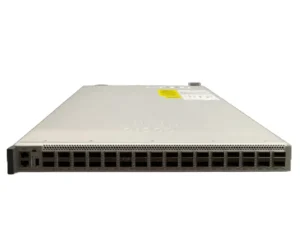
Switches (3048)
GX499 Dell Brocade M4424 4Gb Fibre Channel Blade Switches
£125.00£150.00 Incl. VAT
## Overview of the Dell GX499 Fibre Switch ? The Dell GX499 is an advanced 12-port fibre switch designed for high-performance networking environments. Built by Dell, a trusted leader in technology solutions, this product delivers exceptional speed and reliability for enterprise and data center applications. ### Key Specifications of the Dell GX499 ? Brand: Dell ? Model Number: GX499 ? Product Category: Fibre Switch ? Ports: 12 ? Network Type: Fibre ? Part Number: GX499 #### High-Performance Connectivity ? With 12 fibre ports, the GX499 ensures high-speed, low-latency connections, enabling seamless data transfer across the network. This makes it ideal for businesses requiring robust and efficient network infrastructure. ##### Enhanced Scalability and Flexibility ? Supports a wide range of network configurations ? Ideal for scalable and adaptable network environments ? Perfect for businesses that need to expand their networking capabilities without compromising performance ### The Dell GX499 Fibre Switch ? The Dell GX499 is engineered for demanding networking tasks, offering an array of features that make it an excellent choice for large-scale enterprises and IT professionals. #### Reliable Brand, Trusted Performance ? Manufactured by Dell, renowned for its industry-leading networking solutions ? Proven reliability and durability in enterprise-level operations ? Backed by extensive technical support and customer service #### Unmatched Network Efficiency Optimized for high bandwidth, the Dell GX499 ensures minimal downtime, delivering the network performance needed for critical applications. It enhances productivity with consistent and fast network speeds, even under heavy load. ##### Easy to Deploy and Manage ? Plug-and-play installation for immediate deployment ? Simple management interface for ease of use ? Automated features that streamline network management tasks ### Compatible Use Cases for the GX499 The Dell GX499 is versatile and can be implemented in various environments, including: ? Data centers with high-performance network needs ? Enterprise IT infrastructure for optimal connectivity ? Network configurations that demand scalable, high-capacity fibre switching #### Tech Specifications at a Glance ? Number of Ports: 12 ? Product Type: Fibre Switch ? Port Type: Fibre Optic ? Manufacturer: Dell ? Model Number: GX499 ### Final Thoughts on the Dell GX499 The Dell GX499 fibre switch stands out as a powerful, scalable networking solution designed for businesses requiring reliable, high-speed connectivity. It provides a long-lasting, efficient solution for any enterprise looking to optimize their network infrastructure. ## Capacity The Dell GX499 Fibre Channel Blade Switch is a high-performance networking solution that offers exceptional capacity with its 4Gb speed. This feature sets it apart from other switches in the market and makes it an ideal choice for businesses that require reliable and efficient data transfer. ### Enhanced Data Transfer Speed With a capacity of 4Gb, the Dell GX499 Fibre Channel Blade Switch ensures lightning-fast data transfer speeds. This is particularly beneficial for organizations that deal with large volumes of data on a daily basis. Whether you need to transfer massive files, stream high-definition videos, or run complex applications, this switch can handle it all effortlessly. #### Improved Efficiency and Productivity The 4Gb capacity of the Dell GX499 Fibre Channel Blade Switch significantly enhances the efficiency and productivity of your network infrastructure. With faster data transfer speeds, your employees can access and share files more quickly, leading to improved collaboration and streamlined workflows. This ultimately translates into increased productivity and reduced downtime. #### Seamless Multimedia Streaming In today's digital world, multimedia content has become an integral part of business operations. Whether it's video conferencing, live streaming, or multimedia presentations, having a switch with a high capacity like 4Gb ensures seamless playback without any lag or interruptions. This enables your team to communicate effectively, engage with clients, and deliver impactful presentations effortlessly. ### Improved Network Performance The 4Gb capacity of the Dell GX499 Fibre Channel Blade Switch plays a crucial role in enhancing overall network performance. By providing faster data transfer speeds, it reduces latency and ensures smooth communication between devices connected to the network. This is especially important in environments where real-time data processing and instant information sharing are critical. #### Reduced Network Congestion With its high capacity, the Dell GX499 Fibre Channel Blade Switch helps alleviate network congestion. As data flows faster through the switch, there is less chance of bottlenecks and slowdowns. This is particularly important in scenarios where multiple devices are simultaneously accessing and transferring data. By minimizing network congestion, the switch ensures a seamless user experience and prevents any potential disruptions. #### Scalability and Future-Proofing Investing in a switch with 4Gb capacity, like the Dell GX499 Fibre Channel Blade Switch, ensures scalability and future-proofing for your network infrastructure. As technology advances and data requirements grow, having a switch that can handle higher capacities allows you to easily accommodate future expansion without the need for frequent upgrades or replacements. This saves both time and money in the long run. ## Additional Features In addition to its impressive capacity, the Dell GX499 Fibre Channel Blade Switch offers various additional features that further enhance its functionality and usability. ### Advanced Management Capabilities The switch comes equipped with advanced management capabilities that allow for efficient configuration, monitoring, and troubleshooting. Through a user-friendly interface, administrators can easily manage and control various aspects of the network, such as VLANs, quality of service (QoS), and security settings. This simplifies network administration tasks and ensures optimal performance. #### Enhanced Security Security is a top priority for any organization, and the Dell GX499 Fibre Channel Blade Switch addresses this concern effectively. It includes features like access control lists (ACLs), port security, and Secure Shell (SSH) support to safeguard your network from unauthorized access and potential threats. With these advanced security measures in place, you can have peace of mind knowing that your sensitive data is protected. #### High Reliability The Dell GX499 Fibre Channel Blade Switch is built to deliver high reliability, ensuring uninterrupted connectivity and data transfer. It incorporates redundant power supplies and hot-swappable components, allowing for seamless failover in case of hardware failures. This redundancy ensures minimal downtime and maximizes network availability, making it an ideal choice for mission-critical environments. ### Flexible Connectivity Options The switch offers flexible connectivity options to cater to diverse network requirements. With multiple Fibre Channel ports, it allows you to connect various devices, such as servers, storage systems, and switches, seamlessly. Additionally, it supports both short-range and long-range connections, providing flexibility in network design and deployment. #### Built-in Diagnostics and Monitoring To simplify troubleshooting and ensure optimal performance, the Dell GX499 Fibre Channel Blade Switch includes built-in diagnostics and monitoring features. These capabilities enable administrators to proactively identify and address any potential issues before they impact the network's performance. By quickly identifying and resolving problems, you can minimize downtime and maintain a reliable network infrastructure. #### Energy Efficiency As businesses increasingly focus on sustainability and energy efficiency, the Dell GX499 Fibre Channel Blade Switch is designed with power-saving features. It utilizes advanced technologies to optimize power consumption without compromising performance. This not only reduces electricity costs but also contributes to a greener environment. In conclusion, the Dell GX499 Fibre Channel Blade Switch stands out with its impressive 4Gb capacity, which enables enhanced data transfer speeds, improved network performance, and reduced congestion. Its additional features such as advanced management capabilities, enhanced security, high reliability, flexible connectivity options, built-in diagnostics, monitoring, and energy efficiency further enhance its value proposition. Whether you need a switch for demanding data-intensive tasks or mission-critical operations, the Dell GX499 Fibre Channel Blade Switch is a reliable and efficient networking solution that delivers exceptional performance and scalability.223-5536 Dell PowerConnect 3548 48-Ports Desktop Managed Network Switches
£125.00£150.00 Incl. VAT
## Key Specifications for Dell 223-5536 48-Port Switch ? Manufacturer: Dell ? Model Number: 223-5536 ? Type: 48-Port Managed Stackable Switch ### Product Features #### Device & Enclosure ? Device Type: Managed Switch with 48 Ports, Stackable ? Mounting Style: Rack-mountable, 1U form factor #### Connectivity & Ports ? Port Configuration: 48 x 10/100 ports, 2 x Gigabit SFP, 2 x 10/100/1000 ports #### Performance Details ? Switching Capacity: 17.6 Gbps ? Forwarding Rate: 13.1 Mpps #### Capacity & Memory ? Virtual LANs (VLANs): Supports up to 256 VLANs ? MAC Address Capacity: 8,000 entries ### Management & Security Features #### Remote Management ? Protocols: SNMP v1/v2c/v3, Telnet, SSH, HTTP, HTTPS, TFTP, RMON ? Encryption: SSL 3.0 ? Authentication: RADIUS, TACACS+ #### Advanced Features ? Flow Control ? DHCP and BOOTP Support ? Auto-negotiation and Auto-uplink (Auto MDI/MDI-X) ? VLAN and IGMP Snooping Support ? Syslog Support ? Port Mirroring ? Broadcast Storm Control ? IP Address Filtering ? Support for RSTP, MSTP ? Quality of Service (QoS) Management ### Compliance & Standards ? IEEE 802.1d (Spanning Tree Protocol) ? IEEE 802.1q (VLAN Tagging) ? IEEE 802.1p (Priority-based Flow Control) ? IEEE 802.3ad (Link Aggregation Control Protocol) ? IEEE 802.1w (Rapid Spanning Tree Protocol) ? IEEE 802.1x (Port-based Network Access Control) ? IEEE 802.1s (Multiple Spanning Tree Protocol) ### Expansion & Connectivity Options #### Interfaces ? 48 x 10BASE-T/100BASE-TX ports (RJ-45) ? 2 x 10BASE-T/100BASE-TX/1000BASE-T ports (RJ-45) ### Power Requirements #### Power Supply ? Internal Power Supply: 120/230 V AC, 50/60 Hz ## Ports The Dell PowerConnect 3548 Managed Network Switches come equipped with an impressive 48 ports, making them an ideal choice for businesses and organizations that require a high level of connectivity. With such a vast number of ports, users can easily connect multiple devices to the switch, enabling efficient communication and data transfer within the network. ### Increased Connectivity The 48 ports offered by the Dell PowerConnect 3548 Managed Network Switches provide users with an extensive range of options when it comes to connecting devices. Whether it's computers, printers, servers, or other networking equipment, these switches ensure that there are enough ports available to accommodate all devices without the need for additional hardware. #### Scalability One of the key advantages of having 48 ports is the scalability it offers. As businesses grow and expand, there is often a need to add more devices to the network. With the Dell PowerConnect 3548 Managed Network Switches, users can easily connect new devices without worrying about running out of ports. This scalability ensures that the switch can support the increasing demands of a growing organization. #### Reduced Cable Clutter Having a large number of ports in a single switch eliminates the need for additional switches or hubs, reducing cable clutter and simplifying network management. With fewer devices required to achieve the desired connectivity, there is less complexity involved in cable management, resulting in a more organized and efficient network setup. ##### Cost-Effective Solution By providing 48 ports in a single device, the Dell PowerConnect 3548 Managed Network Switches offer a cost-effective solution for businesses. Instead of investing in multiple switches or hubs to accommodate all devices, users can save money by utilizing a single switch that provides ample connectivity options. This cost efficiency makes these switches an attractive choice for organizations with a limited budget. ## Form Factor The Dell PowerConnect 3548 Managed Network Switches feature a compact and versatile form factor, making them an excellent choice for various networking environments. The desktop form factor offers several benefits and advantages for users seeking a reliable and space-efficient solution. ### Space-Efficient The desktop form factor of the Dell PowerConnect 3548 Managed Network Switches allows for easy placement on a desk or any other flat surface. This compact design ensures that the switch occupies minimal space in the office or server room, making it suitable for environments where space is limited. It eliminates the need for rack mounting, which can be both expensive and impractical for smaller businesses. #### Easy Installation The desktop form factor simplifies the installation process of the Dell PowerConnect 3548 Managed Network Switches. Users can simply place the switch on a desk or mount it on a wall without the need for additional hardware. This ease of installation saves time and effort, allowing users to quickly set up their network infrastructure. #### Flexibility With its desktop form factor, the Dell PowerConnect 3548 Managed Network Switches offer greater flexibility in terms of deployment options. Users have the freedom to position the switch wherever it is most convenient, whether it's in a central location or closer to specific devices that require a direct connection. This flexibility ensures that users can optimize their network setup according to their specific needs. ##### Accessibility The desktop form factor also enhances accessibility to the switch's ports and controls. With the switch placed in close proximity, users can easily connect and disconnect devices without having to reach behind racks or cabinets. This accessibility simplifies troubleshooting and maintenance tasks, saving valuable time and effort.225-3527 Dell Blade Network Switches 24 Ports.
£125.00£150.00 Incl. VAT
## Key Features of the Dell 225-3527 24-Port Switch ? Brand: Dell ? Model Number: 225-3527 ? Type: High-performance 24-port network switch ### Unmatched Performance for Enhanced Connectivity Designed for robust data transmission, this 24-port switch delivers exceptional switching capacity and forwarding rates: ? Switching Capacity: 1.28 Tbps to handle high-demand network traffic ? Forwarding Rate: 960 Mpps for rapid packet forwarding ? Low Latency: Just 600 nanoseconds, minimizing delay ? Maximum MTU: Up to 9216 bytes for efficient data handling #### Comprehensive Port Configuration This Dell switch offers versatile port options to suit various connectivity needs: ? 24 x 10/40GbE QSFP+ Ports for high-speed connections ? 4 x 40GbE QSFP+ Uplink Ports to expand network reach ? 1 x RJ-45 Console Port for secure, localized management ? 1 x USB Type-A Port for flexible device integration ### Power Efficiency and Redundancy Engineered for continuous uptime, this switch incorporates efficient power solutions: ? Hot-Swappable Power: 1+1 redundant 1600W power supplies ? Typical Power Consumption: 445W for optimized energy usage #### Advanced Management Interfaces and Protocols Benefit from extensive network management and secure access protocols: ? Management Interfaces: SNMP v1/v2c/v3, Telnet, SSH, HTTP, HTTPS, RADIUS, TACACS+, CLI ? Management Protocols: SNMP, RMON, LLDP, and LLDP-MED for comprehensive system control ##### Enhanced Security Capabilities Ensure your network remains protected with these built-in security features: ? 802.1X network access control for user authentication ? Access control lists (ACLs) to define traffic permissions ? Port security to safeguard individual access points ? DHCP Snooping and Dynamic ARP Inspection (DAI) to prevent IP spoofing #### Additional Functionalities for Optimized Network Performance This switch supports advanced networking features that boost data efficiency and reliability: ? Virtual Link Trunking (VLT) for link redundancy and load balancing ? Virtual Routing and Forwarding (VRF) for isolated network segments ? Data Center Bridging (DCB) to improve data transfer quality in high-demand environments ? Quality of Service (QoS) for prioritizing traffic based on needs ## Product Code: 225-3527 ### Introduction When it comes to building a reliable and efficient network infrastructure, Dell Blade Network Switches are an excellent choice. These switches provide high-performance networking solutions for businesses of all sizes. One key feature that sets Dell Blade Network Switches apart is the product code, with the specific code for this model being 225-3527. ### The Importance of Product Code The product code serves as a unique identifier for the Dell Blade Network Switches 24 Ports model. It allows users and IT professionals to quickly identify and locate the specific switch they need, especially in large-scale network environments. The product code 225-3527 is vital for ensuring compatibility and seamless integration within your existing network infrastructure. #### Easy Identification and Inventory Management Having a standardized product code like 225-3527 simplifies the process of identifying and managing Dell Blade Network Switches. With this code, IT teams can easily distinguish this specific switch model from others, saving time and effort. Additionally, when it comes to inventory management, the product code helps in tracking stock levels and ensuring the availability of spare parts or replacements. #### Seamless Integration The product code 225-3527 ensures seamless integration with your existing network components and infrastructure. This switch is designed to work flawlessly with Dell PowerEdge blade servers, allowing for efficient communication and data transfer between devices. By using switches with matching product codes, you can optimize your network's performance and reduce compatibility issues. #### Efficient Troubleshooting In case of any technical issues or troubleshooting needs, having the specific product code 225-3527 makes it easier to identify and address problems related to this particular switch model. IT professionals can refer to the product code while seeking support from Dell or consulting documentation, streamlining the process of diagnosing and resolving issues. This leads to faster troubleshooting and minimizes downtime. #### Warranty and Support The product code also plays a crucial role in warranty and support services. Dell provides excellent customer support for their products, and having the accurate product code ensures that you receive the correct assistance for your specific switch model. Whether it's troubleshooting, repairs, or warranty claims, providing the product code expedites the support process and ensures that you receive the appropriate service. ### The Benefits of Dell Blade Network Switches 24 Ports #### High Performance Dell Blade Network Switches 24 Ports are known for their exceptional performance capabilities. These switches offer high-speed data transfer rates, enabling rapid communication between devices on your network. With advanced features like Quality of Service (QoS) and multicast support, these switches can handle demanding workloads without compromising performance. #### Scalability As businesses grow and network requirements increase, scalability becomes a vital factor. Dell Blade Network Switches 24 Ports are designed to scale effortlessly with your expanding network infrastructure. With additional blade modules, you can expand the number of ports available, ensuring that your network can accommodate the growing demands of your organization. #### Reliability Network downtime can cause significant disruptions to business operations. Dell Blade Network Switches are renowned for their reliability and uptime. Built with robust hardware components and advanced firmware, these switches provide a stable and dependable network foundation. This reliability is crucial for critical applications such as VoIP, video conferencing, and data-intensive tasks. #### Flexibility Dell Blade Network Switches 24 Ports offer flexibility in terms of deployment options. These switches can be easily integrated into existing network infrastructures or deployed as standalone units. Whether you need to connect blade servers, storage devices, or other network equipment, Dell Blade Network Switches provide the flexibility to adapt to your specific networking requirements. #### Energy Efficiency In today's environmentally conscious world, energy efficiency is a significant consideration for businesses. Dell Blade Network Switches 24 Ports are designed with energy-saving features that reduce power consumption without sacrificing performance. By optimizing power usage and implementing intelligent power management capabilities, these switches help organizations reduce their carbon footprint and lower operating costs. ### Conclusion The Dell Blade Network Switches 24 Ports, with its unique product code 225-3527, offers numerous benefits for businesses seeking a reliable and efficient networking solution. The product code ensures easy identification, seamless integration, efficient troubleshooting, and access to warranty and support services. Combined with the high performance, scalability, reliability, flexibility, and energy efficiency of these switches, the product code makes it a valuable feature for users in optimizing their network infrastructure.3548P Dell Fast Ethernet PoE Managed Network Switches 48-Port
£125.00£150.00 Incl. VAT
## Product Features and Specifications The Dell Powerconnect 3548P Poe Switch is a versatile, stackable managed switch designed to meet the needs of modern networking environments. With its extensive feature set and reliable performance, this device provides seamless connectivity for businesses and organizations. ### Key Product Information ? Brand: Dell ? Model: Powerconnect 3548P ? Device Type: Managed 48-port Switch ? Enclosure Type: Rack-mountable, Desktop (1U) ? Ports: 48 x 10/100, 2 x Gigabit SFP, 2 x 10/100/1000 #### Power Over Ethernet (PoE) Support This switch offers Power over Ethernet (PoE), enabling it to deliver power and data through a single Ethernet cable to powered devices such as IP cameras, VoIP phones, and wireless access points. ##### Performance and Speed ? Switching Capacity: 17.6 Gbps ? Forwarding Performance: 13.1 Million Packets Per Second (Mpps) ### Advanced Networking Capabilities The Dell 3548P Poe Switch supports various advanced features to enhance network management and performance: #### Virtualization and Capacity ? Virtual Interfaces (VLANs): 256 ? MAC Address Table Size: 8000 entries #### Remote Management Options This switch provides multiple remote management protocols for efficient control: ? SNMP (v1, v2c, v3) ? Telnet ## Ports The Dell 3548P Fast Ethernet PoE Managed Network Switches are equipped with a remarkable 48 ports, making it an ideal choice for businesses of all sizes. With this extensive number of ports, users can connect multiple devices to the switch simultaneously, without the need for additional hardware or complex configurations. Let's delve deeper into the benefits and importance of this feature. ### Scalability One of the key advantages of having 48 ports in a network switch is scalability. As businesses grow and expand, their networking needs also increase. The Dell 3548P provides ample room for expansion, allowing organizations to easily connect new devices, such as computers, printers, IP cameras, and wireless access points, without any hassle. #### Flexibility The multitude of ports offered by the Dell 3548P grants users tremendous flexibility in designing their network infrastructure. Each port can be utilized to connect different devices or create VLANs (Virtual Local Area Networks) to segregate traffic based on specific requirements. This flexibility ensures efficient data flow and enables network administrators to optimize their network resources effectively. #### Enhanced Productivity With 48 ports available, businesses can eliminate the need for additional switches or hubs, resulting in a simplified network layout. Having a single switch with abundant ports reduces cable clutter and simplifies network management. This streamlined setup enhances productivity as IT personnel can devote more time to critical tasks rather than troubleshooting complex network configurations. ### Power over Ethernet (PoE) The Dell 3548P series switches also support Power over Ethernet (PoE) technology on all 48 ports. PoE eliminates the need for separate power sources for devices such as IP phones, wireless access points, and IP cameras by delivering both power and data over a single Ethernet cable. Let's explore the benefits and importance of PoE. #### Simplified Installation PoE eliminates the need for additional power outlets near each device, simplifying installation and reducing the cost of electrical wiring. With the Dell 3548P, businesses can conveniently deploy PoE-enabled devices in locations where power outlets are scarce or not easily accessible. #### Flexibility in Device Placement By utilizing PoE, organizations gain the flexibility to deploy devices in optimal locations without being constrained by the availability of power sources. This is particularly beneficial for deploying wireless access points in areas with limited power infrastructure or for positioning IP cameras at strategic security monitoring points without the need for additional power cables. #### Centralized Power Management The Dell 3548P enables centralized power management for PoE devices. Network administrators can monitor and control the power consumption of each connected device through the switch's management interface. This feature helps in optimizing power usage, reducing energy costs, and enhancing overall network efficiency. ### High Performance and Reliability The 48 ports provided by the Dell 3548P Fast Ethernet PoE Managed Network Switches are designed to deliver high performance and reliability. Let's explore how these switches ensure a robust network infrastructure. #### Fast Ethernet Speed Each of the 48 ports supports Fast Ethernet, ensuring data transfer at a rate of up to 100 Mbps. This high-speed connectivity allows for fast and seamless data transmission, enabling smooth communication between connected devices. It is particularly crucial for bandwidth-intensive applications such as video streaming and large file transfers. #### Quality of Service (QoS) The Dell 3548P switches prioritize network traffic with their advanced Quality of Service (QoS) capabilities. QoS ensures that critical applications receive the necessary bandwidth and resources, preventing congestion and guaranteeing a seamless user experience. With QoS, businesses can prioritize voice and video traffic, ensuring crystal-clear communications and uninterrupted video conferences. #### Redundancy and Resilience The Dell 3548P series incorporates redundancy features to ensure network resilience. These switches support Spanning Tree Protocol (STP) and Rapid Spanning Tree Protocol (RSTP), which prevent network loops and provide alternate paths in case of a link failure. This redundancy ensures uninterrupted connectivity and reduces the risk of network downtime. ##### Conclusion In summary, the Dell 3548P Fast Ethernet PoE Managed Network Switches' 48 ports offer scalability, flexibility, enhanced productivity, Power over Ethernet capabilities, high performance, and reliability. With a plethora of benefits, this feature-rich switch is an ideal choice for businesses seeking to establish a robust and efficient network infrastructure. Whether it's expanding the network or deploying PoE devices, the Dell 3548P provides the necessary resources to meet the ever-growing demands of modern businesses.M023F Dell Power Connect 5424 Managed Network Switches 24 Ports.
£125.00£150.00 Incl. VAT
## Key Details of Dell M023F ### Manufacturer Overview ? Brand: Dell ? Model Number: M023F ? Product Type: Network Switch ### Specifications and Features #### Port Configuration ? Total Ports: 24 Gigabit Ethernet ports ? Form Factor: Rack-Mountable design for easy installation #### Networking Protocols ? Data Link Protocol: Supports Gigabit Ethernet for high-speed data transfer ### Connectivity and Expansion Options #### Interface & Slot Details ? PCI-E Slot: PCI-E 3.0 x8 interface for enhanced bandwidth and flexibility ? Port Type: SFP+ for superior fiber connectivity and scalability ##### Other Features ? Versatile Design: Rack-mounted form factor for easy setup and space-saving ? Performance: Optimized for large-scale network operations and reliability ### Additional Information The Dell M023F provides exceptional connectivity for businesses that require robust network solutions. With its 24-port configuration and advanced PCI-E interface, this device ensures your network can scale with ease and meet high data demands. ## Ports The Dell PowerConnect 5424 Managed Network Switches are equipped with a remarkable 24 ports, making them an ideal choice for businesses of all sizes. With this extensive number of ports, users can connect multiple devices simultaneously, ensuring seamless connectivity and efficient network management. Let's delve into the benefits and importance of the 24-port feature in more detail. ### Increased Connectivity Having 24 ports on the Dell PowerConnect 5424 opens up a world of possibilities for users. Whether you are a small business with a handful of employees or a large enterprise with multiple departments, this switch provides the flexibility to connect numerous devices, including computers, servers, printers, IP phones, and access points. The abundance of ports eliminates the need for additional switches or costly expansions, simplifying network infrastructure and reducing complexity. ### Scalability Scalability is an essential aspect of any network infrastructure. The 24-port design of the Dell PowerConnect 5424 ensures that your network has room to grow and expand as your business does. As your organization adds more devices or expands its operations, having extra ports readily available saves you time, effort, and resources that would otherwise be spent on procuring and configuring additional switches. This scalability feature allows for future-proofing your network infrastructure and adapting to evolving business needs. ### Improved Network Performance One significant advantage of the Dell PowerConnect 5424's 24 ports is the enhanced network performance it offers. With more ports at your disposal, you can distribute network traffic evenly across multiple devices, preventing congestion and bottlenecks. This helps maintain optimal network speeds and reduces latency issues that can hinder productivity and user experience. Additionally, the switch's advanced management features enable administrators to prioritize specific ports or devices for bandwidth allocation, ensuring critical applications or devices receive the necessary resources. ### Enhanced Network Security The 24-port feature of the Dell PowerConnect 5424 also contributes to improved network security. With a separate port for each device, you can implement network access control measures more effectively. This allows administrators to set up VLANs (Virtual Local Area Networks), segregating devices based on their security requirements or user groups. By isolating devices and controlling access, you can prevent unauthorized users from accessing sensitive data or compromising your network's integrity. #### Reduced Cable Clutter Having a large number of ports in a single switch eliminates the need for multiple switches or patch panels, resulting in reduced cable clutter. This not only improves aesthetics but also enhances cable management and simplifies troubleshooting processes. With fewer cables to deal with, it becomes easier to identify and rectify issues promptly, minimizing downtime and ensuring smooth network operations. #### Cost-Effective Solution Investing in a Dell PowerConnect 5424 with 24 ports provides a cost-effective solution for network expansion and management. By consolidating multiple devices into a single switch, you eliminate the need for additional hardware expenses associated with purchasing and maintaining multiple switches. Furthermore, the switch's energy-efficient design helps reduce power consumption, resulting in long-term cost savings. ##### Conclusion In conclusion, the Dell PowerConnect 5424 Managed Network Switches' 24-port feature offers numerous benefits and plays a crucial role in providing increased connectivity, scalability, improved network performance, enhanced security, reduced cable clutter, and cost-effective solutions for businesses. Whether you are a small organization or a large enterprise, this switch empowers you to build a robust and efficient network infrastructure that can adapt to your evolving needs. With its versatile features and exceptional performance, the Dell PowerConnect 5424 is an excellent choice for any business looking to optimize their network operations.PC3548 Dell Power Connect 3548 48-Port Managed Network Switches
£125.00£150.00 Incl. VAT
## Product Overview ### DELL PC3548 PowerConnect 3548 Switch ? 48-port managed and stackable switch ideal for scalable network setups. ? Advanced features for seamless network management and optimized performance. ## Key Specifications ### Device Type and Form Factor ? Device Type: Managed switch with 48 ports, designed for stackable configurations. ? Enclosure Type: Compact 1U rack-mountable design for efficient space utilization. ### Ports and Interfaces ? 48 x 10/100 Mbps ports for reliable Ethernet connections. ? 2 x Gigabit SFP and 2 x 10/100/1000 Mbps uplink ports for high-speed data transmission. ### Performance Metrics ? Switching capacity: 17.6 Gbps for handling large data volumes. ? Forwarding performance: 13.1 Mpps to ensure low-latency data transfers. ## Capacity Details ### Scalability and Storage ? Supports up to 256 virtual interfaces (VLANs) for network segmentation. ? MAC address table with an 8K entry limit for extensive network reach. ## Management and Security Features ### Remote Management Protocols ? Compatible with SNMP versions 1, 2c, and 3, as well as HTTP, HTTPS, and SSH for secure remote access. ? Supports RMON, Telnet, and TFTP for flexible network control. ### Encryption and Authentication ? Encryption algorithm: SSL 3.0 for enhanced data security. ? Authentication methods: RADIUS and TACACS+ to safeguard network access. ## Advanced Features ### Network Optimization ? Flow control and VLAN support for efficient data management. ? Auto-negotiation and Auto-MDI/MDI-X for simplified connectivity. ### Enhanced Network Reliability ? Broadcast storm control and IP address filtering for robust network protection. ? Spanning Tree Protocols (RSTP and MSTP) for loop prevention and redundancy. ### Quality of Service (QoS) ? Prioritizes traffic for seamless application performance. ? Supports IGMP snooping and port mirroring for network monitoring. ## Standards Compliance ### Industry Standards ? IEEE 802.1D, 802.1Q, 802.1P for basic and advanced switching features. ? Supports IEEE 802.3ad (LACP), 802.1W, 802.1X, and 802.1S for modern network needs. ## Expansion and Connectivity ### Interface Options ? 48 x 10BASE-T/100BASE-TX (RJ-45) for high-performance wired connections. ? 2 x 10BASE-T/100BASE-TX/1000BASE-T (RJ-45) for additional flexibility. ## Power Specifications ### Power Supply and Voltage ? Internal power supply unit for efficient energy management. ? Supports AC input of 120/230 V at 50/60 Hz for global compatibility. Ports The Dell Power Connect 3548 Managed Network Switch features an impressive 48 ports, making it an ideal solution for businesses and organizations requiring a high-performance network infrastructure. With this extensive number of ports, users can easily connect multiple devices such as computers, servers, printers, and IP phones to create a robust and efficient network environment. ### Increased Connectivity The 48 ports on the Dell Power Connect 3548 provide users with increased connectivity options, allowing them to connect a wide range of devices simultaneously. This enhanced connectivity is particularly beneficial in environments where there is a high demand for network resources, such as large offices, data centers, or educational institutions. With the ability to connect numerous devices, users can ensure that all their network-dependent operations run smoothly and efficiently. ### Flexibility and Scalability Having 48 ports on the Dell Power Connect 3548 offers users greater flexibility and scalability in managing their network infrastructure. The extensive port count allows for easy expansion and future-proofing of the network, enabling businesses to accommodate growing demands without having to invest in additional switches or complex configurations. This scalability ensures that the network can adapt to changing requirements and keeps the overall management simple and cost-effective. #### Simplified Network Setup The Dell Power Connect 3548's 48 ports simplify the network setup process by providing ample connectivity options in a single device. With a large number of ports available, users can avoid the need for additional networking equipment, reducing complexity and potential points of failure. The simplicity of having all the necessary ports in one device streamlines the installation process, saving time and effort for IT administrators. #### Optimized Performance By featuring 48 ports, the Dell Power Connect 3548 ensures optimized network performance. Each port on the switch provides high-speed connectivity, allowing for fast data transfer and efficient communication between connected devices. This high-performance capability is crucial for bandwidth-intensive applications and large file transfers, ensuring that users experience minimal delays or bottlenecks in their network operations. ##### Improved Network Management The Dell Power Connect 3548's 48 ports contribute to improved network management capabilities. With a multitude of ports available, IT administrators have greater control over the network infrastructure, enabling them to allocate resources efficiently and manage traffic effectively. The switch offers advanced features such as VLAN support, Quality of Service (QoS) controls, and traffic prioritization, allowing administrators to optimize the network performance based on their specific requirements. ##### Cost Savings Having 48 ports on a single switch can lead to significant cost savings for businesses and organizations. Instead of purchasing multiple switches to accommodate their connectivity needs, users can rely on the Dell Power Connect 3548 to provide a comprehensive solution. Consolidating the network infrastructure into a single device not only reduces upfront costs but also lowers ongoing maintenance and management expenses, resulting in a more cost-effective network setup. ##### Future-Proof Investment The inclusion of 48 ports in the Dell Power Connect 3548 ensures that users make a future-proof investment in their network infrastructure. With an extensive number of ports, businesses can easily scale their network as their needs grow or adapt to emerging technologies. The switch's ability to handle increasing demands without requiring additional equipment ensures that users can maximize the lifespan of their network infrastructure investment. In conclusion, the Dell Power Connect 3548 Managed Network Switch with its impressive 48 ports offers users increased connectivity, flexibility, scalability, simplified setup, optimized performance, improved network management capabilities, cost savings, and a future-proof investment. Whether it's for a large office, data center, or educational institution, this switch provides the necessary port count to create a robust and efficient network infrastructure that meets current and future demands.PC2824 Dell Power Connect 2824 24 Ports Ethernet Network Switch.
£125.00£150.00 Incl. VAT
## Product Overview of DELL PowerConnect 2824 Ethernet Switch ? Model: DELL PowerConnect 2824 ? Category: Ethernet Switch ? Configuration: Managed Switch ### Key Specifications and Features ? Type: Fully functional Ethernet switch designed for seamless network management. ? Total Ports: Equipped with 24 network ports for enhanced connectivity. ? RJ-45 Compatibility: All 24 ports are RJ-45 compatible, supporting high-speed connections. #### Port and Expansion Details ? Standard Ports: 24 Gigabit Ethernet ports ensure efficient data transfer rates. ? Expansion Options: Includes 2 dedicated slots for Gigabit Ethernet expansion. ? Supported Media: Compatible with twisted pair cables for flexible networking. #### Ethernet and Network Technology ? Ethernet Technology: Utilizes advanced Gigabit Ethernet for optimized performance. ? Network Technology: Designed to support 10/100/1000BASE-T standards for versatile operation. ##### Expansion and Layer Support ? Expansion Slots: Features 2 total slots for scalable network growth. ? Slot Type: SFP slots allow seamless integration with additional hardware. ? Layer Support: Operates efficiently at Layer 3, suitable for complex network environments. ##### Manageability and Design ? Manageable: Fully manageable switch for better network control and flexibility. ? PoE Support: Lacks Power over Ethernet (PoE) capability for RJ-45 ports. ? Form Factor: Compact rack-mountable design fits into a standard 1U rack unit. ## Number Of Ports ### High Port Density The Dell Power Connect 2824 Ethernet Network Switch is equipped with a remarkable 24 ports, making it an ideal solution for small to medium-sized businesses that require a high port density. With this switch, you can connect multiple devices simultaneously, such as computers, printers, servers, and IP phones, without the need for additional hardware or complex configurations. The abundance of ports ensures that your network can easily accommodate the growing number of devices in your organization. ### Enhanced Flexibility Having 24 ports at your disposal provides enhanced flexibility in network management. You can conveniently connect multiple devices in different locations without the hassle of moving cables or purchasing additional switches. This flexibility allows you to optimize your network layout and adapt it to your specific requirements. Whether you need to expand your network in the future or rearrange devices, the Dell Power Connect 2824 Ethernet Network Switch offers the necessary flexibility to meet your evolving needs. ### Improved Performance The 24 ports on the Dell Power Connect 2824 Ethernet Network Switch deliver improved network performance. Each port supports high-speed Gigabit Ethernet connections, ensuring fast data transfer rates across your network. This high performance is crucial for bandwidth-intensive applications such as video conferencing, large file transfers, and data backups. With the ability to handle large amounts of data simultaneously, this switch guarantees smooth and efficient operation of your network. ### Ease of Network Expansion As your business grows, so does the demand for additional network connections. The Dell Power Connect 2824 Ethernet Network Switch simplifies network expansion by providing ample ports for new devices. You can easily add new computers or other network-enabled equipment without worrying about running out of available ports. This scalability ensures that your network can accommodate future growth without requiring significant infrastructure changes. ### Seamless Network Management Managing a network with a large number of devices can be challenging. The 24 ports on the Dell Power Connect 2824 Ethernet Network Switch simplify network management by providing a centralized hub for all your devices. With all devices connected to a single switch, you can easily monitor and control network traffic, troubleshoot issues, and apply security measures from one central location. This streamlined management process saves time and effort, allowing your IT team to focus on other critical tasks. ### Enhanced Network Security Network security is a top priority for any organization. The Dell Power Connect 2824 Ethernet Network Switch includes advanced security features that protect your network against unauthorized access and potential threats. With 24 ports, you have the flexibility to create separate VLANs (Virtual Local Area Networks) for different departments or user groups. This segregation enhances network security by isolating sensitive data and preventing unauthorized access. Additionally, the switch supports features such as Access Control Lists (ACLs) and port-based authentication, further fortifying your network against potential security breaches. #### Simplified Cable Management With 24 ports available, the Dell Power Connect 2824 Ethernet Network Switch simplifies cable management. You can neatly organize your cables by routing them to the appropriate ports on the switch. This tidiness not only improves the aesthetics of your network infrastructure but also makes troubleshooting and maintenance easier. When cables are properly managed, it becomes quicker and simpler to identify and resolve connectivity issues, reducing downtime and enhancing overall network reliability. #### Energy Efficiency The Dell Power Connect 2824 Ethernet Network Switch is designed with energy efficiency in mind. With 24 ports, you can consolidate multiple devices onto a single switch, reducing the number of power-consuming devices in your network infrastructure. Additionally, this switch incorporates Energy Efficient Ethernet (EEE) technology that automatically adjusts power consumption based on the network's traffic and cable lengths. By optimizing power usage, you can lower your energy costs and contribute to a greener environment. ##### Cost Savings The 24 ports on the Dell Power Connect 2824 Ethernet Network Switch offer significant cost savings. Instead of purchasing multiple switches to accommodate your network devices, you can consolidate them onto this single switch. This consolidation not only reduces hardware costs but also lowers maintenance and management expenses. Furthermore, the switch's energy-efficient design minimizes power consumption, resulting in long-term savings on electricity bills. By investing in this 24-port switch, you can optimize your network infrastructure while keeping your budget in check. In conclusion, the Dell Power Connect 2824 Ethernet Network Switch's 24 ports provide numerous benefits for users. Its high port density allows for easy scalability and network expansion, while offering enhanced flexibility and improved performance. The switch simplifies network management, enhances security measures, and promotes efficient cable management. Additionally, it incorporates energy-efficient technology, lowering both energy costs and carbon footprint. With its robust features and cost savings, the Dell Power Connect 2824 Ethernet Network Switch is an excellent choice for businesses seeking a reliable and scalable networking solution.11VTD Dell X1018 16 Ports Managed Switch Rack-mountable
£125.00£150.00 Incl. VAT
## Product Overview Of DELL 11VTD The DELL 11VTD Networking X1018 is a robust, rack-mountable managed switch designed for high-performance networking solutions. With a total of 16 Gigabit Ethernet ports, this device ensures efficient data handling for various applications. #### Key Specifications ? Type: Managed Layer 2+ Switch ? Form Factor: Rack-mountable (1U) ? Port Configuration: 16 x 10/100/1000 + 2 x Gigabit SFP #### Performance Metrics ? Switching Capacity: 36 Gbps ? Forwarding Rate: 26.8 million packets per second (Mpps) ### Capacity and Scalability #### Technical Capabilities ? MAC Address Capacity: 16,000 ? Link Aggregation Groups: 12 ? Priority Queues per Port: 4 ? Virtual LANs (VLANs): 4096 ? Max Ports per LAG: 8 ### Management and Configuration #### Remote Management Protocols ? SNMP Versions 1, 2, and 3 ? HTTP and CLI Access ? RMON Support #### Authentication Protocols ? RADIUS ? TACACS+ ### Advanced Features #### Network Management Capabilities ? Auto-negotiation for seamless connectivity ? VLAN and Port Mirroring support ? Broadcast Storm Control and IPv6 Support ? Quality of Service (QoS) mechanisms ? DHCP Snooping and Relay ? Link Aggregation Control Protocol (LACP) #### Protocols Supported ? IEEE 802.1d (Spanning Tree) ? IEEE 802.1q (VLAN tagging) ? IEEE 802.1x (Network access control) ? IEEE 802.3ad (LACP) ? IEEE 802.1w (Rapid Spanning Tree) ? IEEE 802.3x (Flow control) ### Connectivity Options #### Interface Specifications ? 16 x 1000BASE-T ports ? 2 x Gigabit LAN SFP ports ? 1 x USB Type A for management ? 1 x Micro-USB for management access Dell Networking X1018 16 Ports Managed Switch Rack-mountable - 11VTD ## Ports The Dell X1018 Managed Switch is equipped with a remarkable 16 ports, making it an ideal choice for small to medium-sized businesses that require a reliable and efficient network solution. With its ample number of ports, this switch enables seamless connectivity and allows users to connect multiple devices simultaneously. ### Enhanced Connectivity One of the key benefits of the Dell X1018's 16 ports is the enhanced connectivity it offers. Whether you need to connect computers, printers, servers, or other networking devices, this switch provides you with the flexibility to do so. Its 16 ports ensure that you never run out of available connections, allowing you to expand your network as your business grows. #### Streamlined Network Management Another advantage of having 16 ports is the ability to segment your network effectively. With more ports available, you can create separate VLANs (Virtual Local Area Networks) to segregate traffic and improve network performance. This ensures that bandwidth-intensive applications or devices do not affect the overall network performance, leading to a more stable and efficient network environment. #### Increased Bandwidth The Dell X1018 Managed Switch's 16 ports also provide increased bandwidth for data transmission. Each port supports Gigabit Ethernet speeds, enabling fast and reliable data transfer between devices. This high-speed connectivity is particularly beneficial for businesses that rely heavily on data-intensive applications or require quick file transfers. ##### Simplified Expansion Having 16 ports simplifies the process of network expansion. As your business grows and your network requirements evolve, the Dell X1018 allows you to easily add new devices without the need for additional switches or complex configurations. This scalability ensures that your network can adapt to your changing needs, saving you time and effort in managing your infrastructure. ## Mounting The Dell X1018 Managed Switch offers the convenience of being rack-mountable, making it an excellent choice for businesses that prioritize space optimization and organization. By being able to mount the switch on a rack, users can achieve a neat and efficient network setup. ### Space Optimization Rack-mountable switches like the Dell X1018 help businesses maximize their available space. By mounting the switch on a rack, it can be easily integrated into server cabinets or network racks, freeing up valuable desk or floor space. This is particularly important for businesses with limited physical space, ensuring that every square inch is utilized efficiently. #### Improved Cable Management Rack-mounting the Dell X1018 Managed Switch allows for improved cable management. The switch can be neatly positioned within the rack, minimizing cable clutter and reducing the risk of tangled or damaged cables. This organized setup not only enhances the visual appeal of your network infrastructure but also simplifies troubleshooting and maintenance tasks. #### Enhanced Cooling Mounting the switch on a rack facilitates better airflow and cooling. The open design of server cabinets and network racks allows for improved ventilation around the switch, preventing overheating and ensuring optimal performance. By keeping the switch cool, you can extend its lifespan and reduce the risk of downtime caused by hardware failures. ##### Easy Accessibility Rack-mountable switches offer easy accessibility for maintenance and management. When mounted on a rack, the switch is positioned at a convenient height, eliminating the need to bend down or reach into tight spaces to access ports or configuration interfaces. This accessibility streamlines troubleshooting, upgrades, and other routine tasks, saving valuable time for network administrators. ## Part Number The Dell X1018 Managed Switch is identified by the part number 11VTD. This unique identification code ensures that you can easily locate and order the specific switch model you require. ### Accurate Ordering The 11VTD part number eliminates any confusion or ambiguity when ordering the Dell X1018 Managed Switch. By providing this specific code to your supplier or retailer, you ensure that you receive the exact model you need, avoiding mistakes or mix-ups with similar switch models. This accuracy in ordering helps streamline the procurement process and prevents any delays or inconveniences. #### Compatibility Assurance The part number serves as a compatibility assurance, guaranteeing that the switch meets your specific requirements. By referring to the 11VTD part number, you can verify that the switch aligns with your network's specifications, ensuring seamless integration and optimal performance. This compatibility assurance minimizes the risk of investing in a switch that may not be suitable for your network infrastructure. #### Warranty and Support The 11VTD part number is also essential when it comes to warranty and support services. When registering your Dell X1018 Managed Switch for warranty or seeking technical assistance, providing the correct part number ensures that you receive the appropriate level of support. This enables prompt troubleshooting and access to any applicable warranty benefits, ensuring peace of mind and comprehensive assistance throughout the product's lifecycle. ##### Product Differentiation With numerous Dell switches available in the market, the 11VTD part number helps differentiate the Dell X1018 from other models. This unique identifier allows users to quickly identify and compare specifications, features, and pricing, facilitating informed decision-making. By understanding the distinctive qualities of the Dell X1018 Managed Switch through its part number, users can confidently select a switch that fulfills their specific networking needs.210-ADPJ Dell X1018 16 Ports Managed Switch Rack-mountable
£125.00£150.00 Incl. VAT
## Product Overview Of DELL 210-ADPJ The DELL 210-ADPJ Networking X1018 is a highly efficient managed switch designed for seamless integration into rack environments. This device offers 16 ports, ensuring robust connectivity and reliable performance. ### Core Features ? Device Type: 16-Port L2+ Managed Switch ? Form Factor: Rack-mountable (1U) ? Ethernet Type: Gigabit Ethernet ? Port Configuration: 16 x 10/100/1000 + 2 x Gigabit SFP ### Performance Metrics #### Switching Capacity Experience superior throughput with the following specifications: ? Switching Fabric Bandwidth: 36 Gbps ? Forwarding Rate: 26.8 Mpps #### Capacity ? MAC Address Entries: 16,000 ? LAG Groups: 12 ? Priority Queues (per port): 4 ? VLANs Supported: 4,096 ? Maximum Ports per LAG: 8 ### Management and Security Protocols #### Remote Management The device supports a variety of remote management protocols for enhanced control: ? SNMP Versions 1, 2, and 3 ? RMON ? CLI Access ? HTTP #### Authentication Methods Ensure secure access with these authentication protocols: ? RADIUS ? TACACS+ ### Advanced Features Maximize network performance and reliability with features including: ? Auto-Negotiation ? VLAN and Syslog Support ? Port Mirroring and Broadcast Storm Control ? IPv6 Compatibility ? SNTP Support ? Spanning Tree Protocol (STP) and Rapid STP ? Virtual Cable Test Technology ? DHCP Snooping and TFTP Support ? Access Control Lists (ACLs) and Quality of Service (QoS) ? Static Routing and Link Aggregation Control Protocol (LACP) ### Standards Compliance This switch adheres to multiple IEEE standards, ensuring high interoperability: ? IEEE 802.1d, 802.1q, 802.1p ? IEEE 802.3x, 802.3ad (LACP) ? IEEE 802.1w, 802.1x, 802.3ac ? IEEE 802.1s, 802.1v, 802.1ab (LLDP) ## Connectivity Options ### Interface Configuration ? 16 x 1000BASE-T Ports ? 2 x Gigabit LAN SFP Ports ? 1 x USB Type A Port (Management) ? 1 x Micro-USB Port (Management) Dell Networking X1018 16 Ports Managed Switch Rack-mountable - 210-ADPJ ## Ports The Dell X1018 Managed Switch is equipped with 16 ports, making it an ideal choice for small to medium-sized businesses that require a reliable and efficient network infrastructure. With its ample number of ports, this switch offers users the flexibility to connect multiple devices simultaneously, ensuring seamless communication and data transfer across the network. ### Enhanced Connectivity One of the key benefits of the Dell X1018 Managed Switch's 16 ports is the enhanced connectivity it provides. Users can connect various devices such as computers, printers, servers, IP phones, and other network-enabled devices to the switch without any hassle. This enables effective collaboration and resource sharing within the organization, improving overall productivity. #### Efficient Data Transfer With 16 ports at your disposal, the Dell X1018 Managed Switch allows for efficient data transfer within your network. Each port supports high-speed Gigabit Ethernet, ensuring quick and reliable data transmission between connected devices. Whether you are transferring large files or streaming multimedia content, this switch's 16 ports contribute to a seamless network experience. ##### Scalability and Future-Proofing The 16 ports on the Dell X1018 Managed Switch also provide scalability for your network infrastructure. As your business grows and demands increase, you can easily expand your network by connecting additional devices to the available ports. This scalability ensures that your network remains future-proof, accommodating any changes or expansions in your organization. ## Mounting The Dell X1018 Managed Switch offers a convenient rack-mountable design, making it an excellent choice for organizations looking to optimize space utilization and streamline their networking setup. The rack-mountable feature of this switch provides several benefits and advantages for users. ### Space Optimization Rack-mountable switches are designed to be mounted on standard server racks, allowing for efficient use of space within server rooms or network closets. By mounting the Dell X1018 Managed Switch on a rack, you can free up valuable floor or desk space, ensuring a neat and organized networking environment. This not only enhances the visual appeal of your workspace but also improves accessibility for maintenance and cable management. #### Easy Installation and Maintenance Rack-mountable switches like the Dell X1018 Managed Switch are designed with ease of installation and maintenance in mind. The switch can be easily mounted on a rack using standard rack-mounting kits, eliminating the need for additional brackets or mounting hardware. This simplifies the setup process and reduces installation time, allowing your IT team to focus on other critical tasks. ##### Improved Airflow and Cooling By mounting the Dell X1018 Managed Switch on a rack, you can take advantage of the improved airflow and cooling capabilities offered by rack-mounted setups. Rack cabinets typically feature built-in ventilation and cooling systems, ensuring optimal operating conditions for networking equipment. This helps prevent overheating issues and extends the lifespan of the switch, resulting in improved reliability and performance. ## Part Number The Dell X1018 Managed Switch is identified by the part number 210-ADPJ, which serves as a unique identifier for this particular model. Understanding the significance of part numbers can greatly benefit users when it comes to compatibility, support, and procurement processes. ### Compatibility Assurance The part number, 210-ADPJ, ensures compatibility with Dell's ecosystem of networking products. By referencing this specific part number, users can ensure that the switch will seamlessly integrate with other Dell networking equipment in their infrastructure. This compatibility assurance eliminates any potential compatibility issues that might arise when using non-Dell networking components. #### Efficient Support and Services When contacting Dell's technical support or seeking repair services, providing the part number, 210-ADPJ, helps streamline the process. Dell's support team can quickly identify the exact model and provide tailored assistance, reducing downtime and ensuring prompt resolution of any issues. Additionally, Dell's warranty and service agreements can be associated with the part number, simplifying the management of support contracts. ##### Easy Procurement The part number, 210-ADPJ, plays a crucial role in the procurement process. By referencing this specific part number when ordering or requesting quotes, users can ensure that they receive the correct model without any confusion or errors. This eliminates the risk of receiving incompatible or incorrect equipment, saving both time and money. In conclusion, the Dell X1018 Managed Switch offers an array of features that cater to the needs of small to medium-sized businesses. With its 16 ports, users can enjoy enhanced connectivity, efficient data transfer, scalability, and future-proofing. The rack-mountable design provides benefits such as space optimization, easy installation and maintenance, and improved airflow. Lastly, the part number 210-ADPJ ensures compatibility, efficient support and services, and easy procurement processes. Whether you are setting up a new network or upgrading your existing infrastructure, the Dell X1018 Managed Switch is a reliable and versatile choice that meets the demands of modern business networking.