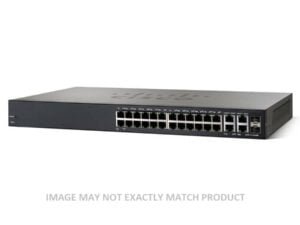
Dell (644)
4T9M6 Dell S5148f-on Switch, 48p 25GBe Sfp28, 6p 100GBe Qsfp28, 2 X 750w Ac Psus
£911.69£1,094.03 Incl. VAT
## DELL 4T9M6 S5148F-ON Networking Switch Details ### Product Overview ? Manufacturer: DELL ? Part Number: 4T9M6 ### Power Supply Specifications ? Power Supplies: Dual 750W AC power supplies designed for redundancy and hot-swappability, ensuring continuous operation ### Port Configuration #### Fixed Port Capacity ? 25GbE SFP28 Ports: 48 fixed ports providing high-speed connectivity for modern networking needs ? Uplink Ports: 6 fixed 100GbE QSFP28 ports facilitating high-bandwidth uplink options ### Operational Features ? Power over Ethernet (PoE): This model does not support PoE functionality ? Transceivers: Not included with the switch ? Airflow Configuration: Standard airflow design (input/output to power supply) ? Operating System: Comes with DELL OS10 Enterprise pre-installed for efficient network management Dell S5148f-on Networking Switch with 48p 25GBe Sfp28, 6p 100GBe Qsfp28, 2 X Redundant, Hot-swappable 750w Ac Psus - 4T9M6 ## Ports The Dell S5148f-on Switch is equipped with an impressive array of ports, offering users an extensive range of connectivity options. With a total of 48 ports, this switch provides ample capacity for connecting multiple devices simultaneously. Additionally, it features 6 uplink ports, allowing for high-speed connections to other switches or network devices. ### Increased Connectivity One of the key benefits of the Dell S5148f-on Switch's numerous ports is the increased connectivity it offers. Users can connect a wide variety of devices such as computers, servers, printers, and storage devices to the switch, creating a robust network infrastructure. This is particularly advantageous in larger organizations or data centers where a large number of devices need to be connected and managed efficiently. #### Efficient Data Transfer The 48 ports on the Dell S5148f-on Switch provide users with the ability to transfer data quickly and efficiently. Each port supports high-speed data transfer rates, ensuring smooth communication between connected devices. This is especially crucial in scenarios where large files or data-intensive applications need to be transmitted across the network without any delays or bottlenecks. #### Versatile Uplink Ports The 6 uplink ports on the Dell S5148f-on Switch offer users flexibility when it comes to expanding their network infrastructure. These ports can be used to connect to other switches or network devices, enabling users to create more complex network topologies or extend their existing networks. The high-speed uplink ports ensure that data can flow seamlessly between interconnected switches, resulting in a stable and reliable network environment. ##### Scalability and Future-Proofing The large number of ports and uplink options provided by the Dell S5148f-on Switch make it a scalable solution for growing businesses. As organizations expand and add more devices to their networks, having additional ports readily available ensures that the switch can accommodate the increased demand without requiring any significant hardware upgrades. This scalability helps future-proof the network infrastructure, saving businesses both time and money in the long run. ## Power Supplies The Dell S5148f-on Switch is equipped with two power supplies, ensuring a reliable and uninterrupted power source for the switch. This feature plays a crucial role in maintaining the stability and availability of the network infrastructure. ### Redundancy and Reliability Having two power supplies in the Dell S5148f-on Switch provides redundancy, meaning that if one power supply fails, the other can take over seamlessly. This redundancy feature ensures that even in the event of a power supply failure, the switch continues to operate without any interruption, minimizing downtime and preventing potential data loss. This level of reliability is particularly essential in critical environments where network availability is paramount. #### Load Balancing The presence of two power supplies allows for load balancing, distributing the power load evenly between them. This balancing ensures that neither power supply becomes overloaded, optimizing their performance and prolonging their lifespan. By evenly distributing the power consumption, the switch operates more efficiently and reduces the likelihood of power-related issues such as overheating or component failure. #### Easy Maintenance and Upgrades Having two power supplies simplifies maintenance and upgrades for the Dell S5148f-on Switch. If one of the power supplies needs to be serviced or replaced, it can be done without interrupting the switch's operation. This feature is particularly beneficial in scenarios where continuous network availability is critical, allowing businesses to perform necessary maintenance tasks without causing any downtime or disruptions to their operations. ##### Business Continuity The presence of dual power supplies in the Dell S5148f-on Switch ensures business continuity by providing a reliable power source. In the event of a power outage or failure in one power supply, the other power supply takes over seamlessly, preventing any disruption to the network. This level of continuity is crucial for businesses that rely heavily on their network infrastructure for day-to-day operations, guaranteeing uninterrupted access to critical resources and services. ## Power Supply Type The Dell S5148f-on Switch features an AC power supply type, which offers several benefits and advantages for users. ### Compatibility and Availability AC power supplies are widely available, making them easy to source and replace if needed. This compatibility ensures that users can easily find suitable replacements or upgrades without any compatibility issues. Additionally, AC power is the standard power source in most commercial and residential environments, making it readily available without the need for additional infrastructure modifications. #### Flexibility and Versatility AC power supplies provide users with the flexibility to operate the Dell S5148f-on Switch in various locations. Whether it's an office, data center, or remote site, the switch can be powered using standard AC outlets, eliminating the need for specialized power sources. This versatility allows businesses to deploy the switch in different environments without any additional power considerations, simplifying installation and reducing setup time. #### Power Conditioning and Stability AC power supplies often include built-in power conditioning features that help stabilize the incoming power. These features filter out potential fluctuations or surges in the power supply, ensuring a stable and consistent voltage level. The stability provided by AC power conditioning helps protect the switch from potential damage caused by voltage irregularities and enhances its overall performance and reliability. ##### Cost Efficiency AC power supplies are typically more cost-effective compared to other types of power supplies such as DC. The widespread use of AC power in various industries results in economies of scale, making AC power supplies more affordable and easily accessible. This cost efficiency benefits businesses of all sizes, allowing them to allocate their budget to other critical areas while still enjoying the reliability and performance offered by AC-powered switches like the Dell S5148f-on. ## Power Supply Capacity The Dell S5148f-on Switch boasts a power supply capacity of 750w, providing users with sufficient power to meet the demands of their network infrastructure. ### High Power Output The 750w power supply capacity of the Dell S5148f-on Switch ensures that it can handle the power requirements of multiple connected devices. This high-power output is particularly valuable in environments where numerous power-hungry devices, such as high-performance servers or network storage systems, need to be powered simultaneously. The ample power capacity of the switch ensures that it can deliver stable power to all connected devices without any performance degradation or potential power-related issues. #### Scalability and Future Expansion The 750w power supply capacity allows for scalability and future expansion of the network infrastructure. As businesses grow and add more devices to their networks, having a higher power supply capacity ensures that the switch can handle the increased power demands without any issues. This scalability eliminates the need for immediate hardware upgrades and provides a cost-effective solution for accommodating future growth. #### Energy Efficiency Despite its high power supply capacity, the Dell S5148f-on Switch is designed with energy efficiency in mind. It incorporates advanced power management features that optimize power usage based on network demand, reducing energy consumption during periods of low activity. This energy-saving capability not only helps lower operational costs but also aligns with environmentally friendly practices, making the switch an eco-conscious choice for businesses. ##### Reliability and Redundancy The 750w power supply capacity contributes to the overall reliability and redundancy of the Dell S5148f-on Switch. With ample power available, the switch can operate efficiently even during peak usage periods, preventing any performance degradation or potential downtime. Additionally, the redundant power supplies ensure that the switch remains operational in the event of a power supply failure, guaranteeing uninterrupted network connectivity and minimizing any potential disruptions. ## Part Number The Dell S5148f-on Switch's part number is 4T9M6. This alphanumeric identifier plays a crucial role in identifying and distinguishing the specific model and configuration of the switch. ### Easy Identification The part number serves as a unique identifier for the Dell S5148f-on Switch, making it easy for users to identify and locate the specific model they require. This is particularly beneficial when procuring replacement parts, upgrades, or additional switches for expanding network infrastructure. By referencing the part number, users can ensure compatibility and avoid any potential confusion or errors. #### Configuration Management Keeping track of different switch models and configurations can be challenging, especially in larger organizations or complex network environments. The part number simplifies configuration management by providing a standardized and consistent naming convention. This allows network administrators to easily document and reference specific switch models, making it simpler to track inventory, troubleshoot issues, or plan future upgrades. #### Compatibility Assurance The part number acts as a guarantee of compatibility between different hardware components and accessories. When adding new switches or expanding the network infrastructure, ensuring compatibility with existing equipment is crucial for seamless integration and optimal performance. The part number serves as a reference point for compatibility checks, ensuring that all components work together harmoniously without any conflicts or issues. ##### Technical Support and Documentation The part number is also valuable when seeking technical support or accessing documentation related to the Dell S5148f-on Switch. When contacting customer support or searching for specific product information, providing the part number enables faster and more accurate assistance. Additionally, the part number may serve as a reference when accessing online resources such as user guides, manuals, or firmware updates specific to the switch model identified by the part number.8N75N Dell S4048-on Switch – L3 Managed – 48x10Gb SFP+ + 6x40Gb QSFP+ – Rack-mountable
£529.87£635.84 Incl. VAT
## Overview of the Dell 8N75N Network Switch ### Manufacturer Details ? Brand: Dell ? Model Number: 8N75N ### Device Specifications ? Device Category: Network Switch ? Port Count: 48-Port 10Gbps (10-Gigabit) ? Form Factor: Pluggable Design ? Rack Mount Compatibility: Yes, supported with dual-rail configuration #### Port and Interface Details ? Networking Ports: 48 high-speed 10Gbps QSFP+ ports ? Transceiver Capacity: Equipped with 6 transceiver slots for 40GBE ? Console Management: 1 RJ-45 console port with RS232 signaling ? USB Connectivity: 1 USB Type-A port for additional management access ### Performance and Expandability ? Switch Capacity: Optimized for high-density data transmission ? Port Scalability: Ideal for enterprises needing extensive port expansion #### Management and Control ? Console Access: Convenient RJ-45 console port for secure device management ? Additional USB Port: USB Type-A for flexible control and data transfer options ##### Installation and Rack Compatibility ? Rack Mounting: Dual-rail rack-mountable, offering stability and adaptability for data center environments ? Plug-and-Play: Simplified installation with a pluggable form factor, making it adaptable to various configurations Dell Networking S4048-on Switch - L3 - Managed - 48 X 10 Gigabit SFP+ + 6 X 40 Gigabit QSFP+ - Rack-mountable With Dual Power - Rails (8N75N) ## Ports The Dell S4048-on L3 Managed switch is equipped with an impressive array of ports, making it a versatile and powerful networking solution for businesses of all sizes. With its 48x10Gb SFP+ and 6x40Gb QSFP+ ports, this switch offers an exceptional level of flexibility and scalability. ### Enhanced Connectivity The 48x10Gb SFP+ ports provide high-speed connectivity for devices requiring a reliable and fast network connection. Whether you need to connect servers, storage devices, or other networking equipment, these ports offer a seamless and efficient solution. The 10Gb speed ensures that data is transmitted quickly, minimizing latency and enhancing overall network performance. #### Increased Bandwidth With its 6x40Gb QSFP+ ports, the Dell S4048-on L3 Managed switch delivers even higher bandwidth capabilities. These ports are ideal for connecting devices that require massive amounts of data transfer, such as high-performance servers or data-intensive applications. The 40Gb speed allows for the rapid transfer of large files and ensures smooth and uninterrupted data flow. ##### Aggregation and Stacking The combination of 48x10Gb SFP+ and 6x40Gb QSFP+ ports enables users to aggregate multiple connections into a single high-bandwidth link. This feature is particularly useful in environments where network traffic is heavy and demands on the network infrastructure are high. By aggregating multiple connections, users can optimize their network resources and achieve faster speeds. Furthermore, the Dell S4048-on L3 Managed switch supports stacking functionality, allowing multiple switches to be interconnected and managed as a single unit. Stacking enhances network performance by increasing overall bandwidth capacity and providing redundancy. With this feature, users can easily expand their network infrastructure without sacrificing efficiency or manageability. ## Mounting The Dell S4048-on L3 Managed switch offers the convenience and flexibility of rack-mountable design. This feature allows for easy installation and integration into existing network environments. ### Space Optimization By being rack-mountable, the Dell S4048-on L3 Managed switch can be neatly and securely installed in standard server racks or cabinets. This eliminates the need for additional floor space or dedicated enclosures, making it an excellent choice for organizations with limited space. The compact design ensures efficient use of available rack space, enabling users to optimize their network infrastructure without compromising on performance. #### Improved Cable Management Rack-mountable switches offer superior cable management compared to standalone devices. The Dell S4048-on L3 Managed switch features dedicated cable management options, such as cable routing trays and integrated cable organizers. These features help keep cables organized, minimizing clutter and reducing the risk of accidental disconnections or damage. Improved cable management simplifies troubleshooting and maintenance tasks, saving time and effort for network administrators. ##### Easy Maintenance and Upgrades Rack-mountable switches are designed to facilitate easy maintenance and upgrades. The Dell S4048-on L3 Managed switch can be quickly accessed and serviced without disturbing other network components. This allows for efficient troubleshooting, minimizing downtime, and ensuring uninterrupted network operations. Additionally, the modular design of rack-mountable switches simplifies hardware upgrades, as individual components can be easily replaced or added without the need for extensive rewiring or reconfigurations. ## Part Number The Dell S4048-on L3 Managed switch is identified by its unique part number, 8N75N. This alphanumeric code is essential for accurate identification and ordering of the specific model. ### Product Identification The part number serves as a unique identifier for the Dell S4048-on L3 Managed switch, ensuring that customers receive the exact model they require. It eliminates any confusion or ambiguity regarding the product's specifications or features. The part number can be used when communicating with suppliers, support teams, or when searching for specific information about the switch. This simplifies the procurement process and streamlines customer support interactions. #### Compatibility and Interoperability Knowing the part number of the Dell S4048-on L3 Managed switch is crucial for ensuring compatibility and interoperability with other networking equipment. Different models may have specific hardware or software requirements, and using the correct part number guarantees a seamless integration into existing network infrastructure. By matching the part number, users can avoid potential compatibility issues and ensure optimal performance. ##### Efficient Inventory Management The part number plays a vital role in inventory management for both customers and suppliers. By using the part number, organizations can easily track their network equipment, monitor stock levels, and plan for future upgrades or replacements. Additionally, suppliers can accurately fulfill customer orders by referencing the part number, reducing order errors and streamlining logistics processes. In conclusion, the Dell S4048-on L3 Managed switch offers an impressive range of features and functionalities, making it an excellent choice for businesses seeking a high-performance networking solution. With its extensive port options, including 48x10Gb SFP+ and 6x40Gb QSFP+ ports, users can enjoy enhanced connectivity, increased bandwidth, and aggregation capabilities. The rack-mountable design provides space optimization, improved cable management, and easy maintenance. Finally, the part number ensures accurate identification, compatibility, and efficient inventory management.0GCXM Dell 1524P 24-Port Ethernet Switch
£628.57£754.28 Incl. VAT
## Product Overview of the DELL 0GCXM The DELL 0GCXM Networking N1524p Ethernet Switch is engineered for efficiency, featuring: ? 24 Gigabit Ethernet ports ? 4 additional 10-Gigabit SFP+ ports ? Manageable L2+ stackable design ### Key Attributes #### Device Characteristics ? Type: Managed Ethernet Switch ? Form Factor: 1U rack-mounted with front-to-back airflow ? Ethernet Ports: 24 x 10/100/1000 Mbps + 4 x 10 Gbps SFP+ ? Power Over Ethernet (PoE): PoE+ compliant #### Performance Metrics ? Switching Fabric Bandwidth: 128 Gbps ? Forwarding Performance: 128 million packets per second (Mpps) #### Capacity and Limitations ? Virtual Local Area Networks (VLANs): Up to 512 ? Address Resolution Protocol (ARP) Entries: 1024 ? IPv4 Static Routes: 256 ? Maximum Access Control List (ACL) Rules System-wide: 2048 ## Connectivity Options ### Interface Configuration ? 24 x Gigabit LAN RJ-45 ? 4 x 10-Gigabit SFP+ ? 1 x Serial (RS-232) RJ-45 Management Port ? 1 x USB Type A Port ## Power Specifications ### Power Supply and Consumption ? Type: Internal Power Supply ? Installed Units: 1 ? Total Power Provided: 600 Watts ? Operational Power Consumption: 871 Watts ## Additional Features ### Management and Security Protocols ? Remote Management: Telnet, TFTP ? Encryption: MD5, AES, SSL, TLS ? Authentication Methods: Secure Shell (SSH), RADIUS, TACACS+ ### Advanced Functionalities ? Automatic Negotiation ? Auto-Uplink (Auto MDI/MDI-X) ? Port Mirroring ? Broadcast Storm Control ? Redundant Cooling Fans ## Miscellaneous Details ### Compliance and Mounting ? Rack Mounting Kit: Included ? Regulatory Compliance: FCC Class A, RoHS, WEEE, and more Dell Networking 1524P 24-Port Ethernet Switch - 0GCXM ## Ports The Dell 1524P Ethernet Switch is equipped with an impressive 24 ports, making it a highly versatile and efficient networking solution for businesses of all sizes. Whether you are a small startup or a large enterprise, having a switch with such a high port density can greatly enhance your network infrastructure. ### Increased Connectivity With 24 ports, this Ethernet switch allows you to connect multiple devices to your network simultaneously. This means that you can easily connect computers, servers, printers, IP phones, and other network devices without worrying about running out of available ports. The increased connectivity ensures that your employees can work seamlessly and efficiently without any network bottlenecks. ### Flexibility The Dell 1524P Ethernet Switch offers flexibility in terms of network expansion. With 24 ports, you have ample room to grow your network and add more devices as your business expands. This scalability is particularly beneficial for businesses that anticipate future growth or frequently add new devices to their network infrastructure. ### Improved Network Performance Having more ports on your Ethernet switch means that the traffic on your network can be distributed more evenly. This helps prevent congestion and ensures that each connected device receives sufficient bandwidth for optimal performance. With the Dell 1524P's 24 ports, you can enjoy improved network performance and minimize latency issues, resulting in faster data transfer rates and smoother communication between devices. #### Enhanced Productivity By providing ample ports for connecting devices, the Dell 1524P Ethernet Switch promotes productivity in the workplace. Employees can easily access the resources they need without having to wait for available ports or deal with slow network speeds. This translates into reduced downtime, increased efficiency, and ultimately, better overall productivity for your business. ##### Cost Savings Investing in a switch with 24 ports like the Dell 1524P can also lead to cost savings in the long run. Instead of purchasing multiple switches to accommodate your growing network, you can consolidate your devices onto a single switch. This eliminates the need for additional power supplies, rack space, and cabling, resulting in lower equipment and maintenance costs. Additionally, managing a single switch is more efficient and less time-consuming than managing multiple switches, saving your IT team valuable resources. ## Part Number The Dell 1524P Ethernet Switch is identified by its unique part number, 0GCXM. This alphanumeric code plays a crucial role in identifying and differentiating this specific switch model from others in the market. Understanding the significance of the part number can help users make informed decisions when purchasing networking equipment. ### Product Identification The part number, 0GCXM, serves as a unique identifier for the Dell 1524P Ethernet Switch. It allows users to quickly and accurately identify the specific model they need when making a purchase or seeking support. With numerous networking switches available in the market, having a distinct part number ensures that you select the correct product that meets your requirements. #### Compatibility The part number also helps ensure compatibility with other networking devices and components. By referencing the part number, users can verify that the Dell 1524P Ethernet Switch is compatible with their existing network infrastructure. This ensures seamless integration and minimizes any potential compatibility issues that could lead to downtime or operational disruptions. ##### Warranty and Support The part number is also essential when it comes to warranty and support services. When registering your Dell 1524P Ethernet Switch for warranty coverage or seeking technical assistance, you will be required to provide the part number. This allows Dell's support team to quickly identify your specific switch model and provide you with the appropriate level of assistance or repairs. Furthermore, the part number can also be useful when sourcing replacement parts or accessories for the Dell 1524P Ethernet Switch. If you need to replace a specific component or expand your switch's capabilities, referencing the part number ensures that you acquire the correct parts that are compatible with your device. In conclusion, the 24 ports featured in the Dell 1524P Ethernet Switch offer numerous benefits to users. The increased connectivity, flexibility, improved network performance, enhanced productivity, and cost savings make it an ideal choice for businesses looking to optimize their network infrastructure. Additionally, understanding the importance of the part number, 0GCXM, allows users to identify and select the right switch model while ensuring compatibility and accessing warranty and support services.8NWHO Dell PowerSwitch 48x RJ45 1/2.5Gb 4x Sfp28 2x Qsfp+ 1U Switch
£961.04£1,153.25 Incl. VAT
## Product Overview Of DELL 8NWHO ### Model Information Discover the DELL Networking N2248x-on, a robust solution tailored for modern networking needs. ### Port Configuration ? Primary Ports: 48 x 1/2.5Gb RJ45 auto-sensing ports ? Accessory Ports: 4 x SFP28 ports 2 x QSFP+ ports ? 4 x SFP28 ports ? 2 x QSFP+ ports #### Power Features ? Power Over Ethernet (PoE): Not supported ? Integrated Power Supply: 550W built-in power supply ### Networking Layer This switch operates at Layer 3, providing enhanced routing capabilities for efficient data management. ### Physical Specifications ? Chassis Type: 1U rack-mountable design ? Airflow: Standard airflow from inlet to PSU ? Rack Mounting Kit: Includes rack ears for easy installation #### Management Capabilities Effortlessly manage your network with the following options: ? Management Interface: Available via web or console management ? Operating System: Open Network - DELL OS6 installed for enhanced functionality ? Licenses: Not applicable for this model ##### Module Expansion No module expansion slots are available for this model. ## Additional Product Information For further details or inquiries regarding the DELL 8NWHO N-series EMC PowerSwitch, feel free to contact our support team. Dell PowerSwitch 8NWHO 48x 1/2.5Gb RJ45 4x Sfp28 2x Qsfp+ Ports 1U Managed Gigabit Ethernet Switch. ## Ports The Dell PowerSwitch 8NWHO Switch offers a total of 48 ports, including 4 uplink ports and 2 stacking ports. This impressive number of ports makes it a versatile and high-performance networking solution for businesses of all sizes. ### Increased Connectivity The 48 ports provided by the Dell PowerSwitch 8NWHO Switch allow for seamless connectivity between various devices such as computers, servers, printers, and IP phones. With this switch, you can easily connect multiple devices to your network without any hassle. #### Efficient Data Transfer Each port on the Dell PowerSwitch 8NWHO Switch supports high-speed data transfer rates, ensuring efficient and reliable communication between connected devices. Whether you are transferring large files or streaming high-definition media, the switch's ports can handle the demands of your network. ##### Improved Productivity By offering a large number of ports, the Dell PowerSwitch 8NWHO Switch enables businesses to connect more devices simultaneously. This leads to increased productivity as employees can access network resources without any limitations. With fewer connectivity constraints, your team can collaborate seamlessly and complete tasks more efficiently. ## Data Rate The Dell PowerSwitch 8NWHO Switch supports a data rate of 1/2.5Gb. While this might not be the highest data rate available on the market, it is more than sufficient for most business applications. Additionally, the switch provides N/A data rates for its uplink and stacking ports. ### Smooth Network Performance The 1/2.5Gb data rate offered by the Dell PowerSwitch 8NWHO Switch ensures that your network operates smoothly without any bottlenecks. Whether you are transferring large files or running bandwidth-intensive applications, this switch can handle the demands of your network traffic. #### Future-Proof Investment While the Dell PowerSwitch 8NWHO Switch may not offer the highest data rates currently available, it provides a solid foundation for future network upgrades. With the ability to handle 1/2.5Gb data rates, this switch ensures that your network can accommodate higher bandwidth requirements as your business grows. ##### Optimized Network Speed The 1/2.5Gb data rate of the Dell PowerSwitch 8NWHO Switch allows for faster data transfer and reduced latency. This translates into improved network speed and responsiveness, enabling your employees to access resources and collaborate more efficiently. ## Form Factor The Dell PowerSwitch 8NWHO Switch features a compact and space-saving 1U form factor. This form factor offers several benefits for users, making it an ideal choice for businesses with limited rack space. ### Space Efficiency The 1U form factor of the Dell PowerSwitch 8NWHO Switch is designed to occupy minimal space in your network rack. With its compact size, you can maximize the utilization of your rack space, allowing for more efficient equipment placement. #### Easier Cable Management The compact size of the Dell PowerSwitch 8NWHO Switch simplifies cable management within your network rack. With less cable clutter, it becomes easier to identify and troubleshoot connectivity issues, saving valuable time and effort. ##### Improved Airflow and Cooling The 1U form factor promotes better airflow within your network rack, ensuring optimal cooling for the switch and other networking equipment. This helps prevent overheating and enhances the overall reliability and lifespan of your network infrastructure. In conclusion, the Dell PowerSwitch 8NWHO Switch offers an impressive array of features that make it a reliable and efficient networking solution. With its abundance of ports, high-speed data transfer rates, and space-saving form factor, this switch caters to the connectivity needs of businesses while ensuring smooth network performance. Whether you are a small business or a large enterprise, the Dell PowerSwitch 8NWHO Switch is a valuable investment that can enhance your network infrastructure and boost productivity.74F79 Dell Z9100-on 32x100GBe + 2xSFP+ Switch w/ 2xPSU
£646.75£776.10 Incl. VAT
## DELL 74F79 Networking Z9100-ON Switch Overview ### General Product Information ? Manufacturer: DELL Technologies ? Part Number: 74F79 ? Product Line: PowerSwitch ? Model: Z9100-ON ? Product Type: Ethernet Switch ### Networking Features ? Port Configuration: 32 x Fixed 100GbE QSFP28 Ports 2 x Fixed 1/10GbE SFP+ Uplink Ports ? 32 x Fixed 100GbE QSFP28 Ports ? 2 x Fixed 1/10GbE SFP+ Uplink Ports ? Power Supply Options: 2 x Redundant, Hot-Swappable 750W AC PSUs ? 2 x Redundant, Hot-Swappable 750W AC PSUs ? Power over Ethernet (PoE): Not Applicable ? Transceivers: Not Included ? Airflow Configuration: Standard (Input/Output to PSU) Reverse (PSU to Input/Output) ? Standard (Input/Output to PSU) ? Reverse (PSU to Input/Output) #### Operating System ? Default OS: DELL OS9 (also compatible with DELL OS10 Enterprise) ##### Included Accessories ? 1 x Rail Kit ? 1 x Console Cable ### Performance and Capacity ? Switching Capacity: Optimized for high bandwidth and low latency ? Scalability: Supports large-scale network deployments with extensive port density #### Key Advantages ? Designed for high-performance data center applications ? Robust redundancy features for enhanced reliability ? Flexibility in uplink options for diverse networking needs Dell Networking Z9100-on 32 X 100GBe + 2 X Sfp+ Switch With 2 X Psu - 74F79 ## Ports Feature: 32x100GBe + 2xSFP+ The Dell Z9100-on Switch is a powerful networking device that offers an impressive range of features, including its exceptional Ports configuration. With 32x100GBe ports and 2xSFP+ ports, this switch provides users with a high level of flexibility and scalability in their network setups. ### Benefits of 32x100GBe Ports The inclusion of 32x100GBe ports on the Dell Z9100-on Switch ensures that users have ample connectivity options to accommodate their growing network demands. These ports support high-speed data transfers of up to 100 gigabits per second, enabling the smooth transmission of large files, streaming content, and real-time applications. This feature is particularly beneficial for businesses that rely heavily on data-intensive applications, such as cloud computing, big data analytics, and virtualization. With the ability to handle massive volumes of data quickly and efficiently, organizations can experience enhanced productivity and improved overall network performance. #### Scalability and Future-Proofing The 32x100GBe ports also allow for easy scalability, as they can be utilized to connect multiple devices, servers, or switches together. This flexibility ensures that the Dell Z9100-on Switch can adapt to changing business requirements without the need for significant infrastructure upgrades. Moreover, these ports future-proof your network infrastructure by providing ample bandwidth to accommodate future technological advancements. As the demand for higher data transfer speeds continues to grow, having 32x100GBe ports on the switch ensures that your network is prepared for upcoming advancements in network technology. #### Redundancy and High Availability Another advantage of the 32x100GBe ports is the ability to create redundant connections. Redundancy is crucial for businesses that cannot afford any downtime, as it ensures that network traffic can be rerouted in case of a link failure. By utilizing multiple ports, users can establish redundant connections to safeguard against potential network disruptions. The high availability offered by the Dell Z9100-on Switch's ports ensures that critical applications and services remain accessible, minimizing the risk of costly downtime. Whether it's for financial institutions, healthcare facilities, or any other industry with stringent uptime requirements, the redundancy provided by these ports is invaluable. #### Versatility and Flexibility The inclusion of 2xSFP+ ports further enhances the versatility and flexibility of the Dell Z9100-on Switch. SFP+ (Small Form-Factor Pluggable Plus) is a compact transceiver module that supports various types of network connections, including fiber optic and copper cables. These SFP+ ports enable users to connect the switch to different types of network infrastructure, allowing for seamless integration into existing network setups. Whether you need to connect to fiber optic backbones or utilize copper-based connections for shorter distances, the 2xSFP+ ports provide the necessary flexibility to accommodate diverse networking needs. ##### Cost Savings The versatility of SFP+ ports also offers cost-saving benefits. By supporting different types of connections, businesses can select the most cost-effective solution for their specific requirements. For example, in scenarios where copper cables are more affordable than fiber optic cables, users can utilize the SFP+ ports with copper-based transceivers instead of expensive fiber optic modules. Furthermore, the ability to mix and match different network connection types using SFP+ ports allows for optimal utilization of existing networking infrastructure. This reduces the need for costly upgrades or replacements, resulting in significant cost savings for businesses. ## Power Supply Feature: 2xPSU When it comes to network switches, power supply redundancy is critical to ensure uninterrupted operation. The Dell Z9100-on Switch addresses this requirement with its dual power supply units (PSUs), offering enhanced reliability and uptime for users. ### Benefits of Dual PSUs The inclusion of 2xPSU in the Dell Z9100-on Switch provides several key benefits that contribute to the overall stability and availability of the network infrastructure. #### Redundancy and Fault Tolerance Redundant power supplies offer an additional layer of protection against power failures or malfunctions. In the event of a PSU failure, the backup PSU seamlessly takes over, ensuring uninterrupted power supply to the switch and connected devices. This redundancy eliminates the risk of downtime and data loss caused by power-related issues. Moreover, the dual PSU configuration also enhances fault tolerance by reducing the impact of single-point failures. Even if one power supply encounters a malfunction, the other PSU can continue to power the switch, preventing any disruption in network connectivity. #### Scalability and Load Balancing The 2xPSU feature also enables scalability and load balancing capabilities. As organizations expand their network infrastructure or add more devices, additional power supplies can be easily installed to accommodate the increased power demands. Load balancing is achieved by distributing the power load evenly among the PSUs, ensuring that no single power supply is overloaded. This approach minimizes strain on individual PSUs, prolonging their lifespan and reducing the risk of premature failures. #### Efficiency and Energy Savings Modern power supply units are designed with energy efficiency in mind, and the dual PSU configuration of the Dell Z9100-on Switch is no exception. By utilizing two PSUs instead of a single unit, power consumption can be optimized to match the actual requirements of the network infrastructure. Additionally, dual PSUs allow for improved energy management practices, such as leveraging power-saving features and implementing intelligent power distribution mechanisms. These energy-saving measures contribute to reduced operational costs and a smaller carbon footprint for businesses. ## Part Number Feature: 74F79 The part number of a networking device may seem like a technical detail, but it holds significance for users and IT professionals alike. In the case of the Dell Z9100-on Switch, the part number "74F79" represents a specific model variant, offering unique capabilities and compatibility. ### Benefits of Part Number: 74F79 #### Model Identification The part number serves as an identifier for the Dell Z9100-on Switch's specific configuration and features. For IT professionals responsible for managing a network infrastructure, having a clear understanding of the model variants is crucial for accurate documentation, troubleshooting, and compatibility checks. The part number "74F79" ensures that users can easily identify and procure the correct model when sourcing or replacing networking equipment. This eliminates any potential confusion or compatibility issues that may arise from using incompatible or suboptimal switch models. #### Feature Differentiation Networking devices often come in various configurations with different feature sets. The part number "74F79" distinguishes the specific configuration offered by this variant of the Dell Z9100-on Switch, allowing users to make informed decisions based on their unique requirements. Whether it's the number of ports, power supply options, or other key features, the part number ensures that users can easily compare different variants and select the one that best aligns with their network needs. This feature differentiation helps streamline the procurement process and ensures that users acquire switches tailored to their specific requirements. #### Compatibility and Support The part number plays a crucial role in ensuring compatibility between networking devices and other components within the network infrastructure. It allows IT professionals to verify that the switch they are considering is compatible with their existing equipment or any planned upgrades. Furthermore, the part number also facilitates efficient technical support. When troubleshooting or seeking assistance from Dell's support team, providing the specific part number enables faster and more accurate troubleshooting, ensuring prompt resolution of any issues that may arise. ##### Warranty and Documentation The part number "74F79" is tied to specific warranty terms and documentation provided by Dell. By referencing the correct part number, users can access comprehensive documentation, including user manuals, installation guides, and warranty information. This ensures that users have access to all the necessary resources to set up, configure, and maintain their Dell Z9100-on Switch. Additionally, the part number helps streamline the warranty process by enabling quick identification of the switch's specific model and associated warranty coverage. In conclusion, the Dell Z9100-on Switch's Ports feature with 32x100GBe + 2xSFP+ offers extensive benefits in terms of scalability, redundancy, versatility, and cost savings. The Power Supply feature with 2xPSU enhances reliability, fault tolerance, scalability, load balancing, efficiency, and energy savings. The Part Number feature "74F79" ensures proper identification, feature differentiation, compatibility, support, warranty coverage, and access to comprehensive documentation. With these exceptional features and benefits, the Dell Z9100-on Switch stands as a reliable choice for businesses seeking high-performance networking solutions.8MD6D Dell S4112T-ON 10GbE Base-T 3 Ports QSFP28 OS10 Switch
£1,084.42£1,301.30 Incl. VAT
## Product Overview of DELL 8MD6D The DELL S4112t-on switch is engineered for high-performance networking with a robust set of features suitable for demanding environments. ### Key Features ? Port Configuration: 12 fixed 1/10GbE auto-sensing RJ-45 ports for versatile connectivity. 3 dedicated uplink ports supporting 100GbE QSFP28 for high-speed data transfer. ? 12 fixed 1/10GbE auto-sensing RJ-45 ports for versatile connectivity. ? 3 dedicated uplink ports supporting 100GbE QSFP28 for high-speed data transfer. ? Power Supply: Equipped with dual fixed AC power supplies for enhanced reliability. ? Equipped with dual fixed AC power supplies for enhanced reliability. ? Power over Ethernet (PoE): Not applicable for this model. ? Not applicable for this model. ? Transceivers: Not included with the switch. ? Not included with the switch. ? Airflow Design: Standard airflow configuration (input/output to power supply unit). ? Standard airflow configuration (input/output to power supply unit). ? Operating System: Comes pre-installed with DELL OS10 Enterprise, providing a comprehensive network management interface. ? Comes pre-installed with DELL OS10 Enterprise, providing a comprehensive network management interface. ? Cables: Includes necessary cables for immediate setup. ? Includes necessary cables for immediate setup. ### Connectivity and Performance #### Robust Networking Capabilities This switch is ideal for organizations seeking reliable and high-speed connections, supporting both standard and advanced networking requirements. #### Versatile Port Options With a combination of 1/10GbE ports and high-capacity 100GbE uplinks, the DELL S4112t-on ensures efficient data routing across various applications. ##### Enhanced Network Management Utilizing the DELL OS10 Enterprise system, users can benefit from streamlined operations and improved control over their network environment. ##### Scalability and Flexibility This switch accommodates future growth with its modular capabilities, making it a smart investment for expanding networks. Dell 8MD6D S4112T-ON 10GbE Base-T 3 Ports QSFP28 OS10 12 Ports Switch - 8MD6D ## Ports The Dell S4112T-ON Switch is equipped with a total of 3 ports, making it an ideal choice for small to medium-sized businesses that require a reliable and efficient networking solution. These ports serve as the gateway for data transmission between devices connected to the switch. With 3 ports available, users can connect multiple devices, such as computers, servers, printers, and storage devices, to the network simultaneously. ### Increased Connectivity One of the significant benefits of having 3 ports on the Dell S4112T-ON Switch is the increased connectivity it offers. With more ports available, users can connect a larger number of devices to the network, expanding their network capacity. This is particularly advantageous for businesses experiencing growth or those with a high volume of network traffic. The additional ports allow for efficient data transfer and better overall network performance. ### Flexibility in Network Design Having 3 ports on the Dell S4112T-ON Switch also provides users with greater flexibility in designing their network infrastructure. Each port can be assigned a specific function or connected to a different VLAN (Virtual Local Area Network), allowing for the creation of separate logical networks within the physical infrastructure. This flexibility enables businesses to segment their network based on departments, projects, or security requirements, enhancing overall network management and security. #### Improved Network Redundancy Redundancy is crucial in ensuring uninterrupted network connectivity. By having multiple ports on the Dell S4112T-ON Switch, users can implement redundancy measures such as link aggregation or failover. Link aggregation combines multiple physical connections into a single logical connection, increasing bandwidth and providing redundancy in case one link fails. Failover, on the other hand, automatically switches to an alternate connection when the primary link experiences an issue. These redundancy techniques help minimize downtime and ensure continuous network operation. ##### Enhanced Scalability Scalability is a critical factor to consider when choosing a network switch. As businesses grow, the demand for network resources increases. With 3 ports, the Dell S4112T-ON Switch offers scalability by allowing users to easily add new devices to the network without the need for additional switches or infrastructure upgrades. This scalability ensures that the network can accommodate future growth and adapt to evolving business needs. ## Port Type The Dell S4112T-ON Switch features 10GbE Base-T ports, providing users with high-speed connectivity for their network devices. These ports are designed to support data transfer rates of up to 10 gigabits per second, making them ideal for bandwidth-intensive applications and environments that require fast and reliable network connections. ### High-Speed Data Transfer The 10GbE Base-T ports on the Dell S4112T-ON Switch offer significantly faster data transfer rates compared to traditional Gigabit Ethernet ports. This high-speed connectivity allows for rapid file transfers, smooth video streaming, and seamless access to network resources. Users can experience improved productivity and efficiency when working with large files or accessing bandwidth-demanding applications. ### Reduced Network Congestion With the increasing demand for high-bandwidth applications and services, network congestion can become a significant issue. The 10GbE Base-T ports on the Dell S4112T-ON Switch help alleviate this problem by providing ample bandwidth for data transmission. Users can enjoy a congestion-free network environment, ensuring smooth and uninterrupted communication between devices. #### Support for Virtualization Virtualization has become a fundamental technology in modern IT infrastructures. The 10GbE Base-T ports on the Dell S4112T-ON Switch are well-suited for virtualized environments where multiple virtual machines or virtual networks coexist. These high-speed ports enable efficient data transfer between virtual machines and the physical network, ensuring optimal performance and reducing latency in virtualized environments. ##### Future-Proofing Investing in a network switch with 10GbE Base-T ports like the Dell S4112T-ON Switch ensures future-proofing for businesses. As the demand for higher network speeds continues to grow, having 10GbE ports allows organizations to accommodate these future requirements without the need for costly infrastructure upgrades. This scalability ensures that the switch can support evolving network needs and technological advancements. ## Uplink Ports The Dell S4112T-ON Switch is equipped with 1 uplink port, providing users with a dedicated connection to connect the switch to other switches or network devices. The uplink port serves as the backbone of the network, facilitating communication between different parts of the network and ensuring efficient data transmission. ### Seamless Network Expansion The presence of an uplink port on the Dell S4112T-ON Switch enables seamless network expansion. Users can connect additional switches or network devices to the uplink port, allowing for the creation of larger and more complex network architectures. This scalability is particularly beneficial for businesses experiencing growth or those with expanding networking requirements. ### Improved Network Performance The uplink port plays a crucial role in enhancing overall network performance. By providing a dedicated connection for inter-switch communication, the uplink port minimizes bottlenecks and reduces network congestion. This ensures that data transfers between switches or devices connected to the uplink port occur at optimal speeds, resulting in improved network performance and reduced latency. #### Enhanced Network Resilience Resilience is a critical aspect of any network infrastructure. The presence of an uplink port on the Dell S4112T-ON Switch enhances network resilience by providing an alternate path for data transmission in case of a link failure. If one of the primary connections fails, the uplink port can automatically take over, ensuring uninterrupted network connectivity and minimizing downtime. ##### Streamlined Network Management Having a dedicated uplink port simplifies network management and troubleshooting processes. Administrators can easily identify and isolate issues by focusing on the uplink connection. This streamlined approach to network management saves time and effort, allowing for more efficient network administration. ## Uplink Port Type The Dell S4112T-ON Switch features QSFP28 uplink ports, offering users high-speed connectivity for inter-switch communication. The QSFP28 (Quad Small Form-factor Pluggable 28) interface is designed to support data transfer rates of up to 100 gigabits per second, making it ideal for high-performance networking environments that require fast and reliable connections. ### Ultra-High Speed The QSFP28 uplink ports on the Dell S4112T-ON Switch provide ultra-high-speed connectivity, capable of transferring data at rates of up to 100 gigabits per second. This exceptional speed ensures that inter-switch communication occurs at lightning-fast speeds, facilitating rapid data transfer and seamless collaboration between network devices. ### Bandwidth-Intensive Applications High-speed connectivity is essential for bandwidth-intensive applications such as video streaming, large file transfers, and data-intensive workloads. The QSFP28 uplink ports enable businesses to support these applications without compromising performance. Users can experience smooth and uninterrupted access to network resources, resulting in increased productivity and efficiency. #### Future-Proof Investment Investing in a switch with QSFP28 uplink ports like the Dell S4112T-ON Switch ensures future-proofing for businesses. As network demands continue to grow, having high-speed uplink ports allows organizations to meet these requirements without the need for costly infrastructure upgrades. This scalability ensures that the switch can support evolving network needs, making it a valuable long-term investment. ##### Compatibility and Interoperability The QSFP28 uplink ports on the Dell S4112T-ON Switch offer compatibility and interoperability with other networking equipment that supports the QSFP28 interface. This flexibility allows businesses to seamlessly integrate the switch into their existing network infrastructure or connect it to other switches or devices without compatibility issues. The ability to interoperate with a wide range of networking equipment enhances the switch's versatility and adaptability. ## Operating System The Dell S4112T-ON Switch utilizes the powerful and feature-rich OS10 operating system. OS10 is a modular operating system designed for networking devices, offering advanced capabilities and flexibility for efficient network management and administration. ### Modularity and Flexibility OS10's modular design allows users to customize their network environment based on their specific requirements. The operating system consists of various modules that can be individually installed or upgraded, providing flexibility in feature selection and enabling users to tailor their network functionality. This modularity ensures that the switch can adapt to changing business needs and accommodate evolving network requirements. ### Advanced Networking Features OS10 offers a wide range of advanced networking features, enhancing overall network performance and security. These features include VLAN (Virtual Local Area Network) support, Link Aggregation, Quality of Service (QoS) capabilities, and advanced routing protocols. Users can leverage these features to optimize their network operation, prioritize critical traffic, and enhance overall network efficiency. #### Simplified Network Management The OS10 operating system provides a unified management interface for network administrators, simplifying network management tasks. Users can efficiently configure and monitor their network devices using a single interface, reducing complexity and saving time. The intuitive management interface streamlines network administration, making it easier for administrators to perform tasks such as device configuration, monitoring, and troubleshooting. ##### Scalability and High Availability OS10 is designed to support scalable and highly available network architectures. The operating system offers features such as Virtual Link Trunking (VLT) and Multi-Chassis Link Aggregation (MLAG) that enable the creation of redundant network connections and eliminate single points of failure. These features ensure continuous network operation, minimize downtime, and enhance network reliability. ## Part Number The Dell S4112T-ON Switch has a part number of 8MD6D. The part number serves as a unique identifier for the switch model and is essential for accurately identifying and ordering the correct product variant. ### Product Identification The part number, 8MD6D, allows users to easily identify the specific model of the Dell S4112T-ON Switch. This identification ensures that users can obtain accurate information about the switch's specifications, features, and compatibility with other networking equipment. When ordering or troubleshooting the switch, having the correct part number is crucial for efficient communication with support or sales representatives. ### Compatibility with Accessories The part number also plays a vital role in ensuring compatibility with accessories or additional components. Certain features or functionalities may be specific to particular models or variants of the switch. By referring to the part number, users can verify compatibility with accessories such as power supplies, transceivers, or rack mounting kits. This ensures that the switch can be seamlessly integrated into existing network infrastructures without any compatibility issues. #### Warranty Validation The part number serves as a reference for warranty validation. Dell provides warranty coverage based on the specific product model, and the part number is used to verify the warranty status of the switch. This information is crucial for users to understand their warranty coverage, obtain support, or initiate any necessary repairs or replacements. ##### Product Differentiation In a product lineup with multiple models, the part number helps differentiate the Dell S4112T-ON Switch from other switch variants. Each part number corresponds to a specific set of features, capabilities, or specifications. By referring to the part number, users can ensure that they are selecting the correct model that aligns with their network requirements and budget constraints. This differentiation allows users to make an informed decision and choose the switch that best suits their needs.99TJK Dell S4048-on L3 Managed 48-Port 10G SFP+ + 6x 40G QSFP+ Switch
£693.51£832.21 Incl. VAT
## Product Overview Of DELL 99TJK #### Essential Specifications ? Manufacturer: DELL Technologies ? Part Number: 99TJK ? Brand: DELL EMC ? Product Line: PowerSwitch ? Series: S4000 ? Model: S4048-on ? Type: Ethernet Switch #### Networking Capabilities ? Ports: 48 x 10 Gigabit Ethernet SFP+ Ports ? Uplink Ports: 6 x 40 Gigabit Ethernet QSFP+ Ports ? Breakout Capability: Up to 72 x 10 Gigabit Ethernet Ports (breakout cables not included) ##### Power Supply and Configuration ? Power Supply Units: Dual Hot-Swap Power Supply ? Airflow Design: Standard (Input/Output to PSU) ? Power over Ethernet (PoE): Not applicable ##### Included Accessories ? 1 x Rail Kit ? 1 x Console Cable ? 1 x Non-Notched Power Cords ? 1 x USB 2.0 Type A Cable for Mass Storage Support ? 1 x Micro-USB 2.0 Type B Serial Console Port #### Software and Management ? Operating System: DELL OS9 Pre-installed ? Management Port: RJ45 Console/Management Port with RS232 Signaling Dell Networking S4048-on L3 Managed 48 Port 10gigabit Sfp+ + 6x 40gigabit Qsfp+ Rack-mountable Switch - 99TJK ## Ports The Dell S4048-on L3 Managed Switch is equipped with an impressive array of ports, making it a versatile and powerful networking solution for businesses of all sizes. With its 48-Port 10G SFP+ and 6x 40G QSFP+ ports, this switch offers unparalleled connectivity options that can handle even the most demanding networking requirements. ### High-Speed Connectivity One of the key benefits of the Dell S4048-on L3 Managed Switch is its ability to provide high-speed connectivity through its 48-Port 10G SFP+ and 6x 40G QSFP+ ports. These ports support blazing-fast data transfer rates, allowing for seamless communication between devices and ensuring that your network operates at peak performance. Whether you need to transfer large files, stream high-definition media, or run bandwidth-intensive applications, the high-speed connectivity provided by these ports ensures that you can do so without any bottlenecks or slowdowns. #### Scalability Another advantage of the 48-Port 10G SFP+ and 6x 40G QSFP+ ports is their scalability. These ports allow you to easily expand your network as your business grows, accommodating additional devices and increasing bandwidth as needed. With the ability to connect multiple switches together using these ports, you can create a highly scalable network infrastructure that can support your expanding business requirements without any hassle or downtime. #### Flexibility The Dell S4048-on L3 Managed Switch's versatile port configuration offers great flexibility in designing your network topology. The 48-Port 10G SFP+ ports can be used to connect servers, storage devices, and other networking equipment that require high-speed connections, while the 6x 40G QSFP+ ports are ideal for linking switches together or connecting to aggregation devices. This flexibility allows you to optimize your network layout based on your specific needs, ensuring efficient data flow and minimizing latency. #### Future-Proofing Investing in a networking solution that supports the latest industry standards is essential for future-proofing your infrastructure. The Dell S4048-on L3 Managed Switch's 48-Port 10G SFP+ and 6x 40G QSFP+ ports are designed to meet the demands of modern networking technologies, ensuring that you can take advantage of the latest advancements in data transfer speeds and protocols. By choosing a switch with these ports, you can rest assured that your network will be ready to handle future upgrades and expansions without requiring costly hardware replacements. ##### Cost-Effectiveness While the Dell S4048-on L3 Managed Switch offers high-performance capabilities, it also provides a cost-effective solution for businesses. Instead of investing in separate switches for different purposes, the 48-Port 10G SFP+ and 6x 40G QSFP+ ports allow you to consolidate your network infrastructure, reducing hardware costs and simplifying management. Additionally, the switch's energy-efficient design helps lower power consumption, resulting in reduced operational costs over time. ## Part Number The Dell S4048-on L3 Managed Switch's part number, 99TJK, is an important identifier that distinguishes this particular switch model from others in the Dell product lineup. While it may seem like a small detail, the part number holds significance for users and can provide valuable information about the switch's specifications and compatibility. ### Product Identification The part number serves as a unique identifier for the Dell S4048-on L3 Managed Switch model 99TJK. This identification allows users to easily locate and select the specific switch they need when purchasing or searching for support documentation. By referring to the part number, users can ensure that they are obtaining the correct switch model that meets their requirements, avoiding any potential compatibility issues or discrepancies. #### Compatibility and Support The part number also plays a crucial role in ensuring compatibility and access to support services. When contacting Dell's customer support or service centers, providing the part number helps expedite the troubleshooting and resolution process. The support team can quickly identify the exact model and its specifications, allowing them to provide accurate guidance and assistance tailored to the specific switch model with part number 99TJK. #### Documentation and Firmware Updates Having the correct part number is essential when accessing documentation and firmware updates for the Dell S4048-on L3 Managed Switch. Dell maintains a comprehensive library of resources, including user manuals, technical specifications, and firmware updates specific to each switch model. By using the part number to search for these resources, users can access the most relevant and up-to-date information related to their switch model, ensuring optimal performance and compatibility with other network components. ##### Warranty and Service Coverage The part number also plays a role in warranty registration and service coverage. When registering the Dell S4048-on L3 Managed Switch for warranty purposes, providing the correct part number is crucial to ensure that the device is correctly associated with its specific product details, including its warranty terms and conditions. Additionally, when purchasing extended service coverage or support contracts, the part number helps in accurately identifying the switch model and associating it with the appropriate service level agreements. In conclusion, the Dell S4048-on L3 Managed Switch's 48-Port 10G SFP+ and 6x 40G QSFP+ ports provide high-speed connectivity, scalability, flexibility, future-proofing capabilities, and cost-effectiveness. The part number 99TJK serves as a unique identifier, facilitating product identification, compatibility, support, access to documentation and firmware updates, and warranty registration. Together, these features make the Dell S4048-on L3 Managed Switch a reliable and versatile networking solution for businesses.210-ANCI Dell S5148f-on 48p 25GBe Sfp28 6p 100GBe Qsfp28 Switch
£912.99£1,095.59 Incl. VAT
## Dell 210-ANCI Networking S5148F-ON Switch Specifications ### Key Manufacturer Details ? Brand: Dell ? Model Number: 210-ANCI ? Operating System: Dell OS10 Enterprise pre-installed for advanced management ### Port Configuration ? Main Ports: 48 fixed 25GbE SFP28 ports for high-speed connectivity ? Uplink Options: 6 dedicated 100GbE QSFP28 uplink ports for expanded network capabilities ? Power over Ethernet (PoE): Not applicable ? Transceivers: Not included #### Power and Cooling ? Power Supply: Dual 750W AC power supplies for redundant, uninterrupted operation ? Hot-Swappable: Both power supplies are hot-swappable for easy replacement without downtime ? Airflow Direction: Standard airflow from I/O to PSU, optimizing cooling efficiency ### Performance and Reliability ? High Density: Equipped with 48 ports of 25GbE, suitable for demanding data traffic environments ? Scalability: Supports 6 uplink ports at 100GbE, allowing future growth in network capacity ? Redundancy: Redundant power supplies enhance system reliability for critical network infrastructures ##### Additional Features ? Form Factor: Compact and rack-mountable, fitting into standard data center configurations ? Switching Capacity: Built for robust data transfer rates and low latency ? Advanced OS: OS10 Enterprise delivers sophisticated networking functionalities and easy-to-navigate management Dell Networking S5148f-on 48p 25GBe Sfp28 6p 100GBe Qsfp28 2x Redundant, Hot-swappable 750w Ac Psus Switch - 210-ANCI ## Ports The Dell S5148f-on Switch is equipped with a versatile range of ports, offering users a high level of flexibility and connectivity options. With a total of 54 ports, including 48 Ethernet ports and 6 combo ports, this switch is designed to meet the demanding networking needs of modern businesses. ### 48 Ethernet Ports The 48 Ethernet ports on the Dell S5148f-on Switch provide ample connectivity for a wide range of devices, such as computers, servers, and network appliances. These ports support Gigabit Ethernet, ensuring fast and reliable data transfer rates. Whether you need to connect multiple devices in a small office or establish a large-scale network infrastructure, the abundance of Ethernet ports on this switch will cater to your requirements. #### Benefits of 48 Ethernet Ports Having 48 Ethernet ports on the Dell S5148f-on Switch offers several advantages for users. Firstly, it eliminates the need for additional networking equipment, reducing both costs and complexity. Additionally, the abundance of Ethernet ports allows for effortless expansion and scalability as your network grows. Moreover, these ports support various networking protocols, enabling seamless integration with existing infrastructure. ##### Flexibility and Versatility The Dell S5148f-on Switch's 48 Ethernet ports provide unparalleled flexibility and versatility. They allow you to connect a wide range of devices simultaneously, including computers, printers, IP phones, and network storage devices. This versatility is particularly beneficial in environments where multiple types of devices need to be connected and managed efficiently. ### 6 Combo Ports In addition to the 48 Ethernet ports, the Dell S5148f-on Switch features 6 combo ports. These combo ports offer users the flexibility to choose between using them as either 10 Gigabit Ethernet (GbE) or Gigabit Ethernet (GbE) ports, depending on their networking requirements. This versatility allows for easy integration of different networking devices and ensures optimal performance. #### Benefits of Combo Ports The presence of combo ports on the Dell S5148f-on Switch provides several benefits to users. Firstly, it offers the ability to connect devices that require different bandwidths, allowing for seamless integration of various networking equipment. This flexibility is especially valuable in environments where different types of devices with varying bandwidth needs coexist. ##### Optimal Performance With the ability to switch between 10 GbE and GbE modes, the combo ports on this switch ensure optimal performance based on the specific requirements of connected devices. This adaptability allows users to allocate network resources efficiently and prioritize critical applications or services that demand higher bandwidth. ## Interfaces The Dell S5148f-on Switch boasts a range of interfaces that enhance its connectivity capabilities. With SFP28 and QSFP28 interfaces, this switch provides users with high-speed data transfer rates and seamless integration with various networking equipment. ### SFP28 Interfaces The SFP28 interfaces on the Dell S5148f-on Switch support data transfer rates of up to 25 Gigabits per second (Gbps). These interfaces are compatible with SFP28 transceivers, which are widely used in modern networking environments. The SFP28 interfaces enable users to connect devices that require higher bandwidth, such as servers or storage devices, ensuring efficient and reliable data transmission. #### Benefits of SFP28 Interfaces The inclusion of SFP28 interfaces on the Dell S5148f-on Switch offers numerous benefits for users. Firstly, it enables high-speed connectivity between network devices, ensuring fast and efficient data transfer. This is particularly advantageous in scenarios where large amounts of data need to be transmitted quickly, such as in data centers or high-performance computing environments. ##### Compatibility and Interoperability The SFP28 interfaces on this switch are compatible with a wide range of networking equipment and transceivers, ensuring interoperability with existing infrastructure. This compatibility allows for seamless integration with other networking devices, simplifying the configuration and management processes. ### QSFP28 Interfaces The Dell S5148f-on Switch also features QSFP28 interfaces, which support data transfer rates of up to 100 Gbps. These high-speed interfaces enable users to connect devices that require ultra-fast data transmission, such as high-performance servers or storage systems. The QSFP28 interfaces offer unparalleled bandwidth capabilities, ensuring optimal performance for demanding networking applications. #### Benefits of QSFP28 Interfaces The presence of QSFP28 interfaces on the Dell S5148f-on Switch provides significant benefits for users. Firstly, it enables ultra-fast connectivity between devices, allowing for seamless transmission of large data volumes or bandwidth-intensive applications. This is particularly advantageous in environments where real-time data processing or high-speed data transfer is critical. ##### Scalability and Future-Proofing The QSFP28 interfaces on this switch offer scalability and future-proofing capabilities. With their ability to support higher bandwidth requirements, these interfaces ensure that the switch can handle increased network demands as technology evolves. This scalability allows users to invest in a networking solution that can adapt to their changing needs over time. ## Part Number The Dell S5148f-on Switch is identified by its part number, 210-ANCI. This unique identifier is essential for purchasing, configuring, and obtaining support for the switch. Understanding the significance of the part number is crucial for users who want to ensure they are acquiring the correct model and obtaining the necessary assistance when needed. ### Importance of Part Number The part number, 210-ANCI, holds great importance for users of the Dell S5148f-on Switch. It serves as a key identifier that distinguishes this specific model from other Dell switch variants. This ensures accuracy during the purchasing process, preventing any confusion or miscommunication that may arise due to similar product names or specifications. #### Ordering and Configuration The part number plays a vital role in the ordering and configuration of the Dell S5148f-on Switch. By providing the correct part number, users can ensure that they receive the exact model they require, with all the desired features and specifications. Moreover, when configuring the switch for their specific networking needs, users can refer to the part number to ensure accurate setup and compatibility with other networking components. ##### Technical Support and Warranty When seeking technical support or warranty assistance for the Dell S5148f-on Switch, the part number becomes an essential reference point. By providing the correct part number, users can ensure that they receive targeted and accurate support from Dell's customer service representatives. This simplifies the troubleshooting process and ensures that any potential issues are addressed promptly and efficiently. In conclusion, the Dell S5148f-on Switch offers a comprehensive range of features that cater to the diverse networking needs of businesses. With its abundance of Ethernet ports and combo ports, users can enjoy flexibility, versatility, and optimal performance in their network infrastructure. The SFP28 and QSFP28 interfaces provide high-speed connectivity options, ensuring fast and efficient data transfer rates. Lastly, the part number serves as a crucial identifier for purchasing, configuring, and obtaining support for the switch. Understanding these features and their benefits is essential for users looking to enhance their networking capabilities with the Dell S5148f-on Switch.210-AOYW Dell S4112t-on 12p 10GBe Base-t 3p Qsfp28 Os10 Switch
£1,084.42£1,301.30 Incl. VAT
## DELL 210-AOYW Networking S4112T-ON Switch Overview ### Product Specifications ? Model: 210-AOYW ? Device Type: Networking Switch ? Switch Series: S4112T-ON ### Port Configuration ? Fixed Ports: 12 x Auto-sensing 1/10 Gigabit Ethernet RJ-45 Ports ? 12 x Auto-sensing 1/10 Gigabit Ethernet RJ-45 Ports ? Uplink Ports: 3 x Fixed 100 Gigabit Ethernet QSFP28 Ports ? 3 x Fixed 100 Gigabit Ethernet QSFP28 Ports #### Power Supply and Connectivity ? Power Supply Units: Dual, Fixed AC Power Supply Units ? Dual, Fixed AC Power Supply Units ? Power over Ethernet (PoE): Not Supported ? Transceivers: Not Included ##### Operational Features ? Airflow Design: Standard airflow from Input/Output to PSU ? Default Operating System: DELL OS10 Enterprise ? Cables: Cables Included ### Key Benefits ? Enhanced flexibility with auto-sensing ports for various network speeds ? High-capacity uplink options for robust data transfer ? Reliable dual power supply system ensuring continuous operation Dell Networking S4112t-on 12p 10GBe Base-t 3p Qsfp28 Os10 Switch - 210-AOYW ## Ports The Dell S4112t-on Switch is equipped with 12 ports, making it a versatile and efficient networking solution for businesses of all sizes. These ports play a crucial role in connecting various devices within a network, facilitating smooth communication and data transfer between them. ### Increased Connectivity Options With 12 ports, this switch offers users a wide range of connectivity options. Whether you need to connect computers, servers, printers, or other network devices, the ample number of ports ensures that you have enough flexibility to accommodate your specific requirements. This feature is especially beneficial for businesses that have multiple departments or teams that rely on seamless network connectivity. #### Enhanced Scalability The 12 ports on the Dell S4112t-on Switch also contribute to its scalability. As your business grows and demands for greater network connectivity increase, having more ports allows you to easily expand your network infrastructure without the need for additional switches or complex configurations. This scalability ensures that your network can adapt to your evolving needs without causing any disruptions to your operations. ##### Improved Network Performance By distributing network traffic across multiple ports, the Dell S4112t-on Switch maximizes network performance. This prevents bottlenecks and congestion that can occur when multiple devices compete for limited bandwidth. Each port acts as an independent channel for data transmission, ensuring that your network operates smoothly and efficiently even during peak usage periods. ## Speed The Dell S4112t-on Switch boasts a 10GBe Base-t speed, providing users with high-speed data transfer capabilities. This feature is essential for businesses that deal with large volumes of data or require reliable and fast connections for critical applications. ### Rapid Data Transfer The 10GBe Base-t speed allows for lightning-fast data transfer between devices connected to the switch. Whether you are transferring large files, streaming high-definition multimedia content, or running bandwidth-intensive applications, this high-speed connectivity ensures minimal latency and lag. It enables users to work more efficiently and enhances productivity by reducing waiting times and improving overall system performance. #### Future-Proofing As technology continues to evolve, having a switch with 10GBe Base-t speed future-proofs your network infrastructure. With the increasing demand for higher bandwidth and faster data transfer rates, this feature ensures that your network can keep up with the advancements in technology without requiring immediate upgrades or replacements. Investing in a switch with 10GBe Base-t speed allows your business to stay ahead of the curve and adapt to future networking requirements. ##### Support for Bandwidth-Intensive Applications Bandwidth-intensive applications such as video conferencing, virtualization, and cloud computing require robust network connectivity. The 10GBe Base-t speed of the Dell S4112t-on Switch ensures that these applications run smoothly without any performance issues. It provides the necessary bandwidth to handle the demands of these applications, resulting in seamless user experiences and uninterrupted workflows. ## Additional Ports In addition to the 12 ports mentioned earlier, the Dell S4112t-on Switch features 3 additional ports. These extra ports offer users even more connectivity options and flexibility when it comes to expanding their network infrastructure. ### Expanded Device Connectivity The 3 additional ports on this switch allow for increased device connectivity. Whether you need to add more servers, storage devices, or other network equipment, these extra ports provide the necessary interface for seamless integration into your existing network. This feature is particularly useful for businesses that anticipate future growth or need to accommodate a larger number of devices within their network. #### Redundancy and Failover Having multiple additional ports on the Dell S4112t-on Switch also enables redundancy and failover capabilities. Redundancy ensures that if one port fails or experiences issues, the network traffic can be automatically routed through another available port, minimizing downtime and disruptions. This feature is critical for businesses that rely on continuous network availability and cannot afford any interruptions to their operations. ##### Improved Network Resilience The additional ports contribute to the overall resilience of your network infrastructure. By distributing network traffic across multiple ports, the switch can handle higher loads and provide better load balancing. This helps prevent bottlenecks and congestion, ensuring that your network operates smoothly and efficiently even during peak usage periods. It also improves network reliability, as any individual port failures can be easily mitigated without impacting the overall network performance. ## Additional Ports Type The Dell S4112t-on Switch is equipped with Qsfp28 additional ports. These ports offer users advanced connectivity options and enhanced capabilities for high-speed data transfer and networking. ### High-Speed Connectivity Qsfp28 ports provide high-speed connectivity, making them ideal for businesses that require fast data transfer rates. Whether you need to connect storage devices, servers, or other network equipment, these ports ensure that data can be transmitted at lightning-fast speeds. This feature is particularly beneficial for industries such as finance, healthcare, and media, where time-sensitive operations and large data volumes are common. #### Support for Next-Generation Technologies The Qsfp28 ports on the Dell S4112t-on Switch are designed to support next-generation technologies such as 100 Gigabit Ethernet (GbE) and InfiniBand EDR (Enhanced Data Rate). This future-proofs your network infrastructure by providing compatibility with emerging standards and ensuring that your switch can handle the demands of advanced applications and technologies. ##### Flexibility in Network Design The availability of Qsfp28 ports offers flexibility in network design and deployment. These ports can be used for various purposes, including high-speed uplinks, connecting to aggregation switches, or linking to other switches in a stacked configuration. The versatility of Qsfp28 ports allows for greater customization and optimization of your network infrastructure to suit your specific requirements. ## Operating System The Dell S4112t-on Switch is powered by the Os10 operating system. This advanced operating system provides users with a range of benefits and features that enhance network performance, management, and security. ### Enhanced Network Management Os10 simplifies network management by providing a unified platform for configuring and monitoring network devices. It offers a user-friendly interface that allows administrators to easily configure switches, set up VLANs, manage security policies, and monitor network performance. This streamlined management process saves time and resources, enabling IT teams to focus on other critical tasks. #### Advanced Security Features The Os10 operating system incorporates advanced security features to protect your network infrastructure and data. It includes robust access controls, authentication mechanisms, and encryption protocols to prevent unauthorized access and data breaches. The operating system also supports features such as role-based access control (RBAC) and secure boot, ensuring that your network remains secure and protected from potential threats. ##### Scalability and Modularity Os10 offers scalability and modularity, allowing businesses to easily expand their network infrastructure without disrupting existing configurations. The operating system supports virtualization technologies such as Virtual Extensible LAN (VXLAN) and Network Virtualization using Generic Routing Encapsulation (NVGRE), enabling the creation of virtual networks and the consolidation of physical resources. This flexibility in network design ensures that your network can adapt to changing business needs and accommodate future growth. ## Part Number The Dell S4112t-on Switch has the part number 210-AOYW. This unique identifier helps users identify and order the specific switch model they require, ensuring accurate procurement and compatibility with their existing network infrastructure. ### Easy Identification and Procurement The part number simplifies the identification and procurement process for the Dell S4112t-on Switch. By referencing the part number, users can easily communicate their requirements to vendors or IT procurement teams, ensuring that they receive the correct switch model. This eliminates any confusion or potential errors that may arise from using generic descriptions or names. #### Compatibility and Integration The part number also ensures compatibility and integration with existing network infrastructure. By specifying the part number during procurement, businesses can ensure that the Dell S4112t-on Switch seamlessly integrates into their network environment without any compatibility issues. This helps prevent costly disruptions and minimizes the need for additional configuration or adjustments. ##### Technical Support and Warranty The part number is also essential when it comes to accessing technical support and warranty services. By providing the part number, users can quickly receive assistance from Dell's support team in case of any issues or queries. It also helps streamline the warranty process, ensuring that any necessary repairs or replacements are carried out efficiently and without delay.