
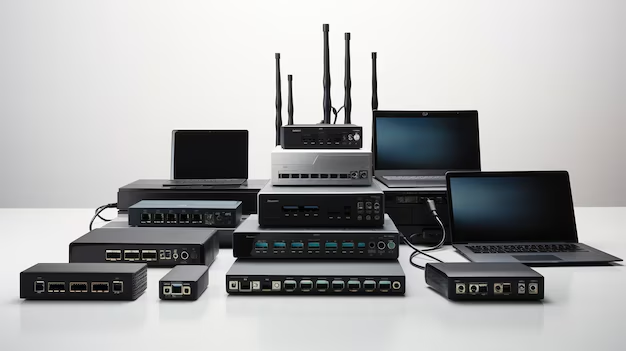
Networking Devices (18962)
502MV Dell S5224F-ON S Series 24 Port 1 GBE 28 SFP Switches EMC Networking Switch With 2x PSU
£3,755.84£4,507.01 Incl. VAT
## Overview of the Dell 502MV EMC Networking Switch ### Key Features ? Brand: Dell ? Model Number: 502MV ? Product Type: Networking Switch ? Series: S Series, S5224F-ON ? Port Configuration: 24 x 25 Gigabit Ethernet SFP28, 4 x 100 Gigabit Ethernet QSFP28 ? Redundant Power Supply: Includes 2 hot-swappable 750W AC PSUs ### Product Specifications #### Port Configuration ? 24 x 25G Ethernet SFP28 Ports for high-speed connectivity ? 4 x 100G Ethernet QSFP28 Ports for ultra-fast data transfers #### Power Supply and Redundancy ? 2x Redundant, Hot-swappable 750W AC Power Supply Units for continuous uptime ? Supports both standard and reverse airflow for efficient cooling #### Performance Features ? DELL OS10 Enterprise for optimized network management ? Reliable networking solution designed for high-demand environments ### Additional Information #### Transceivers ? No transceivers included with the switch #### Power and Airflow System ? Standard airflow from I/O to PSU, reverse airflow from PSU to I/O ### Choose Dell EMC Networking Switches ? Robust performance with redundant power supply options ? Flexible, high-speed connectivity with 25G and 100G ports ? Enterprise-grade operating system for easy network management ? Designed for scalability and future-proofing your network #### Model Comparison The Dell 502MV EMC Networking Switch offers a range of features that make it suitable for demanding networking environments. Compared to other models in the same series, this switch stands out with its powerful dual PSU configuration and extensive port options, ensuring uninterrupted service for mission-critical applications. ### Important Considerations ? Ensure compatibility with your existing network infrastructure ? Verify the required transceivers and accessories for optimal performance ## Ports The Dell S5224F-ON Networking Switch comes equipped with an impressive 24 ports, making it an ideal choice for businesses and organizations that require a high level of connectivity. With this many ports available, users have the flexibility to connect numerous devices, ensuring smooth and uninterrupted network operations. ### Increased Connectivity Options One of the primary benefits of having 24 ports on the Dell S5224F-ON Networking Switch is the increased connectivity options it provides. Users can connect a wide range of devices such as computers, servers, printers, and other network-enabled devices simultaneously. This is particularly advantageous in businesses and organizations that rely heavily on network infrastructure, as it allows for seamless communication and data transfer between devices. ### Scalability Another significant advantage of having 24 ports is the scalability it offers. As businesses grow and expand, the need for additional network connections also increases. The Dell S5224F-ON Networking Switch caters to this requirement by providing ample ports to accommodate future growth. This eliminates the need for investing in additional networking equipment, saving both time and money. ### Improved Network Performance Having 24 ports on the Dell S5224F-ON Networking Switch plays a crucial role in improving network performance. With more ports available, the switch can handle higher volumes of data traffic without causing congestion or bottlenecks. This ensures that all connected devices can operate at their maximum potential, resulting in faster data transfer speeds and improved overall network performance. ### Enhanced Network Security In addition to improved performance, the Dell S5224F-ON Networking Switch's 24 ports also contribute to enhanced network security. With more ports available, businesses can segregate their network into different segments, thereby reducing the risk of unauthorized access or data breaches. This segregation allows for better control and monitoring of network traffic, ensuring that sensitive information remains protected. ## Speed The Dell S5224F-ON Networking Switch boasts an impressive speed of 1 GBE, making it an excellent choice for businesses and organizations that require fast and reliable network connections. This high-speed capability offers numerous benefits to users, ensuring smooth and efficient data transfer. ### Rapid Data Transfer One of the primary advantages of the Dell S5224F-ON Networking Switch's 1 GBE speed is its ability to facilitate rapid data transfer. With this high-speed capability, users can send and receive large files or data sets in a matter of seconds, significantly improving productivity and workflow efficiency. This is particularly beneficial in industries where time-sensitive data transfers are critical, such as media production or financial services. ### Reduced Latency Another crucial benefit of the 1 GBE speed is the reduction in network latency. Latency refers to the delay between a command or request being sent and the response received. With a faster speed, the Dell S5224F-ON Networking Switch minimizes latency, ensuring that users experience minimal delays when accessing network resources or applications. This is especially important in real-time applications such as video conferencing or online gaming, where even slight delays can significantly impact user experience. ### Supports Bandwidth-Intensive Applications The 1 GBE speed of the Dell S5224F-ON Networking Switch makes it well-suited for bandwidth-intensive applications. These applications require a significant amount of network resources to function optimally. With its high-speed capability, this switch can handle demanding applications such as video streaming, large file transfers, or cloud-based services without compromising performance. Users can enjoy seamless access to these applications without experiencing lag or buffering issues. ### Future-Proof Investment Investing in a networking switch with 1 GBE speed, like the Dell S5224F-ON, ensures that businesses and organizations are future-proofing their network infrastructure. As technology continues to advance, the demand for faster network speeds will only increase. By choosing a switch with 1 GBE speed, users can rest assured that their network can handle future requirements without the need for immediate upgrades or replacements. ## SFP Ports The Dell S5224F-ON Networking Switch offers an impressive 28 SFP ports, making it an ideal choice for businesses and organizations that require high-speed and flexible connectivity options. These SFP ports provide numerous benefits and play a crucial role in ensuring smooth and reliable network operations. ### Flexible Connectivity One of the primary advantages of the Dell S5224F-ON Networking Switch's 28 SFP ports is the flexibility they offer in terms of connectivity options. SFP (Small Form-factor Pluggable) ports support a wide range of fiber optic and copper transceivers, allowing users to choose the most suitable connection type for their specific needs. This flexibility enables businesses to connect various devices, regardless of their distance or cabling requirements. ### High-Speed Data Transfer The 28 SFP ports on the Dell S5224F-ON Networking Switch provide high-speed data transfer capabilities. These ports support gigabit Ethernet speeds, ensuring fast and reliable data transmission. With such high-speed capabilities, businesses can transfer large files or data sets quickly, improving productivity and minimizing workflow disruptions. ### Extended Network Reach Another significant benefit of the 28 SFP ports is their ability to extend the network reach. Fiber optic connections, supported by SFP ports, allow for much longer distances between networking devices compared to traditional copper connections. This is particularly advantageous in large office spaces or multi-floor buildings, where network devices may be located far apart. The extended network reach provided by SFP ports ensures consistent and reliable connectivity throughout the entire network infrastructure. ### Improved Network Reliability The 28 SFP ports on the Dell S5224F-ON Networking Switch contribute to improved network reliability. Fiber optic connections, supported by SFP ports, are less susceptible to electromagnetic interference and signal degradation compared to copper connections. This makes them ideal for environments with high levels of electrical noise or long cable runs. By utilizing SFP ports, businesses can ensure stable and uninterrupted network operations, minimizing downtime and maximizing productivity. ## Power Supply Units The Dell S5224F-ON Networking Switch is equipped with two power supply units (PSUs), providing redundancy and ensuring uninterrupted network operations. This feature offers several benefits to users, enhancing reliability and minimizing the risk of downtime. ### Redundancy for Uninterrupted Operations One of the primary advantages of having two power supply units is redundancy. In the event of a power supply failure or outage, the backup PSU immediately takes over, ensuring uninterrupted power supply to the switch and connected devices. This redundancy feature is crucial for businesses and organizations that rely heavily on their network infrastructure, as it minimizes the risk of downtime and associated productivity losses. ### Load Balancing Having two power supply units also enables load balancing, ensuring that each PSU operates within its optimal capacity. By distributing the power load evenly between the two PSUs, businesses can prevent any single PSU from becoming overloaded or overheating. This load balancing feature contributes to enhanced reliability and extends the lifespan of both the power supply units and the switch itself. ### Easy Maintenance and Upgrades The presence of two power supply units in the Dell S5224F-ON Networking Switch simplifies maintenance and upgrades. With dual PSUs, businesses can perform maintenance or upgrade tasks on one PSU while the other continues to power the switch. This eliminates the need to power down the entire network infrastructure during such activities, saving time and minimizing disruptions. ### Scalability and Future-Proofing The inclusion of two power supply units in the Dell S5224F-ON Networking Switch ensures scalability and future-proofing of the network infrastructure. As businesses grow and expand, their power requirements may increase. The presence of two PSUs allows for easy scalability, as additional power supply units can be added to meet the growing demands. This future-proofing feature saves businesses from having to replace the entire switch or invest in additional equipment as their power needs evolve. In conclusion, the Dell S5224F-ON Networking Switch offers a compelling set of features, including 24 ports, 1 GBE speed, 28 SFP ports, and two power supply units. These features provide users with increased connectivity options, improved network performance, enhanced network security, rapid data transfer, reduced latency, support for bandwidth-intensive applications, flexibility in connectivity options, high-speed data transfer capabilities, extended network reach, improved network reliability, redundancy for uninterrupted operations, load balancing, easy maintenance and upgrades, scalability, and future-proofing. With its impressive range of features, the Dell S5224F-ON Networking Switch is a reliable and versatile choice for businesses and organizations seeking a high-performance networking solution.210-AODC Dell Mx9116n 16 Port Switch 4x100GBE QSFP28 + 12xQSFP28-dd
£653.25£783.90 Incl. VAT
## Overview of the Dell 210-AODC Mx9116n 16 Ports Switch ### Key Features ? Brand: Dell ? Model Number: 210-AODC ? Networking Ports: Versatile internal and external configurations ? Ports: Includes 4 x 100GbE QSFP28 and 12 x QSFP28-DD uplink ports ? Compatibility: Exclusive to the Mx7000 chassis ? Operating System: Pre-installed with Dell OS10 for seamless management ### Networking Specifications ? Internal Connectivity: 16 x 25GbE Ethernet internal ports ? External Port Options: 4 x 100GbE QSFP28 ports ? Uplink Capacity: 12 x QSFP28-DD 100GbE uplink ports ? Port Flexibility: QSFP28-DD ports support up to 8 x 25GbE per cable (cables not included) ### Connectivity & Expansion ? USB Support: 1 x USB 2.0 Type A storage port for data management ? Console Access: 1 x Micro USB Type B for easy console/management interface #### High-Speed Data Transfer ? Supports advanced high-throughput networking with multiple 100GbE ports ? Ideal for environments requiring scalable, rapid data transmission #### Designed for Mx7000 Chassis ? Perfectly integrates with the Mx7000 chassis, ensuring smooth compatibility ? Optimized for performance within this modular platform ## Ports The Dell Mx9116n Switch is equipped with an impressive 16 ports, making it a powerful networking solution for businesses of all sizes. With this many ports, users can easily connect multiple devices and maximize their network capabilities. Whether it's for a small office or a large enterprise, the abundance of ports on the Dell Mx9116n Switch ensures that there is enough room for expansion and connectivity options. ### Enhanced Connectivity Having 16 ports on a switch allows for enhanced connectivity within a network. Users can connect various devices such as servers, computers, printers, and other networking equipment without worrying about running out of available ports. This flexibility is particularly beneficial for businesses that have multiple departments or workstations that require reliable connections. #### Scalability Scalability is an essential feature in any networking equipment. With the Dell Mx9116n Switch's 16 ports, businesses can easily scale up their network infrastructure without the need to invest in additional switches or routers. This not only saves costs but also simplifies the network management process. As the business grows and more devices need to be connected, the Dell Mx9116n Switch offers the necessary port availability to accommodate the expansion seamlessly. ##### Improved Network Performance The availability of 16 ports on the Dell Mx9116n Switch significantly improves network performance. With more ports available, network traffic is distributed across multiple connections, reducing congestion and increasing overall speed. This means that users can experience faster data transfer rates and smoother communication between devices, resulting in increased productivity and efficiency. ## Interfaces The Dell Mx9116n Switch boasts impressive interface options, including 4 x 100GBE QSFP28 and 12 x QSFP28-dd Fiber Channel Engine. These interfaces provide users with high-speed connectivity and advanced capabilities to meet their networking needs. ### High-Speed Connectivity The 4 x 100GBE QSFP28 interface on the Dell Mx9116n Switch enables lightning-fast data transfer rates. This high-speed connectivity is crucial for businesses that deal with large data volumes or require real-time communication between devices. Whether it's transferring large files, streaming high-definition videos, or conducting video conferences, the 100GBE QSFP28 interface ensures a seamless and uninterrupted experience. #### Advanced Capabilities The Dell Mx9116n Switch's 12 x QSFP28-dd Fiber Channel Engine interface offers advanced capabilities that are particularly valuable in enterprise environments. Fiber Channel technology provides reliable and secure connections, making it ideal for storage area networks (SANs) and high-performance computing clusters. With this interface, businesses can achieve faster data access and efficient storage management, ultimately improving their overall operations. ##### Flexibility and Future-Proofing The combination of 4 x 100GBE QSFP28 and 12 x QSFP28-dd Fiber Channel Engine interfaces on the Dell Mx9116n Switch offers users a high degree of flexibility. These interfaces support various networking protocols and can adapt to different requirements, ensuring compatibility with existing infrastructure and future-proofing the network investment. This versatility allows businesses to integrate the switch into their current setup seamlessly and upgrade their network as technology evolves without significant disruptions. In conclusion, the Dell Mx9116n Switch's 16 ports offer enhanced connectivity, scalability, and improved network performance. Users can connect multiple devices without worrying about running out of ports, easily expand their network infrastructure, and experience faster data transfer rates. Additionally, the switch's interfaces, including 4 x 100GBE QSFP28 and 12 x QSFP28-dd Fiber Channel Engine, provide high-speed connectivity, advanced capabilities, and flexibility for businesses of all sizes. With these features, the Dell Mx9116n Switch is a reliable and powerful networking solution that meets the needs of modern businesses.210-AODD Dell 16 Port Switch Mx9116n 4 X 100GBE QSFP28 + 12 X Qsfp28-dd
£653.25£783.90 Incl. VAT
## Product Specifications ### Brand Information ? Manufacturer: Dell ? Model Number: 210-AODD ### Networking Features ? Internal Ports: 16 x 25 Gigabit Ethernet ? External Ports: 4 x 100 Gigabit Ethernet (QSFP28) ? Uplink Ports: 12 x 100 Gigabit Ethernet (QSFP28-DD) ? Bandwidth Capacity: Each QSFP28-DD port can deliver up to 8 x 25GbE when connected to the appropriate cable (not included) ### Connectivity Options ? USB Ports: 1 x USB 2.0 Type A for storage ? Console Management: 1 x Micro USB Type B for console or management access ### Compatibility Information ? Chassis Compatibility: Only supported with the Mx7000 chassis ## Key Benefits ### High-Speed Performance ? Supports ultra-fast 100GbE external ports and 25GbE internal connections ? Ensures optimal data transfer and network traffic management ### Flexible Connectivity Options ? Multiple uplink and external ports allow seamless scaling ? Ability to expand bandwidth through QSFP28-DD ports ### Convenient Management ? Easy management access via USB 2.0 and Micro USB ports ? Full compatibility with Dell?s OS10 for a user-friendly experience ## Ports The Dell Mx9116n Switch is equipped with an impressive 16 ports, making it an ideal choice for businesses and organizations that require a high level of connectivity. With this many ports available, users can easily connect multiple devices to the switch, ensuring seamless communication and data transfer. ### Increased Flexibility and Scalability Having 16 ports on the Dell Mx9116n Switch allows users to connect a wide range of devices simultaneously. Whether it's computers, servers, printers, or other networking equipment, this switch can handle it all. This level of flexibility ensures that businesses can easily expand their network infrastructure as their needs grow, without requiring additional switches or complex configurations. ### Seamless Data Transfer The 16 ports on the Dell Mx9116n Switch enable high-speed data transfer between connected devices. With each port capable of handling data at impressive speeds, users can experience smooth and uninterrupted communication across their network. This is particularly crucial in scenarios where large files need to be transferred quickly or real-time data streaming is essential. ### Improved Network Performance By distributing network traffic across the 16 ports, the Dell Mx9116n Switch helps to alleviate congestion and minimize bottlenecks. This ensures that all connected devices can access network resources efficiently, leading to improved overall network performance. Whether it's a busy office environment or a data-intensive operation, this switch can handle the demands without compromising speed or reliability. #### Enhanced Productivity The 16 ports on the Dell Mx9116n Switch provide users with the ability to connect numerous devices without limitations. This means that employees can easily access shared resources, such as printers or servers, without having to wait for others to finish using them. Consequently, productivity increases as individuals can focus on their tasks without unnecessary delays or interruptions. #### Streamlined Network Management Managing a network with multiple devices can be challenging, but the 16 ports on the Dell Mx9116n Switch simplify the process. With each device connected to a dedicated port, network administrators can easily identify and troubleshoot specific issues without disrupting other devices. This targeted approach to network management saves time and effort, allowing IT professionals to maintain a smooth and reliable network environment. #### Cost-Effective Solution Investing in a switch with 16 ports like the Dell Mx9116n Switch can be a cost-effective solution for businesses. Rather than purchasing multiple switches to accommodate their connectivity needs, organizations can consolidate their network infrastructure into a single device. This not only reduces hardware costs but also simplifies network management and maintenance, resulting in long-term savings. ##### Future-Proofing With technology constantly evolving, it's important to choose networking equipment that can adapt to future advancements. The Dell Mx9116n Switch's 16 ports provide ample room for growth and expansion. As new devices and technologies emerge, users can easily integrate them into their network without the need for additional hardware investments. This future-proofing capability ensures that businesses can stay ahead of the curve and remain competitive in a rapidly changing digital landscape. ## Port Types The Dell Mx9116n Switch features advanced port types, including 100GBE QSFP28 and Qsfp28-dd Fiber Channel. These port types offer numerous benefits for users seeking high-performance networking solutions. ### High-Speed Data Transfer The 100GBE QSFP28 port type supported by the Dell Mx9116n Switch enables lightning-fast data transfer rates. With speeds of up to 100 gigabits per second, users can experience rapid file transfers, seamless video streaming, and lag-free online gaming. This is particularly advantageous for businesses that rely on data-intensive applications or require real-time data transmission. ### Increased Bandwidth Capacity The Qsfp28-dd Fiber Channel port type featured on the Dell Mx9116n Switch offers enhanced bandwidth capacity, ensuring smooth and uninterrupted network performance. This is especially beneficial in scenarios where multiple devices need to access network resources simultaneously or when dealing with high-volume data traffic. Users can rely on the switch to handle intensive workloads without compromising speed or efficiency. ### Reduced Latency The advanced port types supported by the Dell Mx9116n Switch contribute to significantly reduced latency. Latency refers to the delay experienced when data is transferred from one point to another. By minimizing latency, users can access and transmit data with minimal delay, resulting in improved responsiveness and overall network performance. #### Optimized Workflows The high-speed and increased bandwidth capacity offered by the Dell Mx9116n Switch's port types allow businesses to optimize their workflows. Data-heavy tasks such as video editing, large file transfers, or running resource-intensive applications become more efficient and seamless. Users can complete their work faster and enjoy a smoother experience, enhancing productivity and reducing downtime. #### Support for Next-Generation Technologies The 100GBE QSFP28 and Qsfp28-dd Fiber Channel port types supported by the Dell Mx9116n Switch are designed to accommodate future networking advancements. As technology continues to evolve, users can rest assured that their switch can support emerging technologies without requiring a complete infrastructure overhaul. This scalability ensures that businesses can adapt to changing requirements and stay at the forefront of innovation. #### Compatibility with Existing Infrastructure While the Dell Mx9116n Switch offers advanced port types, it remains compatible with existing network infrastructure. This means that businesses can integrate the switch seamlessly into their current setup without the need for extensive reconfiguration or investment in new equipment. This compatibility ensures a smooth transition and minimizes disruptions during the upgrade process. ##### Reliability and Durability The 100GBE QSFP28 and Qsfp28-dd Fiber Channel port types featured on the Dell Mx9116n Switch are known for their reliability and durability. These port types are built to withstand demanding environments and heavy network usage, ensuring a stable and robust network connection. Users can rely on these ports to deliver consistent performance even in challenging conditions, minimizing downtime and maximizing productivity. ## Part Number The Dell Mx9116n Switch is identified by its unique part number, 210-AODD. This part number plays a crucial role in identifying, ordering, and maintaining the switch, offering several benefits for users. ### Easy Identification The part number, 210-AODD, serves as a unique identifier for the Dell Mx9116n Switch. When ordering or searching for information about the switch, having the correct part number ensures that users access the specific details related to this particular model. It eliminates confusion or ambiguity that may arise from similar product names or specifications. ### Efficient Ordering Process By using the part number, 210-AODD, users can streamline the ordering process for the Dell Mx9116n Switch. When contacting a supplier or Dell directly, providing the correct part number ensures that the desired switch is accurately identified and delivered. This saves time and eliminates potential errors that may occur when relying solely on product names or descriptions. ### Access to Specific Documentation The part number serves as a key to accessing specific documentation related to the Dell Mx9116n Switch. Whether it's user manuals, installation guides, or firmware updates, having the correct part number ensures that users can access the most relevant and up-to-date information. This documentation is essential for proper installation, configuration, and maintenance of the switch. #### Effective Troubleshooting In the event of any issues or technical difficulties, the part number helps facilitate efficient troubleshooting. Users can refer to the specific documentation related to the Dell Mx9116n Switch using the part number, enabling them to identify and resolve problems more effectively. This targeted approach reduces downtime and ensures that network disruptions are minimized. #### Warranty and Support The part number, 210-AODD, is essential when seeking warranty coverage or support for the Dell Mx9116n Switch. By providing the correct part number, users can ensure that their switch is eligible for warranty services or technical assistance. This peace of mind is invaluable in case any unexpected problems arise during the switch's lifespan. #### Consistency in Inventory Management For businesses that manage multiple networking devices, maintaining accurate inventory records is crucial. The part number helps establish consistency in inventory management by providing a unique identifier for the Dell Mx9116n Switch. This ensures that the switch is properly accounted for, facilitating efficient asset tracking and management. ##### Seamless Integration with Existing Infrastructure The part number allows businesses to seamlessly integrate the Dell Mx9116n Switch into their existing infrastructure. By using the correct part number when ordering or configuring the switch, compatibility with other networking equipment can be verified. This ensures a smooth integration process and minimizes any potential compatibility issues that may arise. In conclusion, the Dell Mx9116n Switch's 16 ports offer increased flexibility, seamless data transfer, improved network performance, enhanced productivity, streamlined network management, cost savings, and future-proofing capabilities. The advanced port types of 100GBE QSFP28 and Qsfp28-dd Fiber Channel provide high-speed data transfer, increased bandwidth capacity, reduced latency, optimized workflows, support for next-generation technologies, compatibility with existing infrastructure, reliability, and durability. The part number, 210-AODD, enables easy identification, efficient ordering, access to specific documentation, effective troubleshooting, warranty and support eligibility, consistency in inventory management, and seamless integration with existing infrastructure. With these features and benefits, the Dell Mx9116n Switch is a powerful networking solution for businesses and organizations.210-AOZH Dell 12P 10GBE SFP+ 3P 100GBE QSFP28 12 Port Switch Networking S4112f-on
£1,133.77£1,360.52 Incl. VAT
## Ports The Dell S4112f-on Networking Switch is equipped with an impressive 12 ports, making it a versatile and powerful networking solution for businesses of all sizes. This feature alone sets it apart from many other switches on the market, as it provides users with an abundance of connectivity options and the ability to expand their network infrastructure. Overview of DELL 210-AOZH ? Brand: DELL ? Part Number: 210-AOZH ### Port Details ? 12 x 1/10GbE SFP+ Ports: Ideal for high-speed data transfer and network expansion. #### Uplink Connectivity ? 3 x 100GbE QSFP28 Ports: Ensures high-bandwidth uplink capabilities for demanding applications. ### Power Supply and Airflow ? Dual AC Power Supplies: Provides redundancy and reliability in power delivery. ? Standard Airflow (I/O to PSU): Maintains optimal cooling efficiency for the switch. ### Additional Features ? Transceivers: Not included. ? POE: Not applicable. ? DELL OS10 Enterprise: Comes with DELL's advanced operating system for enhanced network management. ### Improved Scalability One of the key benefits of having 12 ports on the Dell 210-AOZH S4112f-on Networking Switch is the improved scalability it offers. With more ports available, businesses can easily connect multiple devices such as servers, storage systems, and workstations without the need for additional switches or complicated configurations. This scalability ensures that your network can grow alongside your business, allowing for seamless expansion and future-proofing your infrastructure. #### Efficient Workload Distribution Having 12 ports means that the Dell 210-AOZH S4112f-on Networking Switch can handle a higher volume of network traffic efficiently. Each port can be dedicated to a specific device or connected to other switches, enabling workload distribution and preventing bottlenecks. This feature is especially important for businesses that rely heavily on data-intensive applications or require real-time communication between various departments. With 12 ports at your disposal, you can ensure a smooth and uninterrupted flow of data throughout your network. #### Enhanced Redundancy Redundancy is crucial for maintaining network uptime and minimizing downtime in case of hardware failures. With 12 ports on the Dell 210-AOZH S4112f-on Networking Switch, you have the flexibility to implement redundancy measures such as link aggregation or port mirroring. By distributing network traffic across multiple ports or creating mirrored connections, you can enhance fault tolerance and ensure that your network remains operational even if individual ports or devices fail. #### Streamlined Network Management Managing a complex network infrastructure can be a daunting task, especially when dealing with limited port availability. The Dell 210-AOZH S4112f-on Networking Switch simplifies network management by providing 12 ports, allowing for a more organized and streamlined approach. Each device or network segment can be assigned a dedicated port, making it easier to monitor and troubleshoot connectivity or performance issues. This feature saves time and effort for network administrators, enabling them to efficiently oversee and maintain the network infrastructure. ##### Cost-Effective Solution Investing in a switch with 12 ports, such as the Dell 210-AOZH S4112f-on Networking Switch, can be a cost-effective solution for businesses. Instead of purchasing multiple switches or investing in complex networking setups, having 12 ports available offers the necessary flexibility to connect various devices or expand the network infrastructure. This reduces upfront costs and simplifies future upgrades or expansions, making it an economical choice for businesses looking to optimize their networking capabilities. ## Port Types The Dell 210-AOZH S4112f-on Networking Switch is designed with advanced port types that further enhance its performance and versatility. With support for 10GBE SFP+ and 100GBE QSFP28 ports, this switch offers users the ability to connect high-speed devices and achieve blazing-fast data transfer rates. ### 10GBE SFP+ The inclusion of 10GBE SFP+ ports on the Dell 210-AOZH S4112f-on Networking Switch opens up a world of possibilities for businesses that require high-speed connectivity. These Small Form-factor Pluggable (SFP+) ports support data transfer rates of up to 10 gigabits per second (Gbps), allowing for lightning-fast communication between devices. Whether you need to connect servers, storage systems, or workstations that demand high bandwidth, these ports ensure that data is transmitted swiftly and efficiently. #### Improved Performance and Productivity By utilizing 10GBE SFP+ ports, businesses can experience a significant boost in performance and productivity. High-speed connectivity enables faster file transfers, reduced latency in data-intensive applications, and seamless access to network resources. This feature is particularly beneficial for industries such as media and entertainment, engineering, or financial services, where time-sensitive tasks and large file sharing are common. With the Dell 210-AOZH S4112f-on Networking Switch's 10GBE SFP+ ports, you can maximize your team's efficiency and productivity. #### Future-Proofing Network Infrastructure As technology continues to advance, the demand for higher network speeds will only increase. By incorporating 10GBE SFP+ ports into your network infrastructure with the Dell S4112f-on Networking Switch, you are future-proofing your setup. These ports provide the necessary bandwidth to handle emerging technologies and demanding applications without requiring a complete overhaul of your network. Investing in a switch with 10GBE SFP+ ports ensures that your infrastructure remains relevant and capable of meeting evolving business needs. ### 100GBE QSFP28 In addition to the 10GBE SFP+ ports, the Dell 210-AOZH S4112f-on Networking Switch also features 100GBE QSFP28 ports. These Quad Small Form-factor Pluggable (QSFP28) ports offer even higher data transfer rates of up to 100 Gbps, making them ideal for ultra-high-speed networking requirements. #### Unparalleled Bandwidth Capacity The 100GBE QSFP28 ports on the Dell 210-AOZH S4112f-on Networking Switch provide unparalleled bandwidth capacity, allowing for extremely fast data transmission. This feature is invaluable for businesses that deal with massive data volumes or require real-time communication between geographically dispersed locations. Whether you are running data centers, handling high-resolution video streaming, or implementing advanced cloud-based applications, these ports ensure that your network can handle the demands of modern technology. #### Efficient Data Center Deployments Data centers are the backbone of many businesses, and their efficiency and reliability are of utmost importance. The Dell 210-AOZH S4112f-on Networking Switch's 100GBE QSFP28 ports are a game-changer for data center deployments. With their high data transfer rates, these ports enable quick and seamless communication between servers, storage systems, and other critical components. This results in reduced latency, improved response times and optimized overall performance. Whether you are managing a private data center or utilizing cloud services, the 100GBE QSFP28 ports offer the speed and reliability required to keep your operations running smoothly. In conclusion, the Dell 210-AOZH S4112f-on Networking Switch's 12 ports provide users with improved scalability, efficient workload distribution, enhanced redundancy, streamlined network management, and a cost-effective solution. Additionally, the inclusion of 10GBE SFP+ and 100GBE QSFP28 ports further enhances its capabilities by offering high-speed connectivity, improved performance, and productivity, future-proofing network infrastructure, unparalleled bandwidth capacity, and efficient data center deployments. This switch is a reliable and versatile choice for businesses looking to optimize their networking capabilities and stay ahead in today's fast-paced digital landscape.210-APGE Dell 64P 100GBE SFP+ Switch Z9264f-on QSFP28 2P 750w Ac Psu
£1,922.08£2,306.50 Incl. VAT
## Dell Z9264f-on 64p 100GbE QSFP28 Network Switch ### Product Overview The Dell 210-APGE Networking Z9264f-on is a high-performance, fully-featured 64-port 100GbE switch designed to meet the demands of large-scale networks. This robust switch offers superior connectivity with its QSFP28 ports and provides exceptional reliability with its redundant, hot-swappable power supplies. Ideal for data centers and enterprise environments, it ensures efficient data transmission, scalability, and uninterrupted operation. ### Main Specifications ? Brand: Dell ? Model: Z9264f-on ? Part Number: 210-APGE #### Connectivity Options This switch comes equipped with an array of advanced connectivity features to support a wide range of networking needs: ? 64 Fixed Ports: Each 100GbE QSFP28 port supports high-speed, reliable data transfers. ? 2 Uplink Ports: Additional 1/10GbE SFP+ ports provide flexible uplink options for various networking setups. #### Redundant Power Supplies To ensure continuous operation, the Dell Z9264f-on is equipped with: ? Dual 750W AC PSUs: The redundant, hot-swappable power supply design guarantees high availability and minimizes downtime in case of power failure. #### Airflow and Cooling System For optimal cooling and efficiency in demanding environments, the system utilizes: ? Reverse Airflow: This design helps direct hot air away from critical components, ensuring reliable operation even in high-temperature conditions. ##### Additional Features ? Transceivers: Not included with the unit, allowing you to choose transceivers based on specific network needs. ? Power over Ethernet (PoE): Not supported by this model, but suitable for environments where PoE is not a requirement. ## Port Count: 64 ### Benefits of 64 Port Count The Dell Z9264f-on Networking Switch is equipped with an impressive port count of 64. This feature offers users a multitude of benefits, making it an ideal choice for organizations with high network demands. Let's explore the advantages of this extensive port count: #### 1. Scalability and Flexibility With 64 ports, the Dell Z9264f-on Networking Switch provides ample room for future growth and expansion. It allows organizations to connect a large number of devices simultaneously without the need for additional switches or complex networking setups. This scalability is crucial for businesses that anticipate an increase in network traffic or the addition of new devices. Furthermore, the abundance of ports ensures flexibility in network design. Users have the freedom to configure their network infrastructure according to their specific requirements and easily accommodate changes as their needs evolve. #### 2. Enhanced Network Performance The extensive port count of the Dell Z9264f-on Networking Switch contributes to improved network performance. Each port can handle a significant amount of data, enabling efficient data transmission and minimizing bottlenecks. This is particularly important in environments where large amounts of data are constantly being transferred, such as data centers or high-traffic networks. Additionally, the switch's advanced features, combined with the high port count, allow for effective load balancing. This means that network traffic can be distributed evenly across multiple ports, preventing congestion and ensuring optimal performance for all connected devices. #### 3. Simplified Network Management Managing a network with numerous devices can be a challenging task. However, the 64 port count of the Dell Z9264f-on Networking Switch simplifies network management by reducing the number of switches required. With fewer switches to configure and monitor, administrators can streamline their operations and save valuable time and resources. Furthermore, the switch's intuitive management interface provides a user-friendly experience, allowing administrators to easily monitor and control the network. Advanced features such as VLAN support, QoS (Quality of Service), and SNMP (Simple Network Management Protocol) make it even easier to optimize network performance and troubleshoot issues. ##### Conclusion In conclusion, the 64 port count of the Dell Z9264f-on Networking Switch offers organizations scalability, flexibility, enhanced network performance, and simplified network management. Its abundance of ports allows for future expansion and accommodates high network traffic, ensuring efficient data transmission. With this switch, businesses can optimize their network infrastructure to meet their specific needs and easily adapt to changes in their environment. ## Port Type: SFP+ 100GBE ### Benefits of SFP+ 100GBE Port Type The Dell Z9264f-on Networking Switch features SFP+ 100GBE ports, providing users with exceptional connectivity options. This port type offers numerous benefits that enhance network performance and facilitate efficient data transmission. Let's explore the advantages of SFP+ 100GBE: #### 1. High Speed and Bandwidth SFP+ 100GBE ports offer blazing-fast data transfer speeds, enabling organizations to handle large volumes of data with ease. With a transmission rate of 100 Gigabits per second (Gbps), these ports deliver unparalleled performance for bandwidth-intensive applications and demanding network environments. The high-speed connectivity provided by SFP+ 100GBE ports is particularly beneficial in scenarios such as data centers or multimedia production studios, where quick and reliable data transmission is crucial. It ensures that even the most data-intensive tasks can be carried out seamlessly without compromising performance. #### 2. Compatibility and Interoperability SFP+ 100GBE ports are designed to be compatible with a wide range of networking equipment, making them highly versatile. This allows users to connect the Dell Z9264f-on Networking Switch to various devices, including servers, routers, and storage systems, without compatibility issues. Furthermore, the use of SFP+ 100GBE ports promotes interoperability between different network components. This enables organizations to build a cohesive network infrastructure by seamlessly integrating devices from different manufacturers and optimizing their resources. #### 3. Future-Proof Investment Investing in a networking switch with SFP+ 100GBE ports ensures future-proofing for businesses. As network demands continue to grow and technology advances, the need for higher bandwidth becomes increasingly important. By opting for a switch with SFP+ 100GBE ports, organizations can stay ahead of the curve and be prepared for future network requirements. Moreover, the Dell Z9264f-on Networking Switch's SFP+ 100GBE ports support backward compatibility with lower-speed connections, such as 10GBE or 40GBE. This versatility allows businesses to seamlessly integrate existing hardware while gradually upgrading their network infrastructure. ##### Conclusion In conclusion, the SFP+ 100GBE port type of the Dell Z9264f-on Networking Switch offers high-speed connectivity, compatibility with various devices, and future-proofing capabilities. Its exceptional performance and versatility make it an excellent choice for organizations that require fast and reliable data transmission. With SFP+ 100GBE ports, businesses can optimize their network infrastructure and effortlessly adapt to evolving technology trends. ## Uplink Ports: 2 ### Benefits of 2 Uplink Ports The Dell Z9264f-on Networking Switch is equipped with two uplink ports, offering users significant advantages in terms of network connectivity and redundancy. These uplink ports play a crucial role in ensuring efficient data transfer and network reliability. Let's explore the benefits of having two uplink ports: #### 1. Increased Network Flexibility Having two uplink ports provides organizations with increased flexibility in network design and connectivity options. Users can connect the switch to multiple uplink devices simultaneously, such as routers, firewalls, or other switches, to create redundant network paths. This redundancy enhances network availability and fault tolerance, as it allows traffic to be automatically rerouted in the event of a link failure. In a critical network environment where downtime is not an option, the use of dual uplink ports ensures uninterrupted connectivity and minimizes the risk of service disruption. #### 2. Improved Network Performance The presence of two uplink ports significantly improves network performance by effectively distributing network traffic. By utilizing both uplink ports, organizations can balance the load across multiple connections, preventing congestion and optimizing data transmission. This load balancing capability is particularly beneficial in high-traffic environments where bandwidth-intensive applications are in use. By evenly distributing traffic, dual uplink ports enable smooth and efficient data transfer, ensuring optimal performance for all connected devices. #### 3. Simplified Network Management The inclusion of two uplink ports simplifies network management tasks, allowing administrators to streamline their operations. With dual uplink ports, users can easily configure link aggregation or port trunking to create logical connections that bundle the bandwidth of both ports into a single virtual connection. Link aggregation enhances network performance by increasing available bandwidth and providing redundancy. It also simplifies network configuration by reducing the number of physical connections that need to be managed separately. ##### Conclusion In conclusion, the two uplink ports of the Dell Z9264f-on Networking Switch offer increased network flexibility, improved performance, and simplified management. Dual uplink ports enable organizations to create redundant network paths, ensuring uninterrupted connectivity and minimizing the risk of downtime. Additionally, the ability to balance network traffic and simplify configuration tasks makes the Dell Z9264f-on Networking Switch an ideal choice for businesses that prioritize reliability and efficiency. ## Uplink Port Type: QSFP28 ### Benefits of QSFP28 Uplink Port Type The Dell Z9264f-on Networking Switch features QSFP28 uplink ports, providing users with high-speed connectivity options for their network infrastructure. QSFP28 offers numerous benefits that enhance network performance and facilitate efficient data transmission. Let's explore the advantages of QSFP28: #### 1. High-Speed Data Transfer QSFP28 uplink ports offer exceptional data transfer speeds, making them ideal for bandwidth-intensive applications and demanding network environments. With a transmission rate of up to 100 Gigabits per second (Gbps) per port, these ports deliver unmatched performance for handling large volumes of data. The high-speed connectivity provided by QSFP28 uplink ports is particularly beneficial in scenarios such as data centers or multimedia production studios, where quick and reliable data transmission is crucial. It ensures that even the most data-intensive tasks can be carried out seamlessly without compromising performance. #### 2. Versatility and Compatibility QSFP28 uplink ports are designed to be highly versatile, supporting multiple types of connections and cables. This versatility allows users to connect the Dell Z9264f-on Networking Switch to various devices, including servers, routers, and storage systems, without compatibility issues. Furthermore, QSFP28 ports support different types of transceivers, such as optical or copper cables, providing flexibility in network design. This compatibility ensures that organizations can seamlessly integrate the switch into their existing infrastructure while adapting to future technology advancements. #### 3. Future-Proof Investment Investing in a networking switch with QSFP28 uplink ports ensures future-proofing for businesses. As network demands continue to grow and technology advances, the need for higher bandwidth becomes increasingly important. By opting for a switch with QSFP28 uplink ports, organizations can stay ahead of the curve and be prepared for future network requirements. Moreover, QSFP28 uplink ports support backward compatibility with lower-speed connections, such as 40G or 25G. This versatility allows businesses to seamlessly integrate existing hardware while gradually upgrading their network infrastructure. ##### Conclusion In conclusion, the QSFP28 uplink port type of the Dell Z9264f-on Networking Switch offers high-speed connectivity, versatility, and future-proofing capabilities. Its exceptional performance and compatibility make it an excellent choice for organizations that require fast and reliable data transmission. With QSFP28 uplink ports, businesses can optimize their network infrastructure and effortlessly adapt to evolving technology trends. ## Power Supply: 750w AC PSU ### Benefits of 750w AC PSU Power Supply The Dell Z9264f-on Networking Switch is equipped with a 750w AC PSU power supply, providing users with reliable and efficient power delivery. The power supply is a critical component of any networking switch, and the 750w AC PSU offers numerous benefits that ensure uninterrupted operation and optimal performance. Let's explore the advantages of this power supply: #### 1. Reliable Power Delivery The 750w AC PSU power supply ensures reliable and stable power delivery to the switch and its connected devices. It is designed to handle the demanding power requirements of modern network equipment, providing a constant and consistent power source. This reliability is crucial in critical network environments where downtime can result in significant financial losses or operational disruptions. With the 750w AC PSU, organizations can trust that their network infrastructure will remain powered and operational, even during peak usage periods or power fluctuations. #### 2. Energy Efficiency Efficiency is a key consideration when it comes to power supplies, as it directly impacts operating costs and environmental sustainability. The 750w AC PSU of the Dell Z9264f-on Networking Switch is engineered to be highly energy-efficient, minimizing power wastage and reducing electricity consumption. By choosing a power supply with high energy efficiency, organizations can lower their electricity bills and contribute to environmental conservation. Additionally, the switch's energy-efficient design helps reduce heat generation, leading to better overall system performance and increased reliability. #### 3. Redundancy and Failover Protection The 750w AC PSU power supply of the Dell Z9264f-on Networking Switch offers redundancy and failover protection. Redundancy ensures that if one power supply fails, a backup power supply takes over seamlessly, preventing any disruption to the network operation. This feature is crucial in mission-critical environments where network downtime can have severe consequences. The redundant power supply configuration provides an added layer of reliability and ensures uninterrupted operation, even in the event of a power supply failure. ##### Conclusion In conclusion, the 750w AC PSU power supply of the Dell Z9264f-on Networking Switch offers reliable power delivery, energy efficiency, and redundancy. Its robust design ensures uninterrupted operation and optimal performance, making it an excellent choice for organizations that prioritize network reliability and efficiency. With the 750w AC PSU, businesses can trust that their network infrastructure will remain powered and operational under any circumstances. ## Part Number: 210-APGE ### Benefits of Part Number 210-APGE The Dell Z9264f-on Networking Switch's part number 210-APGE offers users several benefits in terms of compatibility, ease of identification, and support. This unique part number is crucial for users and technicians when ordering, identifying, or troubleshooting the switch. Let's explore the advantages of part number 210-APGE: #### 1. Accurate Ordering and Identification The part number 210-APGE provides an accurate and specific identifier for the Dell Z9264f-on Networking Switch. When ordering or purchasing the switch, users can simply provide the part number to ensure they receive the correct model. This eliminates any confusion or potential issues that may arise from miscommunication or incorrect specifications. Furthermore, the part number helps technicians and administrators easily identify the switch within a network infrastructure. Whether it's for inventory management, troubleshooting, or documentation purposes, the unique part number ensures accurate identification and efficient management of the switch. #### 2. Manufacturer Support and Documentation Part numbers are essential when seeking manufacturer support or accessing documentation related to the Dell Z9264f-on Networking Switch. By providing the specific part number, users can receive targeted assistance from Dell's customer support team, ensuring that their issues are resolved quickly and efficiently. Moreover, documentation such as user manuals, technical specifications, and firmware updates are often indexed using part numbers. This allows users to access the relevant information directly without having to search through vast amounts of documentation. The part number 210-APGE streamlines the process of obtaining support and accessing necessary resources. #### 3. Future Compatibility and Upgrades Part numbers play a vital role in ensuring compatibility when upgrading or expanding a network infrastructure. When adding new switches or components to an existing setup, it is crucial to verify that all parts are compatible to avoid any compatibility issues or performance limitations. The part number 210-APGE provides users with a clear reference point when researching compatible upgrades or expansion options for their network. By using the correct part number, organizations can ensure seamless integration, maximum compatibility, and optimal performance within their network infrastructure. ##### Conclusion In conclusion, the part number 210-APGE of the Dell Z9264f-on Networking Switch offers users accurate ordering and identification, manufacturer support, and future compatibility. Its unique identifier ensures that users receive the correct model when ordering or identifying the switch. Additionally, the part number facilitates access to manufacturer support and documentation, streamlining troubleshooting and resource acquisition. With part number 210-APGE, organizations can confidently manage and expand their network infrastructure while ensuring compatibility and optimal performance.210-APHK Dell 32 Port Switch S5232f-on 100GBE Networking 32 X + 2 X Psu + Rails
£2,498.70£2,998.44 Incl. VAT
## Product Overview of Dell 210-APHK S5232f-on Switch ### Key Specifications ? Brand: Dell ? Part Number: 210-APHK #### Switch Configuration ? Model: S5232f-on ? Power Supply: Dual, redundant, hot-swappable 750W AC PSUs ? Size: 1U rack-mountable design ##### Network Ports and Connectivity ? Port Type: 32 fixed 100GbE QSFP28 ports for high-speed data transfer ? Uplink: 2 fixed 1/10GbE SFP+ ports for enhanced flexibility in uplink connections #### Power and Cooling Features ? Redundant Power: Equipped with 2 hot-swappable 750W AC power supplies to ensure continuous operation and minimize downtime ? Airflow: Standard I/O to PSU airflow, designed for efficient heat dissipation ##### Operating System and Transceivers ? Operating System: Comes pre-installed with Dell OS10 Enterprise for seamless network management and integration ? Transceivers: Not included, offering the flexibility to choose the right transceivers for your network needs ### Key Advantages ? High Port Density: 32 x 100GbE ports ensure ample bandwidth for demanding applications ? Redundancy and Reliability: Dual 750W hot-swappable PSUs ensure uptime and reduce risk of power failure ? Scalable Connectivity: 1/10GbE SFP+ uplink ports offer scalability and adaptability for expanding networks ? Easy Integration: Pre-installed Dell OS10 Enterprise simplifies deployment and management ? Efficient Cooling: Standard airflow configuration designed to maintain optimal performance even in high-demand environments ## Ports The Dell S5232f-on 32 Port Switch is equipped with 32 ports, making it an excellent choice for businesses that require a high-density networking solution. With this switch, users can easily connect multiple devices to their network, including computers, servers, printers, and more. ### Increased Connectivity Having 32 ports means that users can connect a large number of devices to the switch simultaneously. This is particularly beneficial for businesses that have a high volume of network traffic or require a large number of connections. With the Dell S5232f-on 32 Port Switch, users can easily expand their network and accommodate the needs of their growing business. #### Flexibility in Network Design The abundance of ports on this switch allows for greater flexibility in network design. Users can easily create separate VLANs (Virtual Local Area Networks) to segment their network and improve overall network performance. They can also establish link aggregation groups to combine multiple ports for increased bandwidth and redundancy. ##### Efficient Data Transfer The 32 ports on the Dell S5232f-on 32 Port Switch provide users with efficient data transfer capabilities. With a high-speed backplane capacity, this switch ensures fast and reliable data transmission between connected devices. Users can enjoy seamless communication and data sharing without experiencing bottlenecks or latency issues. ## Speed The Dell S5232f-on 32 Port Switch offers a blazing-fast speed of 100GBE (100 Gigabit Ethernet), providing users with exceptional network performance. Whether it's transferring large files, streaming high-definition media, or running bandwidth-intensive applications, this switch can handle it all. ### Enhanced Productivity The 100GBE speed of this switch significantly improves productivity for businesses by reducing network congestion and enabling faster data transfers. Users can seamlessly collaborate, access shared resources, and communicate with colleagues without experiencing any lag or slowdown in network performance. #### Future-Proof Solution As the demand for higher bandwidth continues to grow, having a switch with 100GBE speed ensures that businesses are prepared for the future. With this switch, users can future-proof their network infrastructure and easily scale up their operations without worrying about network limitations. ##### Support for Bandwidth-Intensive Applications Bandwidth-intensive applications, such as video conferencing, cloud computing, and virtualization, require a robust network infrastructure. The 100GBE speed of the Dell S5232f-on 32 Port Switch ensures smooth and uninterrupted performance for these applications, allowing businesses to maximize their efficiency and productivity. ## Additional Features In addition to its impressive port count and high-speed capabilities, the Dell S5232f-on 32 Port Switch comes with several additional features that enhance its functionality and usability. ### 2 X SFP+ The inclusion of 2 X SFP+ (Small Form-Factor Pluggable Plus) ports on this switch allows for flexible connectivity options. Users can connect compatible fiber optic or copper cables to these ports, enabling long-distance communication and extending their network reach. #### 2 X PSU (Power Supply Unit) This switch is equipped with two redundant power supply units, ensuring uninterrupted power delivery. In the event of a power outage or failure of one PSU, the other PSU seamlessly takes over, preventing any disruption in network connectivity. ##### With Rails The Dell S5232f-on 32 Port Switch includes rails for easy installation and mounting. These rails provide users with a convenient way to securely position the switch in their server racks or cabinets, saving valuable space and ensuring proper ventilation for optimal performance. ## Part Number The part number of the Dell S5232f-on 32 Port Switch is 210-APHK. This alphanumeric code uniquely identifies the specific model and configuration of the switch, making it easier for users to identify and order the correct product. ### Product Identification With the part number 210-APHK, users can quickly identify the Dell S5232f-on 32 Port Switch when browsing through catalogs or online stores. This eliminates any confusion or ambiguity and ensures that users are purchasing the exact product they need. #### Compatibility and Support The part number also helps users ensure compatibility with other networking equipment or accessories. By referencing the part number, users can verify that the switch is compatible with their existing infrastructure and that they will receive appropriate technical support from Dell. ##### Warranty and Service Knowing the part number is particularly important when it comes to warranty and service. Users can provide the part number to Dell's customer support team to expedite any troubleshooting or warranty claims, ensuring a smooth and efficient resolution process.6H9WH Dell S5248F-on Switch L3 Managed Gigabit SFP28 + 100 Gigabit QSFP28 Rack-Mountable
£2,768.83£3,322.60 Incl. VAT
## Product Overview The Dell 6H9WH EMC Networking S5248F-ON Switch is designed to enhance data center performance, providing top-tier networking capabilities. This L3 managed 48-port switch features advanced technology for seamless connectivity and high-speed data transfer, making it ideal for modern enterprise environments. ### Device Specifications ? Manufacturer: HPE ? Part Number: 6H9WH ? Device Type: 48-Port L3 Managed Switch ? Enclosure: Rack-mountable 1U ? Switch Subtype: 25 Gigabit Ethernet ? Airflow Design: Reverse (PSU to I/O) ? Operating System: Dell OS10 Enterprise #### Connectivity and Expansion Options ? 48 x 25 Gigabit SFP28 Ports for high-speed networking ? 4 x 100 Gigabit QSFP28 Ports for data-intensive applications ? 2 x 200 Gigabit QSFP28-DD Ports to support ultra-high-speed connections ? 1 x Serial RJ-45 (RS-232) Management Port for easy device configuration ##### Power and Efficiency ? Power Supply: Internal, hot-plug capable for easy replacement ? Installed Power Supply Units: 2 units (with a max capacity of 2) ? Operational Power Consumption: 310 watts, ensuring efficient power usage. ## Management The Dell S5248F-on Rack-Mountable Switch is equipped with advanced management capabilities, making it a valuable tool for network administrators. With its L3 Managed feature, this switch provides enhanced control and flexibility, allowing users to efficiently manage their networks. ### Efficient Network Control The L3 Managed feature of the Dell S5248F-on Rack-Mountable Switch enables network administrators to have granular control over the routing and forwarding of data packets within the network. This level of control ensures optimal performance and efficient utilization of network resources. Administrators can define and enforce policies, prioritize traffic, and allocate bandwidth as per their specific requirements. #### Enhanced Security By incorporating L3 Managed functionality, the switch offers enhanced security features that protect the network from unauthorized access and potential threats. Network administrators can implement access controls, such as VLANs (Virtual Local Area Networks), to isolate sensitive data and restrict access to specific users or devices. Additionally, the switch supports advanced security protocols like IPsec (Internet Protocol Security) and SSL (Secure Sockets Layer), ensuring secure communication between network devices. ##### Improved Scalability Scalability is a crucial aspect of any network infrastructure. The L3 Managed feature of the Dell S5248F-on Rack-Mountable Switch enables seamless expansion of the network as it supports dynamic routing protocols like OSPF (Open Shortest Path First) and BGP (Border Gateway Protocol). These protocols facilitate automatic discovery and configuration of new network devices, making it easier to add or remove devices without disrupting the overall network performance. ## Ports With its versatile port options, the Dell S5248F-on Rack-Mountable Switch offers exceptional connectivity capabilities. The switch is equipped with SFP28 and QSFP28 ports, providing users with a wide range of benefits and ensuring seamless connectivity within their network infrastructure. ### High-Speed Data Transfer The SFP28 (Small Form-Factor Pluggable 28) and QSFP28 (Quad Small Form-Factor Pluggable 28) ports of the Dell S5248F-on Rack-Mountable Switch support high-speed data transfer rates, enabling efficient transmission of large volumes of data. These ports are designed to handle bandwidth-intensive applications, making them ideal for organizations that deal with data-intensive tasks such as video streaming, virtualization, and high-performance computing. #### Flexible Network Configuration The SFP28 and QSFP28 ports offer flexibility in network configuration, allowing users to connect a variety of devices including servers, storage systems, and switches. The switch supports various fiber optic and copper transceivers, enabling seamless integration with different network infrastructures. This flexibility ensures compatibility with existing network equipment and simplifies the deployment process. ##### Future-Proof Investment Investing in a switch with SFP28 and QSFP28 ports is a future-proof decision for organizations as these ports support higher data rates compared to their predecessors. As network demands continue to increase, having a switch that can accommodate higher bandwidth requirements ensures long-term compatibility and scalability. The Dell S5248F-on Rack-Mountable Switch's SFP28 and QSFP28 ports ensure that users can easily adapt to evolving network needs without the need for frequent hardware upgrades. In conclusion, the Dell S5248F-on Rack-Mountable Switch's L3 Managed feature provides network administrators with advanced control, enhanced security, and improved scalability. The switch's SFP28 and QSFP28 ports offer high-speed data transfer, flexible network configuration, and future-proof investment. By incorporating these features, Dell has created a powerful networking solution that meets the diverse needs of modern organizations. Whether it's managing a complex network infrastructure or ensuring seamless connectivity, the Dell S5248F-on Rack-Mountable Switch delivers exceptional performance and reliability.210-APHM Dell 32 Port Switch S5232f-on 100GBE Networking + 2 X Psu + Rails
£2,498.70£2,998.44 Incl. VAT
## Overview of Dell 210-APHM 32 Ports Switch ### Product Specifications ? Brand: Dell ? Part Number: 210-APHM ? Model: S5232f-on ### Key Features of the Dell S5232f-on Switch ? Redundant Power Supply: Equipped with dual, hot-swappable 750W AC power supply units (PSUs) for improved reliability and uninterrupted performance. ? Form Factor: 1RU chassis designed to maximize space efficiency while providing robust networking capabilities. ? High-Speed Ports: 32 fixed 100GbE QSFP28 ports for high-performance data transmission. ? Uplink Ports: Includes 2 fixed 1/10GbE SFP+ uplink ports for flexible and scalable network connectivity. ? Power over Ethernet (PoE): Not supported in this model. ? Transceivers: Transceivers are not included, offering flexibility in selecting compatible modules. ? Standard Airflow: Features normal airflow direction (I/O to PSU) to ensure optimal cooling performance within the system. ? Operating System: Runs on Dell OS10 Enterprise, delivering advanced network management and control features. #### Switch Design and Performance ? 1RU compact form factor provides excellent space efficiency, making it ideal for high-density network environments. ? High bandwidth capacity with 100GbE fixed ports to support demanding enterprise and data center networks. ? Hot-swappable power supplies ensure continuous uptime by allowing maintenance or replacement without service interruption. #### Network Connectivity and Flexibility ? 32 fixed 100GbE ports are ideal for handling large volumes of data traffic across various high-performance applications. ? 2 SFP+ uplink ports enable easy integration with different network topologies and scalable interconnections. ? Ideal for enterprise-level switching requirements, with a capacity to handle large-scale data transmission demands. ##### Power Supply and Redundancy ? Dual 750W AC PSUs offer power redundancy, ensuring system reliability even in the event of power supply failure. ? Hot-swappable power supplies reduce downtime during maintenance or failure, supporting business continuity. ## Ports The Dell S5232f-on Switch is equipped with an impressive 32 ports, making it a versatile and efficient networking solution for businesses of all sizes. With such a high number of ports, users can connect a wide range of devices, enabling seamless communication and data transfer within their network infrastructure. ### Flexible Connectivity The abundance of ports on the Dell S5232f-on Switch allows for flexible connectivity options. Users can connect multiple devices simultaneously without the need for additional switches or routers. This eliminates the hassle of managing multiple devices and simplifies the network setup process. #### Increased Scalability The 32 ports on the Dell S5232f-on Switch provide businesses with room to grow. As companies expand, they often need to add more devices to their network. With plenty of available ports, this switch can accommodate new devices without the need for costly upgrades or replacements. This scalability ensures that businesses can adapt to changing requirements without disrupting their network infrastructure. ##### Improved Performance Having 32 ports on the switch greatly improves network performance. Each port provides a dedicated connection, ensuring that devices can communicate at optimal speeds without experiencing congestion or latency issues. This high-performance capability is especially beneficial for bandwidth-intensive applications such as video streaming, VoIP, and large file transfers. The Dell S5232f-on Switch's extensive port count offers significant advantages for businesses in terms of flexibility, scalability, and performance. Whether it's connecting multiple devices simultaneously, accommodating future growth, or ensuring smooth and efficient data transfer, this switch delivers exceptional value. ## Interface The Interface feature of the Dell S5232f-on Switch is highlighted by its SFP+100GBE capability. This cutting-edge interface provides users with high-speed connectivity options that are crucial in today's demanding network environments. ### Ultra-Fast Data Transfer The SFP+100GBE interface on the Dell S5232f-on Switch enables lightning-fast data transfer rates. With a bandwidth capacity of up to 100 gigabits per second, users can experience seamless and lag-free communication between devices. This is particularly advantageous in scenarios where large amounts of data need to be transmitted quickly, such as video editing or data center applications. #### Enhanced Network Performance The high-speed interface of the Dell S5232f-on Switch significantly enhances overall network performance. It eliminates bottlenecks and minimizes latency, ensuring that users can leverage the full capabilities of their network infrastructure. This is particularly valuable for businesses that rely on real-time data processing, such as financial institutions or healthcare organizations. ##### Future-Proof Connectivity The SFP+100GBE interface future-proofs network connectivity. As technology continues to advance, higher bandwidth requirements are becoming increasingly common. By incorporating this interface into their network infrastructure, businesses can ensure that their systems are ready to handle future demands without the need for costly upgrades or replacements. The Interface feature of the Dell S5232f-on Switch, with its SFP+100GBE capability, delivers exceptional speed, performance, and future-proofing. Whether it's ultra-fast data transfer, enhanced network performance, or future scalability, this switch empowers businesses to stay ahead in today's fast-paced digital landscape. ## Power Supply The Dell S5232f-on Switch boasts a reliable and redundant power supply with 2 power supply units (PSUs). This feature ensures uninterrupted operation and protects against unexpected power outages, making it an essential component for any critical network infrastructure. ### High Availability The redundant power supply of the Dell S5232f-on Switch ensures high availability by eliminating single points of failure. With 2 PSUs, the switch can continue to operate even if one power supply fails. This redundancy minimizes downtime and ensures uninterrupted network connectivity, keeping businesses running smoothly and avoiding costly disruptions. #### Enhanced Reliability The redundant power supply also enhances the reliability of the Dell S5232f-on Switch. Power outages or fluctuations can cause damage to network equipment and result in data loss. By having two power supply units, this switch provides an extra layer of protection against such incidents, ensuring that critical data and operations remain secure and uninterrupted. ##### Easy Maintenance Having 2 power supply units simplifies maintenance procedures for the Dell S5232f-on Switch. Users can replace or upgrade individual PSUs without having to power down the entire switch, minimizing downtime and reducing the risk of disrupting network operations. This streamlined maintenance process ensures that businesses can perform necessary upgrades or repairs with minimal impact on their day-to-day operations. The Power Supply feature of the Dell S5232f-on Switch, with its redundant 2 PSU configuration, guarantees high availability, enhances reliability, and simplifies maintenance. Whether it's ensuring uninterrupted operation, protecting against power outages, or facilitating easy maintenance procedures, this switch provides businesses with the peace of mind they need for their critical network infrastructure. ## Rails Included The Dell S5232f-on Switch comes with the convenience of having 1 rail included. This feature simplifies installation and enables users to securely mount the switch in their desired location easily. ### Effortless Installation The inclusion of 1 rail with the Dell S5232f-on Switch ensures effortless installation. Users do not need to purchase additional mounting hardware or worry about compatibility issues. The rail provides a secure and stable base for the switch, allowing for hassle-free deployment in various environments. #### Space Optimization The rail included with the Dell S5232f-on Switch helps optimize space utilization. By securely mounting the switch, users can free up valuable desk or floor space. This is particularly beneficial in crowded server rooms or data centers where space is limited and efficient use of available area is essential. ##### Enhanced Security The rail provides enhanced security for the Dell S5232f-on Switch. By mounting the switch in a secure location, the risk of unauthorized access or accidental damage is minimized. This added security ensures that the switch remains protected and that network operations continue uninterrupted. The Rails Included feature of the Dell S5232f-on Switch, with its 1 included rail, simplifies installation, optimizes space utilization, and enhances security. Whether it's effortless deployment, efficient use of space, or safeguarding against unauthorized access, this switch offers convenience and peace of mind for users.7MF5P Dell Z9100-ON 32 Port Ethernet Switch
£646.75£776.10 Incl. VAT
## Comprehensive Details of Dell 7MF5P Networking Switch ### Essential Specifications ? Manufacturer: Dell ? Model Number: 7MF5P ? Series: Power Switch ? Device Model: Z9100-on ? Device Name: Power Switch Z9100-on Ethernet Switch ? Category: Ethernet Switch ### Network Configuration ? Primary Ports: 32 x 100GbE QSFP28 Ports ? Secondary Ports: 2 x 1/10GbE SFP+ Uplink Ports ? Power Units: 2 x 750W AC Power Supplies (Hot-swappable, Redundant) ? PoE Support: Not Applicable ? Transceiver Modules: Excluded ? Airflow Direction: Standard (I/O to PSU), Reverse (PSU to I/O) ? Pre-installed OS: Dell OS9 (Dell OS10 Enterprise Optional) #### Included Accessories ? 1 x Rail Kit ? 1 x Console Cable ##### Advanced Features ? High-Speed Connectivity: Supports 32 ports of 100GbE for robust data transfer. ? Flexible Uplinks: Equipped with 2 SFP+ ports for versatile network integration. ? Reliable Power: Dual 750W power supplies ensure uninterrupted operation. ? Adaptive Cooling: Configurable airflow options for optimal thermal management. ##### Operational Benefits ? Scalability: Ideal for expanding network infrastructures with high-density requirements. ? Redundancy: Hot-swappable PSUs minimize downtime during maintenance. ? Compatibility: Seamlessly integrates with existing Dell OS9 or OS10 environments. ## Port Count The Dell Z9100-ON Ethernet Switch boasts an impressive 32 port count, making it a powerful and versatile networking solution for businesses of all sizes. With such a high number of ports, this switch offers unparalleled connectivity options and the ability to handle large amounts of data traffic with ease. ### Increased Flexibility and Scalability One of the key benefits of the Dell Z9100-ON's 32 port count is the increased flexibility it provides. With so many ports available, users have the freedom to connect multiple devices simultaneously without sacrificing network performance. This is particularly useful for businesses that have a growing number of devices that require network connectivity, such as computers, servers, IP phones, printers, and more. Moreover, the 32 ports allow for easy expansion and scalability as your business grows. Whether you're adding new employees or integrating new technologies into your network infrastructure, the Dell Z9100-ON's ample port count ensures that you have enough connectivity options without the need for additional switches or equipment. ### Improved Network Performance Another significant advantage of the Dell Z9100-ON's 32 port count is its ability to enhance network performance. With more ports available, the switch can handle higher data volumes, reducing congestion and minimizing latency. This is particularly crucial in high-demand environments where large amounts of data are being transmitted simultaneously. By distributing the network load across multiple ports, the switch avoids bottlenecks and ensures efficient data flow. This results in faster data transfer rates, reduced packet loss, and improved overall network performance. Whether you're transferring large files, streaming media content, or running bandwidth-intensive applications, the Dell Z9100-ON's high port count ensures smooth and uninterrupted network operation. ### Efficient Network Management Managing a network with numerous devices can be challenging. However, the Dell Z9100-ON's 32 port count simplifies network management by providing a centralized and streamlined solution. With all your devices connected directly to the switch, you can easily monitor and control network activity from a single point. The switch also supports advanced management features, such as VLAN (Virtual Local Area Network) and QoS (Quality of Service) capabilities. VLAN allows you to segment your network into logical groups, improving security and performance, while QoS enables you to prioritize certain types of network traffic, ensuring critical applications receive the necessary bandwidth. #### Flexibility in Network Design The Dell Z9100-ON's 32 port count offers great flexibility when it comes to network design. You can create multiple VLANs to isolate different departments or user groups, ensuring security and minimizing interference between devices. This feature is particularly beneficial for businesses with sensitive data or compliance requirements. Additionally, the switch supports link aggregation, which allows you to combine multiple ports into a single logical link. This not only increases bandwidth but also provides redundancy in case one link fails. With 32 ports at your disposal, you have the freedom to configure your network in various ways to suit your specific requirements. #### Cost Savings Investing in a switch with a high port count like the Dell Z9100-ON can result in long-term cost savings. By having enough ports to accommodate all your devices, you eliminate the need for additional switches or networking equipment. This not only reduces upfront costs but also simplifies network management and maintenance, saving valuable time and resources. Moreover, as your business expands, you won't need to invest in additional switches or upgrade existing ones, as the Dell Z9100-ON can handle the increased demand with its generous port count. This scalability ensures that your investment in the switch remains relevant and cost-effective for years to come. ##### Future-Proof Your Network The Dell Z9100-ON's 32 port count future-proofs your network infrastructure. With the rapid advancement of technology and the increasing number of network-connected devices, having enough ports to support future growth is essential. The 32 ports offered by this switch ensure that you won't face connectivity limitations and bottlenecks down the line. Additionally, the Dell Z9100-ON is built with high-quality components and advanced features that enable it to adapt to evolving networking standards and protocols. By investing in this switch, you can be confident that your network infrastructure is prepared to handle future advancements and the growing demands of your business. ## Part Number The part number of the Dell Z9100-ON Ethernet Switch is 7MF5P. This unique identifier plays a crucial role in identifying and ordering the specific model, ensuring compatibility and ease of procurement for users. ### Easy Identification The 7MF5P part number is a distinct code assigned by Dell to identify the Dell Z9100-ON Ethernet Switch accurately. This alphanumeric code makes it easy for users, IT administrators, and procurement teams to identify and differentiate this specific switch model from other products in Dell's portfolio. When searching for or ordering networking equipment, having a specific part number like 7MF5P ensures that you are selecting the correct product and avoiding any confusion or compatibility issues. This simplifies the procurement process, saving time and ensuring that you receive the exact switch you need. ### Compatibility Assurance The 7MF5P part number also guarantees compatibility with other Dell networking equipment and accessories. Dell designs its products with interoperability in mind, ensuring seamless integration between different components of the network infrastructure. By using the specified part number when ordering the Dell Z9100-ON Ethernet Switch, you can be confident that it will work seamlessly with your existing Dell networking equipment, including routers, firewalls, servers, and other switches. This compatibility assurance eliminates any concerns about potential compatibility issues or the need for additional configuration. #### Efficient Maintenance and Support Having the correct part number, such as 7MF5P, is crucial when it comes to maintenance and support for your Dell Z9100-ON switch. In case of any hardware issues or the need for firmware updates, Dell's support team can quickly identify and provide the necessary assistance based on the part number. This streamlined process ensures efficient troubleshooting and minimizes downtime, allowing you to maintain a reliable and high-performing network. Furthermore, by using the correct part number when seeking support, you can be confident that you will receive accurate advice and solutions tailored specifically to your switch model. #### Ordering Accuracy When it comes to ordering additional switches or replacement parts in the future, having the correct part number is essential. By using the 7MF5P part number, you can ensure that you are ordering the exact switch model you require, preventing any errors or delays in the procurement process. Additionally, using the specific part number allows you to take advantage of Dell's customer support and warranty services effectively. Dell can quickly verify the product's warranty status and provide prompt assistance based on the part number, ensuring a smooth and satisfactory customer experience. ##### Future Proofing Your Investment The 7MF5P part number not only helps with current identification and compatibility but also future-proofs your investment in the Dell Z9100-ON Ethernet Switch. By having a specific part number assigned to this switch model, Dell can continue providing support, firmware updates, and spare parts for years to come. This ensures that your investment remains protected and relevant even as newer models or product lines are introduced. With the 7MF5P part number, you can have peace of mind knowing that your Dell Z9100-ON switch will continue to receive the necessary support and updates, maximizing its lifespan and ensuring long-term value for your business.
