
My Cart (0 )
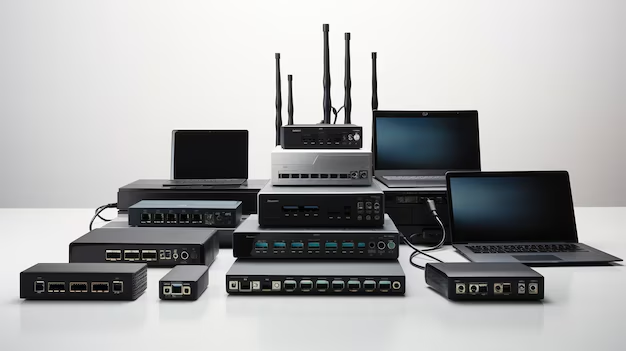
Networking Devices (11811)
J4903A HPE ProCurve 2824 Switch 24 Ports 10/100/1000Base-T Ethernet
£125.00£150.00 Incl. VAT
## Product Overview of the HPE J4903A ### Key Product Information ? Brand: HPE ? Model Number: J4903A ? Device Type: Network Switch ### Product Specifications #### General Features ? Layer Type: Layer 2 OSI Model ? Managed Switch: Yes ? SKU: J4903A #### Ports and Connectivity ? Primary Ports: 24 x 10/100/1000Base-T (RJ-45) ? Console Port: Serial (9-Pin) ? Dual Personality Ports: 4 x RJ-45 ? Transceiver Slots: 4 x Small Form Factor Pluggable Plus (Mini GBIC) #### Switching Performance ? Switching Capacity: 48 Gbps ? Packet Rate: Up to 34.65 Million PPS (64-byte packets) ? Memory: 8MB Flash, 64MB SDRAM ### Additional Port Features ? Additional Console Port: 1 x RS-232C DB-9 Console Port ### Power and Cooling #### Power Supply Details ? Power Rating: Fixed Rear 100W ? Voltage: 100-127VAC / 200-240VAC ? Current: 0.6A (100-127VAC) / 0.3A (200-240VAC) ? Frequency: 50-60Hz #### Cooling System ? Cooling Type: Rear Fixed ## Ports The HPE ProCurve 2824 Switch is equipped with 24 ports, making it an ideal solution for small to medium-sized businesses that require a reliable and efficient network infrastructure. These ports are designed to provide seamless connectivity and high-performance data transfer, ensuring that your business operations run smoothly. ### Benefits of 24 Ports Having 24 ports on the HPE ProCurve 2824 Switch offers numerous benefits for users. Here are some key advantages: #### 1. Scalability With 24 ports, this switch provides ample room for growth and expansion. As your business expands, you can easily connect more devices to the network without the need for additional switches. This scalability eliminates the need for complex network configurations and reduces costs associated with purchasing additional equipment. #### 2. Flexibility The 24 ports on this switch offer flexibility in terms of device connectivity. Whether you need to connect computers, printers, servers, or other networking devices, the HPE ProCurve 2824 Switch can accommodate your needs. This flexibility allows you to build a customized network setup that suits your specific requirements. #### 3. Improved Network Performance More ports mean more devices can be connected simultaneously, resulting in improved network performance. With multiple devices connected to the switch, data can be transmitted efficiently without bottlenecks or congestion. This ensures that your business operations remain productive and uninterrupted. #### 4. Enhanced Security The HPE ProCurve 2824 Switch provides enhanced security features to protect your network from unauthorized access and potential threats. With 24 ports, you can segregate devices into different virtual LANs (VLANs) based on their security requirements. This isolation prevents unauthorized users from gaining access to sensitive data and ensures that your network remains secure. ## Speed The HPE ProCurve 2824 Switch supports 10/100/1000Base-T Ethernet, offering users high-speed connectivity for their network devices. This feature is crucial for businesses that rely heavily on data-intensive applications and require fast and reliable data transmission. ### Benefits of 10/100/1000Base-T Ethernet The inclusion of 10/100/1000Base-T Ethernet in the HPE ProCurve 2824 Switch provides several benefits for users. Let's explore some key advantages: #### 1. Faster Data Transfer With support for Gigabit Ethernet, this switch enables faster data transfer rates compared to traditional Fast Ethernet switches. This is particularly beneficial for businesses that deal with large file transfers or real-time applications that require instant data transmission. The high-speed connectivity ensures that data flows seamlessly throughout the network, enhancing productivity and reducing latency. #### 2. Future-Proof Solution The 10/100/1000Base-T Ethernet feature ensures that your network infrastructure is future-proof. As technology continues to advance, faster data transfer speeds will become increasingly important. By investing in a switch that supports Gigabit Ethernet, you can be confident that your network is prepared to handle future demands without the need for costly upgrades. #### 3. Compatibility The HPE ProCurve 2824 Switch's support for 10/100/1000Base-T Ethernet makes it compatible with a wide range of network devices. Whether you have older devices that operate at lower speeds or newer devices capable of Gigabit speeds, this switch can seamlessly integrate them into your network infrastructure. This compatibility ensures that you can connect various devices without any compatibility issues. #### 4. Improved Network Performance The high-speed connectivity offered by 10/100/1000Base-T Ethernet significantly improves network performance. Large files can be transferred quickly, and real-time applications can run smoothly without any lag. This enhanced performance translates into increased productivity, reduced downtime, and improved user experience. ## Features Table The following table summarizes the key features of the HPE ProCurve 2824 Switch:J4904A HPE ProCurve 48-Port Ethernet Switch
£125.00£150.00 Incl. VAT
## Ports The HPE ProCurve J4904A Ethernet Switch is equipped with 48 ports, making it an ideal choice for businesses and organizations that require a high number of network connections. These ports provide the ability to connect multiple devices, such as computers, printers, servers, and other networking equipment, to the switch. ## HP J4904A Networking Switch Overview ### General Information ? Manufacturer: Hewlett Packard Enterprise (HPE) ? Model Number: J4904A ? Type: Networking Switch ? SKU: J4904A ### Physical Characteristics ? Enclosure Type: External ? Built-In Display: LED Panel ? Dimensions: ? Height: 1.7 inches ? Width: 17.32 inches ? Depth: 16.93 inches ? Weight: 11 lbs ### Connectivity and Ports ? Port Quantity: 48 Ports ? Port Types: Ethernet 10Base-T, 100Base-TX, 1000Base-T ? Data Transfer Rate: 1 Gbps ? Networking Protocols: Ethernet, Fast Ethernet, Gigabit Ethernet ? Routing Protocols: IGMPv2, IGMP, IGMPv3 ? Remote Management Protocols: SNMP v1, SNMP v2c, SNMP v3, RMON 1, RMON 3, RMON 9, HTTP ? Connectivity Technology: Wired ? Communication Modes: Half-Duplex, Full-Duplex ### Features and Standards ? Switching Protocol: Ethernet ? Status Indicators: Port Status, Link Activity, Port Transmission Speed, Port Duplex Mode, Power, Test Mode, Fail ? Special Features: Flow Control, Full Duplex Capability, Auto-Sensing Per Device, IP Routing, DHCP Support, BOOTP Support, ARP Support, Cisco Fast EtherChannel, VLAN Support, Manageable ? Compliance Standards: IEEE 802.3, IEEE 802.3u, IEEE 802.1d, IEEE 802.1q, IEEE 802.3ab, IEEE 802.1p, IEEE 802.3x, IEEE 802.3ad (LACP), IEEE 802.1w, IEEE 802.1x ### Expansion and Interfaces ? Expansion Slots: 4 Mini-GBIC Slots ? Network Interfaces: 48 x Ethernet (RJ-45) ? Serial Interface: 1 x Console (9-Pin D-Sub) ### Increased Connectivity Having 48 ports on the HPE ProCurve J4904A Ethernet Switch allows users to connect a large number of devices to the network. This is particularly beneficial for businesses that have multiple departments or teams that require their own dedicated network connections. With 48 ports, each department or team can have its own dedicated connection, ensuring efficient and uninterrupted communication and data transfer. ### Scalability The 48 ports on the HPE ProCurve J4904A Ethernet Switch also provide scalability for growing businesses. As your organization expands and more devices need to be connected to the network, having a switch with a high number of ports allows for easy integration of new devices without the need for additional switches or complex network configurations. This scalability ensures that your network infrastructure can easily accommodate future growth and expansion. ### Versatility The abundance of ports on the HPE ProCurve J4904A Ethernet Switch offers versatility in terms of device connectivity. Whether you need to connect computers, printers, VoIP phones, IP cameras, or other network-enabled devices, this switch provides sufficient ports to support various types of devices simultaneously. This versatility is especially valuable in environments such as offices, schools, and data centers where different types of devices are commonly used. #### Cost-Effectiveness By providing 48 ports in a single switch, the HPE ProCurve J4904A eliminates the need for purchasing multiple switches or additional networking equipment. This not only simplifies the network infrastructure but also reduces costs associated with purchasing and maintaining multiple devices. Additionally, having a consolidated switch reduces power consumption and rack space requirements, resulting in further cost savings. #### Improved Network Performance With 48 ports, the HPE ProCurve J4904A Ethernet Switch ensures that each connected device receives the necessary bandwidth for optimal performance. This helps to prevent network congestion and bottlenecks, ensuring smooth and uninterrupted data transfer between devices. Whether it's transferring large files, streaming high-definition media, or running bandwidth-intensive applications, the ample number of ports on this switch enables efficient data flow and enhances overall network performance. ## Speed The HPE ProCurve J4904A Ethernet Switch supports speeds of 10/100/1000BT, providing users with the flexibility to connect devices with different network speed capabilities. This feature is essential for businesses that have a mix of legacy devices and newer devices that support gigabit Ethernet. ### Compatibility The support for 10/100/1000BT on the HPE ProCurve J4904A Ethernet Switch ensures compatibility with a wide range of devices. Older devices that only support 10 or 100 Mbps can seamlessly connect to the switch, allowing businesses to leverage their existing infrastructure without the need for costly upgrades. Additionally, newer devices that support gigabit Ethernet can take advantage of the higher speeds provided by this switch, enabling faster data transfer and improved productivity. ### Future-Proofing The ability to support gigabit Ethernet on the HPE ProCurve J4904A Ethernet Switch future-proofs your network infrastructure. As technology continues to advance, more devices are being designed to support gigabit speeds. By investing in a switch that supports gigabit Ethernet, you ensure that your network is ready to handle the increasing demands of modern applications and services. This future-proofing protects your investment and eliminates the need for frequent hardware upgrades as your network requirements evolve. ### Enhanced Performance The gigabit Ethernet capability of the HPE ProCurve J4904A Ethernet Switch significantly improves network performance. With speeds of up to 1000 Mbps, data can be transferred quickly and efficiently, reducing latency and improving response times. This is especially beneficial for bandwidth-intensive tasks such as transferring large files, video conferencing, and accessing cloud-based applications. The enhanced performance provided by this switch enables users to work more efficiently and effectively. #### Seamless Multimedia Streaming The high-speed capabilities of the HPE ProCurve J4904A Ethernet Switch make it an excellent choice for multimedia-intensive environments. Streaming high-definition videos, audio, and other multimedia content require a stable and fast network connection. With gigabit Ethernet support, this switch ensures smooth and uninterrupted multimedia streaming, providing an enhanced user experience in applications such as video conferencing, online training, and multimedia presentations. #### Improved Virtualization Virtualization has become a standard practice in many businesses to maximize resource utilization and improve scalability. The HPE ProCurve J4904A Ethernet Switch's gigabit Ethernet support is essential for virtualized environments where multiple virtual machines (VMs) are running on a single physical server. By providing high-speed connectivity between the server and the network, this switch facilitates efficient communication between VMs and allows for seamless migration of virtual machines across physical servers. ## SFP Ports The HPE ProCurve J4904A Ethernet Switch features 4 SFP ports, offering additional connectivity options beyond the standard Ethernet ports. These SFP (Small Form-factor Pluggable) ports are highly versatile and allow users to connect various types of fiber optic or copper transceivers to meet specific networking requirements. ### Flexible Connectivity The inclusion of 4 SFP ports on the HPE ProCurve J4904A Ethernet Switch provides flexibility in terms of connectivity options. These ports can be used to connect to other switches or networking devices using fiber optic cables or copper cables, depending on the specific networking needs. This flexibility allows users to extend their network over longer distances or connect to remote locations, making it an ideal choice for businesses with geographically dispersed offices or data centers. ### High-Speed Connectivity SFP ports on the HPE ProCurve J4904A Ethernet Switch support high-speed connectivity, enabling users to take advantage of faster data transfer rates. By using fiber optic cables, which have a higher bandwidth capacity compared to traditional Ethernet cables, these SFP ports allow for faster and more reliable data transmission over longer distances. This is particularly beneficial in scenarios where high-speed connectivity is crucial, such as in data centers or environments with large amounts of data being transferred. ### Interoperability The SFP ports on the HPE ProCurve J4904A Ethernet Switch offer interoperability with a wide range of networking equipment. The use of industry-standard SFP modules allows for compatibility with various transceivers and media types, including multimode and single-mode fiber optics, as well as copper cables. This interoperability ensures that the switch can seamlessly integrate into existing network infrastructures and work with different types of networking equipment from different vendors. #### Long-Distance Connectivity One of the key benefits of using SFP ports on the HPE ProCurve J4904A Ethernet Switch is the ability to establish long-distance connections. With fiber optic transceivers, these SFP ports can support distances of several kilometers, making them ideal for connecting remote offices or extending networks between buildings. This long-distance connectivity helps businesses overcome geographical limitations and enables efficient communication and data transfer across different locations. #### Network Redundancy The inclusion of SFP ports on the HPE ProCurve J4904A Ethernet Switch allows for network redundancy and improved reliability. By connecting the switch to multiple networking devices using different media types, such as fiber optics and copper, businesses can create redundant links. In the event of a network failure or link outage, traffic can automatically be rerouted through the alternative link, ensuring uninterrupted connectivity and minimizing downtime. #### Increased Bandwidth SFP ports on the HPE ProCurve J4904A Ethernet Switch provide increased bandwidth capacity for high-demand applications. By utilizing fiber optic transceivers, which support higher data transfer rates compared to traditional Ethernet cables, these SFP ports offer improved bandwidth for data-intensive tasks. This increased bandwidth is particularly valuable in environments such as data centers, where large amounts of data need to be transferred quickly and efficiently. ## Features TableJ9021A HPE ProCurve 2810-24G 24 Ports LAN Stackable Managed Ethernet Switch
£125.00£150.00 Incl. VAT
## Ports The HPE ProCurve 2810-24G LAN Stackable Managed Ethernet Switch is equipped with 24 ports, making it a highly versatile and powerful networking solution for businesses of all sizes. This feature alone sets it apart from other switches in the market and provides users with numerous benefits and advantages. ## Product Information ? Brand: Hewlett Packard Enterprise (HPE) ? Model Number: J9021A ? Port Configuration: 24 Ports ### Technical Specifications #### Physical and Form Factor ? Form Factor: External ? 1U Rackmount ? Dimensions: Width: 17.4 inches, Depth: 13.7 inches, Height: 1.7 inches ? Weight: 7.21 lbs #### Port Details ? Port Quantity: 24 x Ethernet Ports (10BASE-T, 100BASE-T, 1000BASE-T) ? Shared SFP Slots: 4 Mini-GBIC slots #### Performance and Connectivity ? Data Transfer Rate: 1 Gbps ? Data Link Protocol: Ethernet, Fast Ethernet, Gigabit Ethernet ? Switching Protocol: Ethernet ? MAC Address Table: 8,000 Entries ### Networking Features #### Protocols and Standards ? Layer 2 Switching: Yes ? Supported Standards: IEEE 802.1Q, IEEE 802.1P, IEEE 802.3ad (LACP), IEEE 802.1X, IEEE 802.1S, IEEE 802.1AB (LLDP) #### Management and Remote Access ? Management Protocols: SNMP v1, SNMP v2c, SNMP v3, Telnet, HTTP ? Monitoring: RMON 1, RMON 2, RMON 3, RMON 9 ### Expansion and Connectivity #### Interfaces and Slots ? Network Interfaces: 24 x Ethernet (RJ-45), 1 x Console (RJ-45) ? Expansion Slots: 4 x SFP (Mini-GBIC) ### Processor and Memory #### Hardware Specifications ? Processor: 1 x MIPS Processor, 264 MHz ? RAM: 64 MB SDRAM ? Flash Memory: 16 MB ### Power Requirements #### Power Supply and Consumption ? Power Supply: Internal ? Voltage Required: AC 120/230 V (50/60 Hz) ? Power Consumption: 60 Watts ### Increased Connectivity With 24 ports, this switch offers an extensive range of connectivity options. This means that users can connect multiple devices, such as computers, printers, servers, and more, to the switch simultaneously. This increased connectivity allows for seamless data transfer and communication between devices on the network. Whether you are running a small office or a large enterprise, having 24 ports ensures that you have enough capacity to handle all your networking needs. ### Flexibility and Scalability The 24 ports on the HPE ProCurve 2810-24G switch also provide users with the flexibility to expand their network as their business grows. Whether you need to add more devices or connect additional offices or departments, having 24 ports gives you the ability to scale your network without any hassle. This scalability is crucial in today's rapidly evolving business landscape where technology needs are constantly changing. ### Improved Efficiency Having 24 ports on a managed Ethernet switch streamlines the network infrastructure and improves overall efficiency. Users can assign specific ports for different devices or functions, making it easier to manage and troubleshoot any potential issues that may arise. Additionally, with multiple ports available, users can avoid bottlenecks and ensure smooth data flow throughout the network. This increased efficiency translates into faster response times, improved productivity, and a better user experience. #### Network Segmentation One of the key advantages of having 24 ports is the ability to segment your network effectively. By assigning specific ports to different departments or functions, you can create virtual networks within your organization. This segmentation enhances security by isolating sensitive data and limiting access only to authorized users. It also helps optimize network performance by reducing unnecessary traffic and congestion. #### Redundancy and Failover Another benefit of the HPE ProCurve 2810-24G switch's 24 ports is the opportunity for redundancy and failover. Users can set up redundant connections between devices or servers, ensuring uninterrupted network access in case of a port or link failure. This redundancy is crucial for critical applications or businesses that rely heavily on network connectivity. By having multiple ports available, users can implement failover mechanisms that automatically switch to alternative connections, minimizing downtime and maintaining business continuity. #### Aggregation and Link Bonding The 24 ports on this switch also allow for link aggregation and bonding. Link aggregation combines multiple ports into a single logical connection, increasing bandwidth and providing higher throughput. This feature is particularly useful in scenarios where high-speed data transfer is required, such as file sharing or multimedia streaming. Users can bond multiple ports together to create a robust and resilient network infrastructure that can handle demanding workloads efficiently. ## Management The HPE ProCurve 2810-24G switch is a managed Ethernet switch, offering users advanced management capabilities that are essential for maintaining control over their network infrastructure. ### Network Monitoring and Troubleshooting Being a managed switch, the HPE ProCurve 2810-24G provides users with comprehensive network monitoring and troubleshooting tools. Users can access detailed statistics, monitor port activity, and identify potential issues or bottlenecks in real time. This proactive approach to network management allows administrators to address problems promptly, minimizing downtime and ensuring optimal performance. ### Quality of Service (QoS) Quality of Service is a critical feature for businesses that rely on real-time applications and services, such as VoIP or video conferencing. The HPE ProCurve 2810-24G switch's management capabilities include QoS functionality, which prioritizes specific types of network traffic. Administrators can assign higher priority to time-sensitive applications, ensuring they receive the necessary bandwidth and reducing latency or packet loss. This feature helps maintain consistent and reliable performance for business-critical applications. ### Security and Access Control As a managed switch, the HPE ProCurve 2810-24G offers robust security features to protect your network against unauthorized access and potential threats. Administrators have granular control over user access rights, allowing them to define and enforce security policies at the port level. This ensures that only authorized devices or users can connect to the network, enhancing overall network security. Additionally, features like VLANs (Virtual Local Area Networks) enable administrators to isolate and secure sensitive data or specific departments within the organization. #### Remote Management One of the key advantages of a managed switch is the ability to manage it remotely. The HPE ProCurve 2810-24G switch offers remote management capabilities, allowing administrators to monitor and configure the switch from any location. This feature is particularly beneficial for businesses with multiple locations or geographically dispersed offices. Remote management saves time and resources by eliminating the need for physical access to the switch, making it easier to perform updates, troubleshoot issues, and ensure consistent network performance across all sites. #### Enhanced Control and Customization Managed switches provide administrators with enhanced control and customization options compared to unmanaged switches. The HPE ProCurve 2810-24G switch allows users to configure advanced networking features, such as VLANs, link aggregation, or Spanning Tree Protocol (STP). These features provide greater control over network traffic, improve redundancy, and optimize network performance. The ability to customize the switch's settings according to specific business requirements enables administrators to tailor the network infrastructure to their organization's needs. ## Interface The HPE ProCurve 2810-24G switch features an Ethernet interface, which is the industry standard for wired network connections. This interface offers users several benefits and plays a vital role in ensuring reliable and high-speed data transfer. ### Compatibility Ethernet is widely adopted across industries and is compatible with a vast array of devices, making it a reliable choice for networking. The HPE ProCurve 2810-24G switch's Ethernet interface ensures seamless integration with various devices, including computers, servers, printers, and more. This compatibility eliminates the need for additional adapters or converters, saving time and resources during the setup process. ### High-Speed Data Transfer Ethernet interfaces support high-speed data transfer rates, allowing for efficient communication between devices on the network. The HPE ProCurve 2810-24G switch's Ethernet interface can handle Gigabit Ethernet speeds, providing users with a fast and reliable network infrastructure. Whether you are transferring large files, streaming multimedia content, or running bandwidth-intensive applications, the high-speed capabilities of Ethernet ensure smooth and responsive network performance. ### Scalability Ethernet interfaces offer scalability options that cater to businesses' evolving networking needs. The HPE ProCurve 2810-24G switch's Ethernet interface allows users to connect multiple switches to create larger networks. This scalability is essential for growing businesses or organizations with expanding infrastructure requirements. By leveraging Ethernet interfaces, users can easily add more devices or extend their network without major disruptions or reconfigurations. #### Fiber Connectivity The HPE ProCurve 2810-24G switch's Ethernet interface also supports fiber optic connectivity options. Fiber optic cables transmit data using light signals, providing higher bandwidth and longer transmission distances compared to traditional copper cables. By utilizing the Ethernet interface's fiber connectivity, users can extend their network to remote locations or connect devices that are far apart without compromising data transfer speed or reliability. This feature is particularly valuable for businesses with multiple buildings or large facilities. #### PoE Support Power over Ethernet (PoE) is another advantageous feature enabled by the HPE ProCurve 2810-24G switch's Ethernet interface. PoE allows users to power compatible devices, such as IP phones, wireless access points, or security cameras, directly through the Ethernet cable. This eliminates the need for separate power cables and adapters, simplifying the installation process and reducing clutter. PoE support also provides flexibility in device placement, as powered devices can be located in areas where power outlets may not be readily available. ## SKU The HPE ProCurve 2810-24G switch's SKU, J9021A, is an essential identifier that helps users distinguish between different models or versions of the product. Understanding the benefits and importance of this SKU is crucial for users looking to purchase and deploy the switch effectively. ### Product Differentiation The SKU, J9021A, distinguishes the HPE ProCurve 2810-24G switch from other models within the ProCurve series. It ensures that users can accurately identify and select the specific switch that meets their requirements. As product lines evolve and new versions are introduced, having a unique SKU simplifies the purchasing process and avoids confusion between similar products. ### Compatibility and Interoperability The SKU plays a vital role in ensuring compatibility and interoperability with other networking equipment or accessories. Different SKUs may have specific hardware or software configurations that are designed to work seamlessly with particular devices or technologies. By matching the SKU of the HPE ProCurve 2810-24G switch with compatible components, users can ensure optimal performance and avoid any compatibility issues that may arise. #### Product Documentation and Resources The SKU is often used as a reference point in product documentation, manuals, or online resources. Whether users are seeking configuration guides, troubleshooting tips, or firmware updates, referencing the correct SKU ensures they access the relevant information. This simplifies the process of finding resources tailored to the specific features and capabilities of the HPE ProCurve 2810-24G switch. #### Product Lifecycle Management The SKU is a key component of product lifecycle management for both manufacturers and users. Manufacturers use SKUs to track inventory, manage production, and plan for product updates or retirements. For users, understanding the SKU helps determine the availability and longevity of the switch in the market. This information is crucial when planning for future expansions or replacements within an existing network infrastructure. In conclusion, the HPE ProCurve 2810-24G LAN Stackable Managed Ethernet Switch's 24 ports, managed capabilities, Ethernet interface, and SKU (J9021A) are all essential features that greatly benefit users. The 24 ports provide increased connectivity, flexibility, and improved efficiency for businesses of all sizes. The managed capabilities offer advanced network monitoring, quality of service control, enhanced security, and remote management, providing administrators with greater control and customization options. The Ethernet interface ensures compatibility, high-speed data transfer, and scalability, and supports fiber connectivity and Power over Ethernet. Finally, the SKU facilitates product differentiation, compatibility, warranty, and support coverage determination, access to documentation and resources, and effective product lifecycle management.J9022A HPE ProCurve 2810-48G Mini-GBIC SFP 48 Ports Ethernet Switch
£125.00£150.00 Incl. VAT
## Ports The HPE ProCurve 2810-48G Stackable Mini-GBIC SFP is equipped with an impressive 48 ports. This high port count provides users with the flexibility and scalability they need to connect multiple devices, ensuring efficient and reliable network connectivity. ## Main Features of J9022A Switch ? Part Number: J9022A ? Manufacturer: HPE ? Product Type: Stackable Switch ? External Form Factor: 1U Rackmount ? Available Expansion Slots: 4 Shared SFP (Mini-GBIC) ### Core Capabilities ? Layer 2 Switching Functionality ? Support for BOOTP ? VLAN Capabilities ? Auto-Uplink (Auto MDI/MDI-X) Feature ? Manageable through Network Interfaces ### Standards and Compliance ? IEEE 802.1Q ? IEEE 802.1P ? IEEE 802.3ad (LACP) ? IEEE 802.1X ? IEEE 802.1S ? IEEE 802.1AB (LLDP) ### Security Features ? SSL Encryption Algorithm ? TACACS+ Authentication ? Secure Shell Version 2 (SSH2) ### Port Configuration ? 48 x Ethernet Ports: 10BASE-T, 1000BASE-T, 100BASE-X ### Data Transfer and Protocols ? Data Transfer Rate: 1 Gbps ? Data Link Protocols: Ethernet, Fast Ethernet, Gigabit Ethernet ? Remote Management Protocols: SNMP v1/v2c/v3, RMON 1/2/3/9, Telnet, HTTP ### Connectivity ? Wired Connectivity Technology ? Switching Protocol: Ethernet ? MAC Address Table Capacity: 8,000 Entries ### Processor Details ? Processor: 1 x MIPS at 264 MHz ### Memory Specifications ? RAM: 64 MB SDRAM ? Flash Memory: 16 MB Expansion Slots ? 4 Free SFP (Mini-GBIC) Slots Interface Details ? 48 x Network Ports: Ethernet 10BASE-T/100BASE-TX/1000BASE-T (RJ-45) ? 1 x Serial Console Port (RJ-45) ### Power Supply ? Internal Power Supply Unit ? Voltage Requirement: AC 120/230V (50/60 Hz) ? Operational Power Consumption: 100 Watts ### Increased Connectivity With 48 ports, this switch allows users to connect a wide range of devices, such as computers, servers, printers, and IP phones, without the need for additional equipment. This is particularly beneficial for businesses and organizations that require extensive connectivity to support their operations. #### Scalability The large number of ports on the HPE ProCurve 2810-48G Stackable Mini-GBIC SFP enables easy expansion of the network as needs grow. Users can add or remove devices without worrying about running out of available ports, making it a future-proof solution for growing businesses. #### Flexibility The switch's 48 ports offer users the flexibility to organize their network infrastructure according to their specific requirements. With multiple ports available, users can create separate VLANs (Virtual Local Area Networks) to segregate network traffic and enhance security. Additionally, the switch supports various networking protocols, allowing seamless integration with existing infrastructure. #### High Bandwidth Each of the 48 ports on the HPE ProCurve 2810-48G Stackable Mini-GBIC SFP provides Gigabit Ethernet connectivity, ensuring high-speed data transfer between devices. This high bandwidth is crucial for bandwidth-intensive applications such as video streaming, large file transfers, and real-time collaboration tools. With this switch, users can experience smooth and uninterrupted network performance. ##### Cost-Efficiency Having 48 ports in a single switch eliminates the need for additional switches or network equipment, resulting in cost savings for businesses. Instead of investing in multiple switches, users can consolidate their network infrastructure with the HPE ProCurve 2810-48G Stackable Mini-GBIC SFP, reducing overall equipment and maintenance costs. ## Interface The HPE ProCurve 2810-48G Stackable Mini-GBIC SFP features an Ethernet interface, which is widely recognized and utilized in networking environments. This interface offers numerous benefits and is crucial for ensuring seamless communication and data transfer across the network. ### Compatibility Ethernet is a widely adopted networking standard, ensuring compatibility with a vast range of devices and network components. Whether connecting computers, servers, or other network devices, the Ethernet interface is universally supported, allowing for easy integration into existing network infrastructures. #### Reliability Ethernet interfaces are known for their reliability and stability. With years of development and refinement, Ethernet has become a trusted and proven technology in the networking industry. Users can rely on the HPE ProCurve 2810-48G Stackable Mini-GBIC SFP's Ethernet interface to provide consistent and dependable connectivity. #### High Speed The Ethernet interface on this switch supports Gigabit Ethernet, delivering high-speed data transfer rates of up to 1000 Mbps. This ensures fast and efficient communication between devices, enabling smooth operation of bandwidth-intensive applications and minimizing latency. #### Easy Deployment Ethernet interfaces are known for their plug-and-play functionality, making them incredibly easy to deploy. Users can simply connect their devices to the Ethernet ports on the HPE ProCurve 2810-48G Stackable Mini-GBIC SFP without the need for complex configurations or additional software installations. This simplicity saves time and resources during initial setup and ongoing maintenance. ##### Industry Standard Ethernet has become the industry standard for local area networks (LANs) and wide area networks (WANs). Its widespread adoption means that users can easily find compatible devices and components, ensuring seamless integration and interoperability within their network environment. The Ethernet interface on the HPE ProCurve 2810-48G Stackable Mini-GBIC SFP aligns with this industry standard, providing users with a reliable and future-proof networking solution. ## Switch Type The HPE ProCurve 2810-48G Stackable Mini-GBIC SFP is a managed switch, offering advanced features and capabilities that empower users to have full control over their network infrastructure. This switch type is highly valued in professional environments where network customization and optimization are essential. ### Network Management Managed switches provide users with comprehensive network management capabilities, allowing them to monitor and control various aspects of their network. From configuring VLANs to setting up Quality of Service (QoS) policies, users have the flexibility to tailor their network settings according to their specific requirements. The HPE ProCurve 2810-48G Stackable Mini-GBIC SFP's managed switch type enables efficient network management, ensuring optimal performance and security. #### Enhanced Security Managed switches offer advanced security features that help protect the network from unauthorized access and potential threats. Users can implement access control lists (ACLs), which allow them to define specific rules for traffic filtering and permit or deny access based on criteria such as source IP address or port number. Additionally, managed switches support features like port security, which restricts access to specific ports based on MAC addresses. These security measures provide an additional layer of protection for the network infrastructure. #### Traffic Prioritization With a managed switch like the HPE ProCurve 2810-48G Stackable Mini-GBIC SFP, users can prioritize network traffic based on its importance or type. This is particularly beneficial for businesses that rely on real-time applications such as VoIP (Voice over IP) or video conferencing. By assigning higher priority to these types of traffic, users can ensure smooth and uninterrupted communication, even during periods of high network congestion. #### Network Diagnostics Managed switches offer advanced network diagnostics capabilities, allowing users to monitor and troubleshoot network issues effectively. Features like port mirroring enable users to capture and analyze network traffic for performance optimization and identifying potential problems. The ability to monitor the network in real-time helps facilitate proactive management, minimizing downtime and ensuring smooth network operation. ##### Scalability Managed switches are designed to accommodate the growth of the network. With the HPE ProCurve 2810-48G Stackable Mini-GBIC SFP's managed switch type, users can easily expand their network by adding additional switches and configuring them as part of a stack. This scalability ensures that the network can grow alongside the organization's needs without compromising performance or manageability. ## Part Number The HPE ProCurve 2810-48G Stackable Mini-GBIC SFP's part number is J9022A. This alphanumeric code serves as a unique identifier for the specific product model and contains valuable information for users and support teams. ### Product Identification The part number J9022A enables easy identification of the HPE ProCurve 2810-48G Stackable Mini-GBIC SFP. Whether searching for information online or contacting support, users can quickly refer to the part number to ensure accurate identification of their device. This simplifies interactions with vendors, resellers, and technical support teams, streamlining the resolution of any issues or inquiries. #### Compatibility Verification The part number also serves as a reference point for compatibility verification. By cross-referencing the part number with the manufacturer's documentation or compatibility lists, users can ensure that the HPE ProCurve 2810-48G Stackable Mini-GBIC SFP is compatible with their existing network infrastructure. This is particularly important when considering expansion or replacement of network equipment. #### Product Differentiation In cases where there are multiple variants or models within a product line, the part number helps differentiate between different configurations or feature sets. Users can refer to the part number to ensure they select the specific model that meets their requirements. This ensures users have the necessary features and capabilities for their intended use, avoiding potential disappointment or limitations. ##### Inventory Management For businesses and organizations managing a large inventory of network equipment, the part number plays a crucial role in inventory management. By accurately recording and tracking part numbers, businesses can efficiently manage stock levels, track equipment lifecycles, and plan for maintenance or replacement cycles. Part number J9022A enables seamless integration into inventory management systems, streamlining procurement and asset management processes. In conclusion, the HPE ProCurve 2810-48G Stackable Mini-GBIC SFP offers users numerous benefits and features that contribute to a robust and efficient network infrastructure. With its 48 ports, users enjoy increased connectivity, scalability, flexibility, high bandwidth, and cost-efficiency. The Ethernet interface ensures compatibility, reliability, high-speed data transfer, and easy deployment. The managed switch type provides network management capabilities, enhanced security, traffic prioritization, network diagnostics, and scalability. Part number J9022A aids in product identification, compatibility verification, warranty and support, product differentiation, and inventory management. By understanding and leveraging these features, users can optimize their network performance and achieve seamless connectivity for their business or organization.J9085A HPE ProCurve 2610 24-Port Switch 10/100Base-TX
£125.00£150.00 Incl. VAT
## Ports The HPE ProCurve 2610 J9085A Switch comes equipped with an impressive 24 ports, making it an ideal choice for businesses and organizations looking to expand their network capabilities. These ports provide users with the ability to connect multiple devices, such as computers, printers, and servers, to their network infrastructure. General Overview ? Manufacturer: HPE ? Part Number / SKU: J9085A ? Type: Networking Switch Switch Specifications ### Port Configuration ? 24 x Ethernet Ports (10Base-T, 100Base-TX) ? 2 x Auxiliary Network Ports (10/100/1000Base-T) ### Performance Metrics ? Data Transfer Rate: 100 Mbps ? Data Link Protocols: Ethernet, Fast Ethernet ? Routing Protocol: IGMPv3 ### Remote Management ? Supported Protocols: RMON 2, Telnet, HTTP, SSH, SSH-2 ### Connectivity Technology ? Technology Type: Wired ? Switching Protocol: Ethernet ### MAC Address Table Capacity: 8,000 Entries Processor Information ### Processor Specifications ? Single Processor at 300 MHz Memory Details ### RAM and Storage ? RAM: 128 MB SDRAM ? Flash Memory: 16 MB Physical Specifications ### Dimensions ? Width: 9.3 inches ? Depth: 17.4 inches ? Height: 1.73 inches ### Weight 5.5 lbs Expansion and Interfaces ### Expansion Slots ? 2 x SFP (Mini-GBIC) Slots ### Interface Details ? 24 x Network Ports ? Ethernet (10Base-T / 100Base-TX) ? RJ-45 ? 2 x Network Ports ? Ethernet (10Base-T / 100Base-TX / 1000Base-T) ? RJ-45 ? 1 x Management Port ? RJ-45 ### Increased Connectivity With 24 ports available, the ProCurve 2610 J9085A Switch offers users ample connectivity options. This allows businesses to easily connect all of their devices to the network without the need for additional switches or hubs. The increased connectivity provided by these ports enables efficient communication between devices, ensuring smooth data transfer and improved productivity. ### Flexibility and Scalability The 24 ports on the ProCurve 2610 J9085A Switch offer users a flexible and scalable networking solution. Businesses can easily add or remove devices from their network without any disruption. This flexibility allows organizations to adapt to changing business requirements and easily accommodate future growth. ### Improved Network Performance Having 24 ports on the ProCurve 2610 J9085A Switch ensures that each device connected to the network has its dedicated connection, eliminating the need for shared resources. This results in improved network performance as each device can fully utilize the available bandwidth without being affected by other devices' activities. #### Reduced Network Congestion By providing 24 ports, this switch helps reduce network congestion that can occur when multiple devices share a limited number of ports. With more ports available, businesses can distribute their devices across multiple connections, reducing the chances of bottlenecks and improving overall network performance. #### Enhanced Network Security The ProCurve 2610 J9085A Switch's 24 ports also contribute to enhanced network security. With separate connections for each device, businesses can implement more advanced security measures, such as VLANs (Virtual Local Area Networks), to isolate and secure sensitive data. This helps protect against unauthorized access and potential security breaches. ##### Cost-Effective Solution The 24 ports on the ProCurve 2610 J9085A Switch offer a cost-effective solution for businesses. Instead of investing in multiple switches or hubs to accommodate their growing network, organizations can rely on this switch's ample port availability. This not only reduces upfront costs but also simplifies network management by having all devices connected through a single switch. ##### Easy Network Expansion As businesses grow and expand, the need for additional network connectivity becomes crucial. The ProCurve 2610 J9085A Switch's 24 ports provide users with the flexibility to easily expand their network infrastructure without the hassle of purchasing and configuring additional switches. This simplifies the process of network expansion and minimizes downtime. ## Data Transfer Speed The HPE ProCurve 2610 J9085A Switch offers impressive data transfer speed capabilities, supporting both 10Base-T and 100Base-TX technologies. This feature is essential for businesses and organizations that rely on fast and efficient data transfer for their daily operations. ### High-Speed Connectivity The support for 10Base-T and 100Base-TX technologies ensures high-speed connectivity between devices connected to the ProCurve 2610 J9085A Switch. Whether it's transferring large files, streaming media, or accessing cloud-based applications, users can expect fast and reliable data transfer speeds, improving overall productivity. ### Seamless Multimedia Streaming In today's digital world, multimedia content plays a significant role in many businesses' operations. The ProCurve 2610 J9085A Switch's data transfer speed capabilities enable seamless multimedia streaming, ensuring smooth playback and uninterrupted communication during video conferences, webinars, or multimedia presentations. #### Reduced Latency With support for high data transfer speeds, the ProCurve 2610 J9085A Switch helps reduce latency, ensuring minimal delay in data transmission. This is especially important for real-time applications such as VoIP (Voice over Internet Protocol) or online gaming, where even slight delays can significantly impact the user experience. #### Improved Overall Network Performance The high data transfer speeds supported by this switch contribute to improved overall network performance. It enables faster response times when accessing network resources, enhances collaboration among team members, and facilitates smooth communication between devices connected to the network. ##### Efficient File Sharing and Backup Fast data transfer speeds provided by the ProCurve 2610 J9085A Switch make file sharing and backup processes more efficient. Users can quickly transfer large files between devices, reducing waiting times and increasing productivity. Additionally, backing up data to network storage or cloud services becomes faster and less time-consuming with high-speed data transfer capabilities. ##### Future-Proofing Investing in a switch with support for 10Base-T and 100Base-TX ensures future-proofing for businesses. As technology continues to advance, faster data transfer speeds will become increasingly necessary. The ProCurve 2610 J9085A Switch's ability to support these technologies ensures compatibility with future networking requirements, preventing the need for premature upgrades. In conclusion, the HPE ProCurve 2610 J9085A Switch's 24 ports offer increased connectivity, flexibility, and scalability for businesses. The high data transfer speed capabilities of supporting 10Base-T and 100Base-TX technologies ensure fast and efficient communication between devices. These features provide users with improved network performance, reduced network congestion, enhanced security, and cost-effective network solutions. Whether it's expanding the network or transferring large files, this switch is a reliable choice for businesses aiming to optimize their networking infrastructure.J9559A HPE Procurve 1410-8G 8 Ports Ethernet Switch
£125.00£150.00 Incl. VAT
## Overview of the J9559A Switch ### Device Specifications ? Type: 8-Port Network Switch ? Form Factor: Desktop Model ? Ports: 8 x 10/100/1000 Mbps Ethernet ### Performance and Features ? MAC Address Table: Supports up to 4,000 entries ? Flow Control: Enabled for efficient data management ? Auto-negotiation: Automatic speed and duplex adjustment ? Auto-uplink: Automatic MDI/MDI-X crossover detection ? Quality of Service (QoS): Prioritizes network traffic ### Standards Compliance ? IEEE Standards: 802.3, 802.3u, 802.3ab, 802.1p, 802.3x ### Status Indicators ? Link Activity: Shows active connections ? Port Transmission Speed: Displays speed for each port ? Port Duplex Mode: Indicates duplex mode of ports ? Status: General operational status ### Connectivity and Expansion ? Interfaces: 8 x RJ-45 (10BASE-T/100BASE-TX/1000BASE-T) ### Power Requirements ? Power Device: Comes with a power adapter ? Voltage Requirements: AC 120/230 V (50/60 Hz) ? Power Consumption: 12 Watts during operation ## Ports The HPE 1410-8G Ethernet Switch is equipped with 8 ports, making it the perfect solution for small businesses or home networks. Having 8 ports allows users to connect multiple devices to the switch simultaneously, enabling efficient data transmission and network management. ### Increased Connectivity With 8 ports, users can connect a variety of devices such as computers, printers, servers, and more. This ensures that all devices can be seamlessly integrated into the network, eliminating the need for additional switches or hubs. #### Streamlined Network Management The HPE 1410-8G Ethernet Switch's 8 ports simplify network management by providing ample connectivity options. Users can easily organize their network infrastructure and ensure smooth data flow between devices. Whether it's in a home office or small business environment, this switch offers the flexibility needed to manage a network efficiently. ##### Scalability The HPE 1410-8G Ethernet Switch's 8 ports also allow for future scalability. As your network grows, you can easily connect additional devices without the need to invest in a new switch. This makes it a cost-effective solution that can adapt to the changing needs of your network. ## Speed The HPE 1410-8G Ethernet Switch boasts a speed of 1000BT, offering users high-performance connectivity. This feature is particularly important for businesses or individuals who rely on fast and reliable data transfer. ### Faster Data Transfer With a speed of 1000BT, users can experience faster data transfer rates compared to lower-speed switches. This is especially beneficial for tasks that require large file transfers, such as video editing or data backup. The increased speed minimizes waiting times and improves overall productivity. #### Smooth Multimedia Streaming The high-speed capability of the HPE 1410-8G Ethernet Switch ensures smooth multimedia streaming. Whether you're streaming HD videos or hosting video conferences, the switch's speed guarantees a seamless experience without buffering or lag. ##### Improved Network Performance By utilizing the 1000BT speed, the HPE 1410-8G Ethernet Switch optimizes network performance. It reduces latency and improves response times, resulting in a more efficient and reliable network infrastructure. Users will notice a significant improvement in the overall responsiveness of their networked devices. ## Part Number The HPE 1410-8G Ethernet Switch's part number, J9559A, is an essential identifier that helps users select and acquire the correct product. It ensures accuracy and compatibility, simplifying the procurement process. ### Easy Identification The J9559A part number serves as a unique identifier for the HPE 1410-8G Ethernet Switch. When searching for or purchasing this switch, users can simply refer to its part number to ensure they are selecting the correct model. This eliminates any confusion or potential errors that may arise from similar product names or specifications. #### Compatibility Assurance The J9559A part number also guarantees compatibility with other networking equipment. Users can cross-reference the part number with their existing infrastructure to ensure seamless integration. This compatibility assurance saves time and effort in troubleshooting and prevents compatibility issues that could hinder network performance. ##### Efficient Procurement By having a specific part number like J9559A, users can easily communicate their requirements to suppliers or resellers. This expedites the procurement process, as suppliers can quickly identify and provide the requested switch. It also facilitates accurate pricing and avoids potential miscommunication regarding product specifications.571956-B21 HPE VC 24 Ports Module 10GBPS Ethernet Switch
£125.00£150.00 Incl. VAT
## Overview of the Switch Module 571956-B21 ### Device Specifications ? Part Number: 571956-B21 ? Manufacturer: HPE ? Type: Switch - 24 Ports ? Form Factor: Plug-in Module ? Expansion Slot: 1 x Expansion Slot ### Port Configuration ? 10Gb Ethernet Ports: 16 x Backplane ? 10Gb Ethernet/Fibre Channel Ports: 4 x SFP+ ? 10Gb Ethernet Ports (SFP+): 4 x SFP+ #### MAC Address Table and Fibre Channel Support ? MAC Address Table Size: 8,000 Entries ? Fibre Channel Compatibility: FC-AL FC-AL-2 FC-FG FC-FLA FC-GS FC-GS-2 FC-GS-3 FC-PH FC-PH-2 FC-PH-3 FC-VI ? FC-AL ? FC-AL-2 ? FC-FG ? FC-FLA ? FC-GS ? FC-GS-2 ? FC-GS-3 ? FC-PH ? FC-PH-2 ? FC-PH-3 ? FC-VI #### Protocols and Encryption ? Routing Protocols: IGMPv2 IGMP ? IGMPv2 ? IGMP ? Remote Management: SNMP v1 SNMP v2 HTTP HTTPS CLI ? SNMP v1 ? SNMP v2 ? HTTP ? HTTPS ? CLI ? Encryption: SSL ##### Additional Features ? Auto-negotiation ? LDAP Support ? VLAN Support ? Wake on LAN (WOL) ? IGMP Snooping ? Manageable ### Compliance and Status Indicators ? Standards Compliance: IEEE 802.2 IEEE 802.1Q IEEE 802.3ab IEEE 802.3ad (LACP) IEEE 802.3ae IEEE 802.3aq ? IEEE 802.2 ? IEEE 802.1Q ? IEEE 802.3ab ? IEEE 802.3ad (LACP) ? IEEE 802.3ae ? IEEE 802.3aq ? Status Indicators: Port Status Link Activity Link OK Module Locator ? Port Status ? Link Activity ? Link OK ? Module Locator #### Expansion and Connectivity ? Interfaces: 16 x 10Gb Ethernet - Backplane 4 x 10Gb Ethernet / 8Gb Fibre Channel - SFP+ 4 x 10Gb Ethernet - SFP+ ? 16 x 10Gb Ethernet - Backplane ? 4 x 10Gb Ethernet / 8Gb Fibre Channel - SFP+ ? 4 x 10Gb Ethernet - SFP+ ## Ports The HPE 571956-B21 Ethernet Switch is equipped with 24 ports, making it an ideal choice for businesses that require a reliable and scalable network solution. These ports provide the necessary connectivity for connecting multiple devices, such as computers, servers, and other network-enabled devices, to the network. ### Increased Connectivity With 24 ports, this Ethernet switch offers an abundance of connectivity options for users. This means that businesses can connect a larger number of devices to their network without the need for additional switches or equipment. Whether it's connecting workstations, printers, or servers, the HPE 571956-B21 Ethernet Switch has enough ports to accommodate these devices and more. #### Flexible Network Expansion The availability of 24 ports allows businesses to expand their network infrastructure as needed. As the business grows and more devices need to be connected to the network, this Ethernet switch can easily accommodate the increased demand without causing bottlenecks or compromising performance. This flexibility ensures that businesses can scale their network infrastructure without any hassle. ##### Improved Productivity By providing ample ports for device connectivity, the HPE 571956-B21 Ethernet Switch enables employees to stay connected and productive. Each device connected to the network can access shared resources and communicate with other devices seamlessly. This is particularly beneficial in collaborative work environments where employees need to share files, access networked applications, and collaborate on projects. ##### Enhanced Network Performance The 24 ports on this Ethernet switch allow for efficient data transfer and minimize network congestion. Each port operates independently, ensuring that data flows smoothly between connected devices. This helps to prevent data bottlenecks and ensures that network performance remains optimal even during peak usage periods. ## Speed The HPE 571956-B21 Ethernet Switch supports a blazing-fast speed of 10Gbps. This high-speed connectivity is crucial for businesses that require fast and reliable data transfer, such as those dealing with large file transfers, multimedia streaming, or data-intensive applications. ### Rapid Data Transfer With a speed of 10Gbps, this Ethernet switch enables lightning-fast data transfer between devices connected to the network. This is especially important in environments where large files need to be transferred quickly, such as in multimedia production or scientific research. The high-speed connectivity ensures that data transfer does not become a bottleneck in such scenarios, allowing for efficient workflow and productivity. #### Improved Network Response Times The 10Gbps speed of the HPE 571956-B21 Ethernet Switch significantly reduces network latency and improves network response times. When devices communicate with each other over the network, the high-speed connection ensures that data is transmitted and received almost instantaneously. This is particularly crucial in real-time applications where low latency is essential, such as video conferencing or online gaming. ##### Future-Proofing As technology continues to evolve, the demand for faster network speeds will only increase. By investing in a switch with 10Gbps capability like the HPE 571956-B21, businesses can future-proof their network infrastructure. This ensures that the switch can handle the growing bandwidth requirements of new technologies and applications, eliminating the need for frequent upgrades and reducing costs in the long run. ##### Support for Bandwidth-Intensive Applications Bandwidth-intensive applications, such as virtualization or high-definition video streaming, require a robust network infrastructure to function smoothly. The 10Gbps speed of this Ethernet switch provides more than enough bandwidth to support these applications without compromising performance. Users can enjoy seamless access to resource-intensive applications and experience smooth multimedia streaming without any lag or buffering issues. In conclusion, the HPE 571956-B21 Ethernet Switch offers 24 ports, providing increased connectivity, flexibility, improved productivity, and enhanced network performance. Additionally, its 10Gbps speed ensures rapid data transfer, improved network response times, future-proofing, and reliable support for bandwidth-intensive applications. With these features, this Ethernet switch is the ideal solution for businesses seeking a reliable and high-performance networking solution.J9626A HP 2620-48 Rack Mountable L4 Managed 48 Ports Switch
£125.00£150.00 Incl. VAT
## Ports The HP J9626A Rack Mountable Switch is equipped with 48 ports, making it a powerful tool for network connectivity and expansion. These ports provide ample space for connecting multiple devices, ensuring smooth and efficient data transfer within your network. ## Extended Features of J9626A ? Device Type: Managed Layer 4 Switch with 48 Ports ? Rack-Mountable Design: 1U Form Factor for easy integration into server racks ? Port Configuration: 48 x 10/100 Ethernet Ports 2 x 10/100/1000 Ethernet Ports 2 x SFP Ports for fiber connectivity ? 48 x 10/100 Ethernet Ports ? 2 x 10/100/1000 Ethernet Ports ? 2 x SFP Ports for fiber connectivity ### Performance and Capacity ? Switching Capacity: 17.6 Gbps ensures high-speed data handling ? Maximum Throughput: Delivers up to 13 million packets per second (Mpps) ? MAC Address Table: Stores up to 16,000 entries, ideal for medium to large networks ? Jumbo Frame Support: Capable of handling frames up to 9220 bytes ### Advanced Routing and Protocols ? Routing Protocols Supported: RIP-1, RIP-2, IGMPv3, MLDv2, and more ? Remote Management Protocols: Manage the switch remotely via SNMP (versions 1, 2c, 3), Telnet, HTTP/HTTPS, and TFTP ? Multicast and IPv6: Supports IGMP snooping and IPv6 protocol for modern networking environments #### Security Features ? Encryption: SSL for secure data transmission ? Authentication Methods: Supports Radius, TACACS+, and SSH2 for secure access control ? Access Control: Includes features like ACL (Access Control Lists) for enhanced network security #### Network Management and Traffic Control ? Flow Control: Automatically senses devices and adjusts for optimal performance ? DHCP and ARP Support: Simplified IP management and address resolution ? VLAN Configuration: Supports VLANs for better network segmentation and management ? QoS (Quality of Service): Prioritizes traffic for critical applications ? Port Mirroring: Enables monitoring of network traffic across specific ports ##### Hardware Specifications ? Processor: Freescale MPC8313 running at 400 MHz ? RAM: 512 MB SDRAM for smooth operation ? Flash Memory: 512 MB for firmware and configurations ##### Compliance and Standards ? Compliance: Adheres to IEEE standards such as 802.3u, 802.1d, 802.1q, 802.3ab, 802.1p, and more ? Power Efficiency: Supports IEEE 802.3x flow control and IEEE 802.3ad link aggregation for efficient power and bandwidth management #### Additional Features ? Jumbo Frames: Supports larger frames for improved efficiency ? STP and MSTP: Provides support for spanning tree protocols to avoid network loops ? LLDP Support: Ensures smooth device discovery and configuration within your network ? Broadcast Throttling: Limits per-port broadcast traffic for optimized performance ### Increased Connectivity With 48 ports, this switch allows you to connect a wide range of devices such as computers, servers, printers, and storage devices. This enables seamless communication and data transfer between various devices, enhancing productivity and collaboration within your organization. #### Scalability The large number of ports offered by the HP J9626A Rack Mountable Switch gives you the flexibility to expand your network as your business grows. You can easily add more devices to your network without worrying about running out of available ports, ensuring that your network can accommodate future technological advancements and increasing demand. ##### Efficient Network Management Having 48 ports allows you to organize and manage your network more effectively. You can allocate specific ports for different devices or departments, making it easier to troubleshoot and diagnose any issues that may arise. This level of organization simplifies network management, reducing downtime and improving overall system performance. ## Management The HP J9626A Rack Mountable Switch is L4 Managed, providing advanced management capabilities that empower users to have greater control over their network infrastructure. ### Enhanced Control The L4 Managed feature of this switch allows you to have granular control over network traffic. You can prioritize certain types of traffic, ensuring that critical applications or services receive the necessary bandwidth for optimal performance. This level of control helps prevent bottlenecks and ensures a smooth user experience on your network. #### Improved Security With L4 Managed capabilities, you can implement robust security measures to protect your network from unauthorized access and potential threats. The switch offers features such as access control lists (ACLs) and virtual LANs (VLANs), which allow you to segment your network and control access to sensitive data. This helps safeguard your network infrastructure and sensitive information from potential security breaches. ##### Streamlined Troubleshooting The L4 Managed feature enables comprehensive monitoring and troubleshooting of your network. You can easily track and analyze network traffic, identify potential issues, and take proactive measures to resolve them. This helps minimize downtime and ensures that your network operates at peak efficiency. ## For Server The HP J9626A Rack Mountable Switch is specifically designed for server environments, offering a range of features tailored to meet the unique requirements of server-based networks. ### Optimized Performance This switch is optimized to handle the high data volumes generated by servers. It supports high-speed data transfer rates, ensuring minimal latency and maximizing the performance of your server applications. With its advanced features, it can handle the demands of resource-intensive tasks such as data backups, virtualization, and database management. #### Reliable Connectivity Server environments require reliable and uninterrupted connectivity. The HP J9626A Rack Mountable Switch offers features such as link aggregation and redundant power supplies, ensuring continuous operation even in the event of hardware failures or network congestion. This reliability minimizes downtime and ensures that critical server applications remain accessible to users. ##### Efficient Resource Allocation This switch allows you to allocate network resources effectively within a server environment. You can prioritize traffic based on the specific needs of your applications or services, ensuring that critical processes receive the necessary bandwidth and minimizing the impact of less critical tasks. This efficient resource allocation improves overall server performance and enhances user experience.J9279A HPE Procurve 2510G L2 Ethernet 24 Ports Switch
£125.00£150.00 Incl. VAT
## HP J9279A Overview The HP J9279A, a distinguished model by HPE, is a part of their esteemed ProCurve line. This product falls under the category of networking solutions, designed to meet various connectivity needs. ### General Information ? Manufacturer: Hewlett Packard Enterprise (HPE) ? Model Number: J9279A ? Product Type: Ethernet Switch ? Product Line: ProCurve ? Series: 2510 ? Model Name: ProCurve 2510G-24 Manageable Switch #### Ports and Interfaces ? Total Network Ports: 24 ? Management Port: Included ? Stack Port: Included ? Network (RJ-45) Ports: 24 #### Performance and Technology ? Ethernet Technology: Gigabit Ethernet ? Network Technology: 10/100/1000Base-T ### Key Features of the J9279A #### Advanced Network Capabilities The HP J9279A offers robust performance with its extensive network interface options, providing seamless integration into various network environments. #### Scalability and Flexibility Designed to accommodate a broad range of networking needs, this model supports stackable configurations and extensive port options, ensuring adaptability for future growth. #### Reliable Ethernet Performance With Gigabit Ethernet support and compatibility with 10/100/1000Base-T standards, the J9279A delivers reliable and high-speed network connectivity for demanding applications. ## Ports The HPE Procurve 2510G Ethernet Switch is equipped with 24 ports, making it an essential networking device for businesses of all sizes. These ports enable users to connect multiple devices, such as computers, servers, printers, and other network-enabled devices, to a single switch. ### Increased Connectivity With 24 ports, the HPE Procurve 2510G Ethernet Switch provides users with ample connectivity options. This allows businesses to easily expand their network infrastructure and accommodate the growing number of devices connected to their network. Whether it's a small office or a large enterprise, the 24 ports ensure that there are enough connections available to meet the demands of the organization. ### Versatile Deployment The 24 ports on the HPE Procurve 2510G Ethernet Switch offer versatility in terms of deployment options. Users have the flexibility to connect various devices and configure their network setup according to their specific requirements. Whether it's a traditional office environment or a data center, the switch can be easily integrated into the existing network infrastructure. ### Improved Network Performance Having 24 ports on the HPE Procurve 2510G Ethernet Switch ensures efficient data transmission and minimizes network congestion. With more ports available, users can distribute the network load evenly across multiple devices, preventing bottlenecks and enhancing overall network performance. This is especially important for businesses that rely heavily on data-intensive applications and require high-speed connectivity. #### Simplified Network Management The 24 ports on the HPE Procurve 2510G Ethernet Switch simplify network management tasks. With each device connected directly to the switch, IT administrators can easily monitor and control network traffic from a central location. This streamlines troubleshooting processes and allows for quicker identification and resolution of any network issues. #### Scalability and Future-Proofing The 24 ports on the HPE Procurve 2510G Ethernet Switch provide scalability for businesses as they grow. With more ports available, organizations can easily add new devices to their network without the need for additional switches or infrastructure upgrades. This future-proofs the network, ensuring that it can accommodate the increasing demand for connectivity in the long run. #### Cost-Effective Solution By offering 24 ports, the HPE Procurve 2510G Ethernet Switch eliminates the need for multiple switches or additional networking equipment. This reduces hardware costs and simplifies network maintenance, resulting in a cost-effective solution for businesses. Moreover, the switch's energy-efficient design helps lower power consumption, leading to reduced operational costs over time. ##### Enhanced Collaboration and Productivity The 24 ports on the HPE Procurve 2510G Ethernet Switch facilitate seamless collaboration among employees. With more devices connected to the network, team members can easily share files, resources, and information, leading to improved productivity. Whether it's file transfers, video conferencing, or accessing shared databases, the switch's ample connectivity options enable efficient collaboration within the organization. ## Management One of the key features of the HPE Procurve 2510G Ethernet Switch is its "Manageable" capability, which provides users with enhanced control and monitoring over their network infrastructure. This management feature empowers businesses to optimize network performance, streamline operations, and ensure a secure and reliable network environment. ### Centralized Network Control The "Manageable" feature of the HPE Procurve 2510G Ethernet Switch allows for centralized control and configuration of the entire network. IT administrators can access a user-friendly web interface or a command-line interface to manage various aspects of the switch, including port settings, VLAN configurations, and Quality of Service (QoS) parameters. This centralization simplifies network administration tasks and reduces the time and effort required to manage the network effectively. ### Enhanced Security The "Manageable" capability of the HPE Procurve 2510G Ethernet Switch enhances network security by providing advanced security features and protocols. IT administrators can implement Access Control Lists (ACLs) to regulate network traffic, ensuring that only authorized devices and users can access specific resources. Additionally, the switch supports Secure Shell (SSH) and Secure Sockets Layer (SSL) encryption protocols, protecting sensitive data from unauthorized access or interception. ### Monitoring and Troubleshooting With the "Manageable" feature, IT administrators have access to comprehensive monitoring and troubleshooting tools. They can monitor real-time traffic statistics, identify network bottlenecks or anomalies, and take proactive measures to optimize network performance. The switch also supports a Simple Network Management Protocol (SNMP), allowing integration with network management software for centralized monitoring and alerting. #### Improved Network Efficiency The "Manageable" capability of the HPE Procurve 2510G Ethernet Switch enables network administrators to prioritize critical traffic using Quality of Service (QoS) mechanisms. By assigning different levels of priority to specific applications or devices, administrators can ensure that time-sensitive traffic, such as voice or video data, receives the necessary bandwidth for smooth operation. This improves overall network efficiency and user experience. #### Configuration Flexibility The "Manageable" feature offers configuration flexibility to meet specific network requirements. IT administrators can create VLANs (Virtual Local Area Networks) to segment the network into logical groups, enhancing security and performance. They can also configure link aggregation, which combines multiple physical links into a single logical link for increased bandwidth and redundancy. These configuration options provide flexibility in adapting the switch to different network architectures and business needs. #### Streamlined Firmware Updates The "Manageable" capability simplifies firmware updates for the HPE Procurve 2510G Ethernet Switch. IT administrators can easily download the latest firmware from HPE's website and apply the updates to the switch through the management interface. This ensures that the switch remains up to date with the latest features, bug fixes, and security patches, keeping the network protected and optimized. ## Part Number The HPE Procurve 2510G Ethernet Switch is identified by its unique part number, J9279A. This part number serves as a crucial identifier for users and IT professionals, allowing easy identification, compatibility checks, and ordering of replacement parts or additional switches. ### Reliable Identification The J9279A part number ensures accurate identification of the HPE Procurve 2510G Ethernet Switch in both physical and digital environments. Whether it's an IT professional looking to troubleshoot or a user seeking technical support, providing the correct part number simplifies the process and ensures that accurate information is obtained. ### Compatibility Assurance The J9279A part number also plays a vital role in ensuring compatibility with other networking equipment or accessories. When expanding or upgrading the network infrastructure, users can cross-reference the part number to verify compatibility with existing components or to identify suitable alternatives. This compatibility assurance helps avoid any potential issues or complications during network expansion or upgrades. ### Easy Ordering and Replacement The J9279A part number facilitates easy ordering and replacement of the HPE Procurve 2510G Ethernet Switch or its components. Users can provide the part number to their preferred supplier or vendor, ensuring that they receive the correct product without any confusion. Similarly, when replacing faulty or damaged components, having the part number readily available expedites the procurement process, minimizing downtime and disruption to the network. #### Inventory Management The J9279A part number aids in effective inventory management for businesses and IT departments. By maintaining a record of the part numbers associated with each switch or network component, organizations can easily track their inventory, streamline procurement processes, and plan for future upgrades or replacements. This helps optimize resource allocation and ensures that the network infrastructure remains well-maintained. #### Standardization and Documentation The J9279A part number promotes standardization and documentation within an organization's network infrastructure. By consistently using part numbers to identify and reference network components, businesses can create comprehensive documentation that includes detailed information about each switch, its specifications, and its role within the network. This documentation aids in troubleshooting, maintenance, and knowledge transfer among IT staff or external consultants.
